Skip to content

Offering memoranda · Marketing brochures · Teasers

From fact sheet to finished offering memorandum.

Upload a fact sheet or start from an address. The studio pulls the facts, maps the location, lays out the pages and hands back a print-ready PDF: a 4-page teaser, an 8–10 page brochure or a full OM.

One free watermarked preview per account. No card needed to try it.

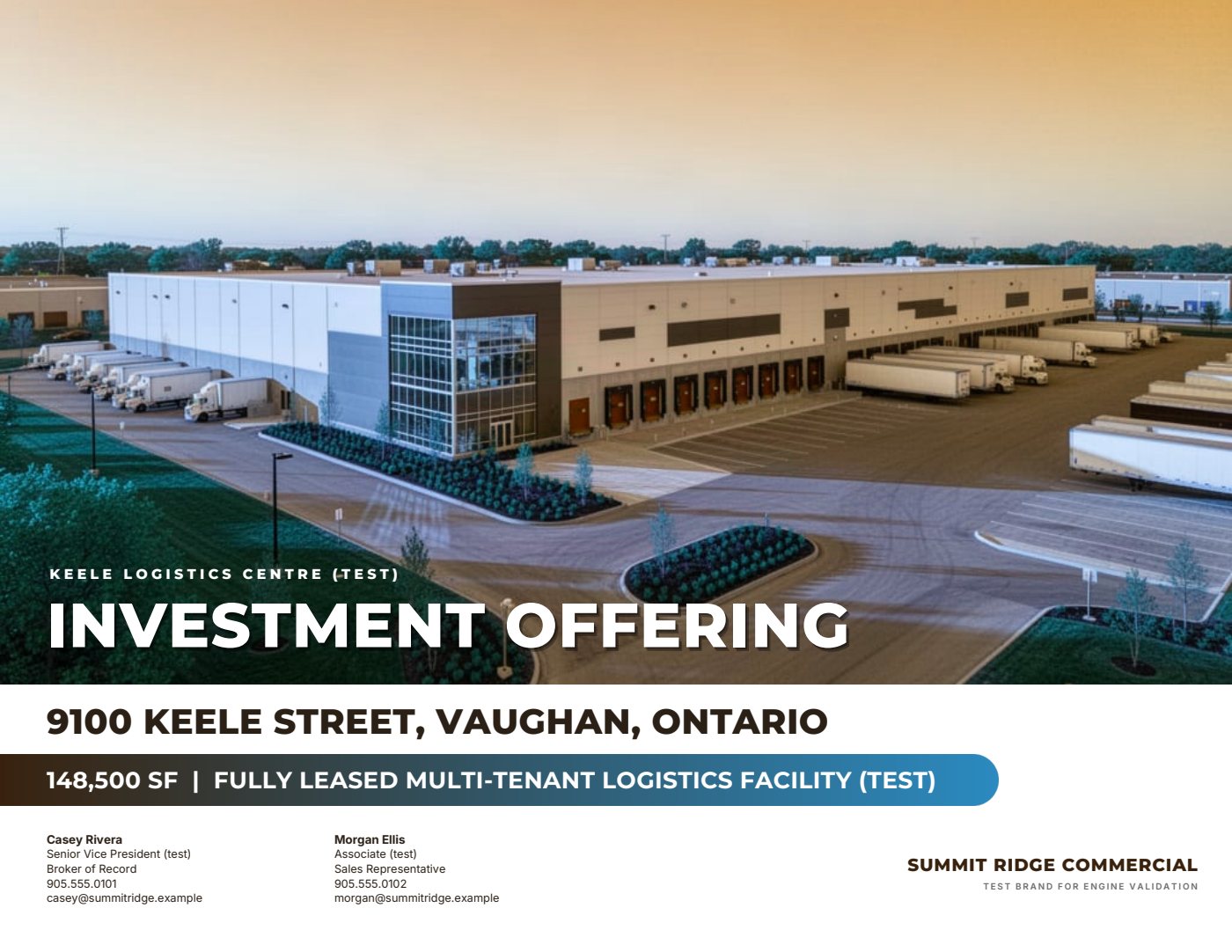
Sample cover page generated for a fictitious test listing
Real pages generated by the product for a fictitious test listing. Figures marked (test) are not real.

You bring

Fact sheet
PDF, Word, Excel, an image or pasted text. Old brochures and rent rolls work too.
Address
Maps, drive times and nearby amenities are pulled from the address.
Photos and plans
JPEG, PNG or HEIC from phones, DSLRs and drones, plus site plans and logos.
Rent roll and financials
Import CSV or Excel, or paste straight from a spreadsheet.

You get

Teaser 4 pages
For the first email to buyers or tenants.
Marketing brochure 8–10 pages
A curated listing brochure in the institutional style.
Full offering memorandum Every page your data supports
Tenancy, financials, market and location in depth. Our fictitious test listing runs to 58 pages.

How it works

Three steps, no blank page.

The studio asks for what the pages need and nothing else. Anything you skip simply doesn’t appear.

  1. 01

    Bring what you have

    Upload a fact sheet, start from an address, or type it in. Every fact taken from your file shows the page and the exact words it came from, marked “from your fact sheet — verify”.

  2. 02

    Answer only what’s missing

    Choose a teaser, brochure or full OM. You’re asked only for what those pages need, most important first. Answer it, skip the field, or skip the page.

  3. 03

    Review the pages, then generate

    Add, remove and reorder pages. A page without enough data is left out with a plain reason. Check a watermarked preview, then download the print-ready PDF.

The full workflow

What’s inside

Built around how CRE listings are actually marketed.

Location intelligence

The location story, with sources.

From the address, the studio works out drive-time reach, nearby amenities, neighbouring businesses, transit and road access. Each figure carries its source and the date it was pulled.

  • 10, 20 and 30-minute drive-time areas
  • Drive times to the airport, rail, city centre, ports and border crossings
  • Amenity counts within 3, 5 and 10 km, rounded down
  • Neighbouring occupiers, transit stops and routes, retail anchors
  • “Why this location” bullets written only from pulled figures
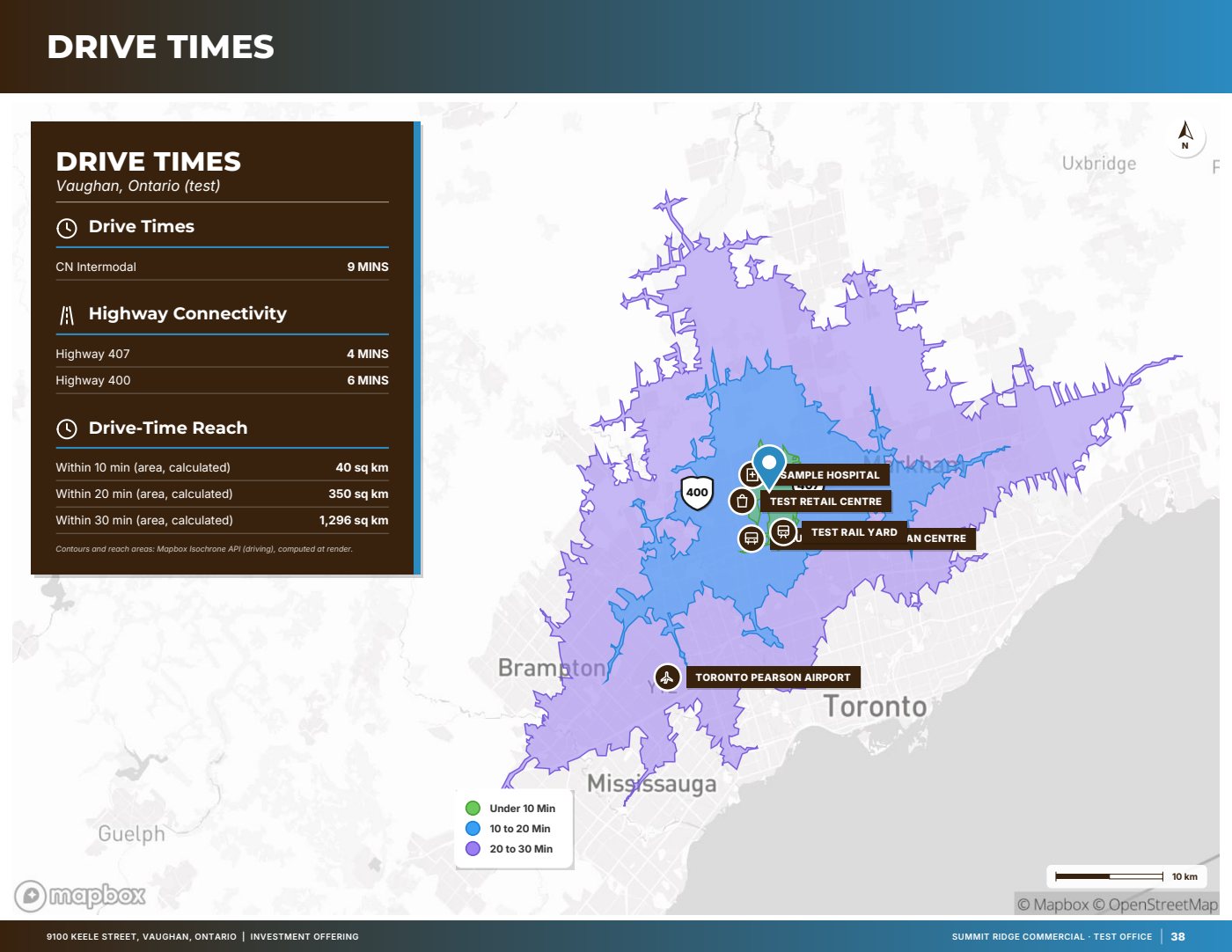
Sample page: Drive times, from a fictitious test listing
Sample · fictitious test listing · p. 38Drive times10/20/30-minute isochrones with highway and connectivity tables.

Cartography

Maps drawn for print.

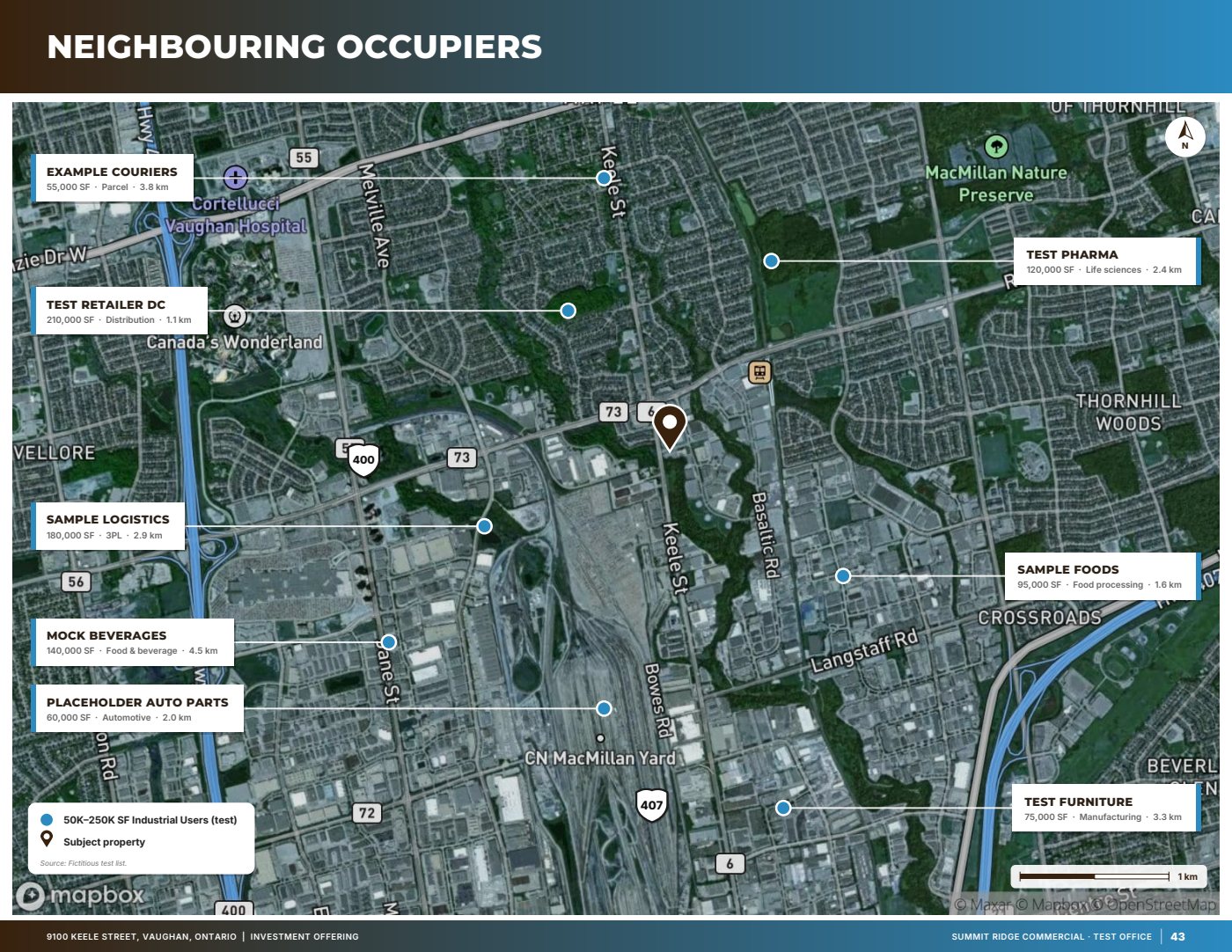
Generated maps carry the details brokers usually add by hand: road labels set along the road, highway shields, a north arrow and scale bar, and callout cards with leader lines.

  • Comparables map numbered to match the table rows
  • Far points shown as edge pointers instead of zooming out to the region
  • Points more than 25 km from the site left off, with a warning
  • Satellite or muted basemaps, site pin in your brand colour
Sample page: Neighbouring occupiers, from a fictitious test listing
Sample · fictitious test listing · p. 43Neighbouring occupiersCallout cards with leader lines to each neighbouring business.

Tenancy and financials

Numbers you can defend.

Tenancy and financial pages are built from your rent roll and pro forma. Anything the studio calculates is labelled as calculated, so readers can tell your figures from derived ones.

  • Rent roll at a glance, stacking plan, tenant profiles, lease abstracts
  • 10-year cash flow with NOI bars
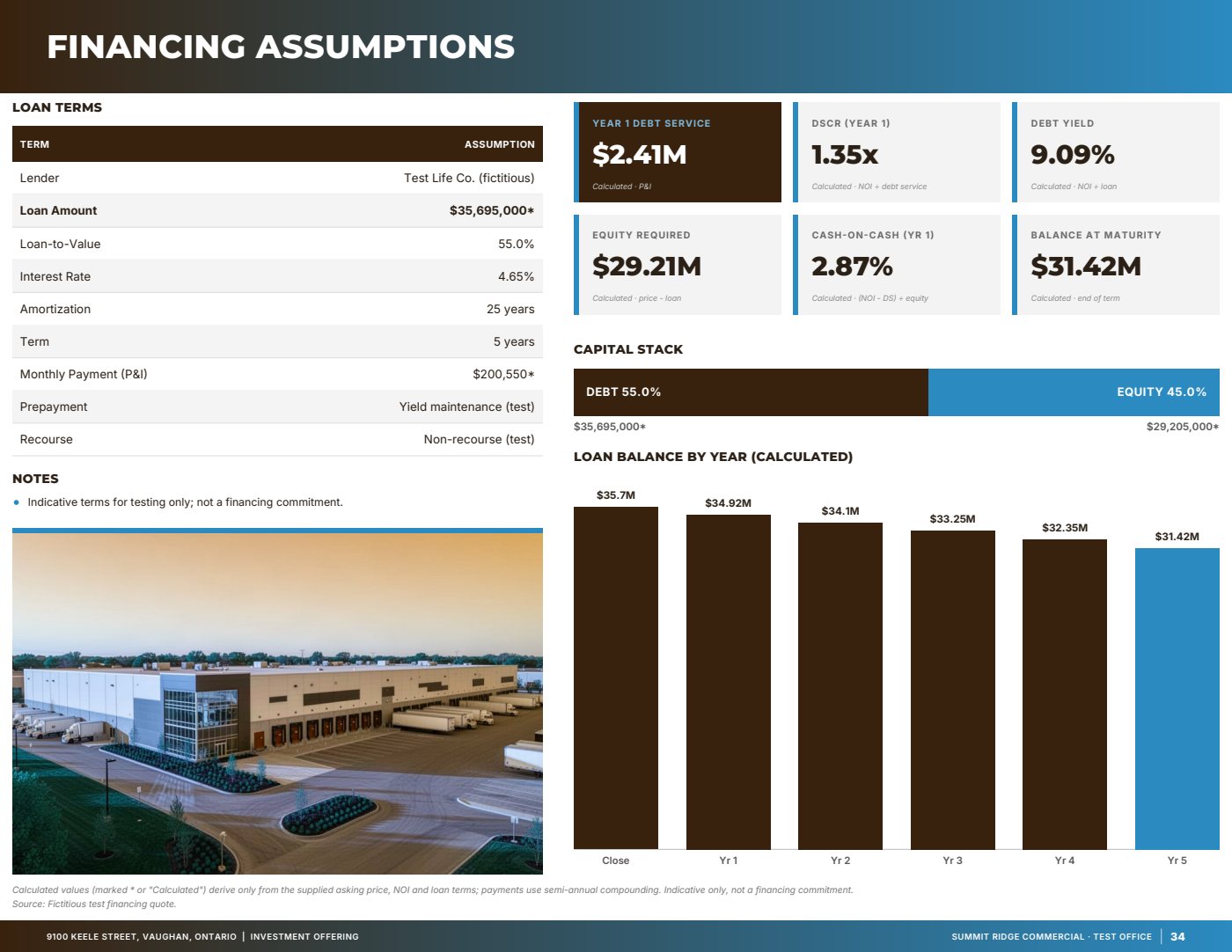
  • Financing: debt service, DSCR, debt yield, cash-on-cash
  • Capital expenditures and pricing pages
Sample page: Financing assumptions, from a fictitious test listing
Sample · fictitious test listing · p. 34Financing assumptionsDebt service, DSCR, debt yield and equity, each labelled as calculated.

Design and output

Your brand, laid out properly.

Six themes, including a full-bleed panel layout in the style of leading brokerage brochures. Your colours, fonts, logo and co-brand logos run through every page.

  • Themes: Panel, Banner, Frame, Editorial, Bold and Minimal
  • Letter or A4 landscape, with print bleed and crop marks
  • Links and fillable form fields kept in the PDF
  • Photos straightened and balanced, never retouched
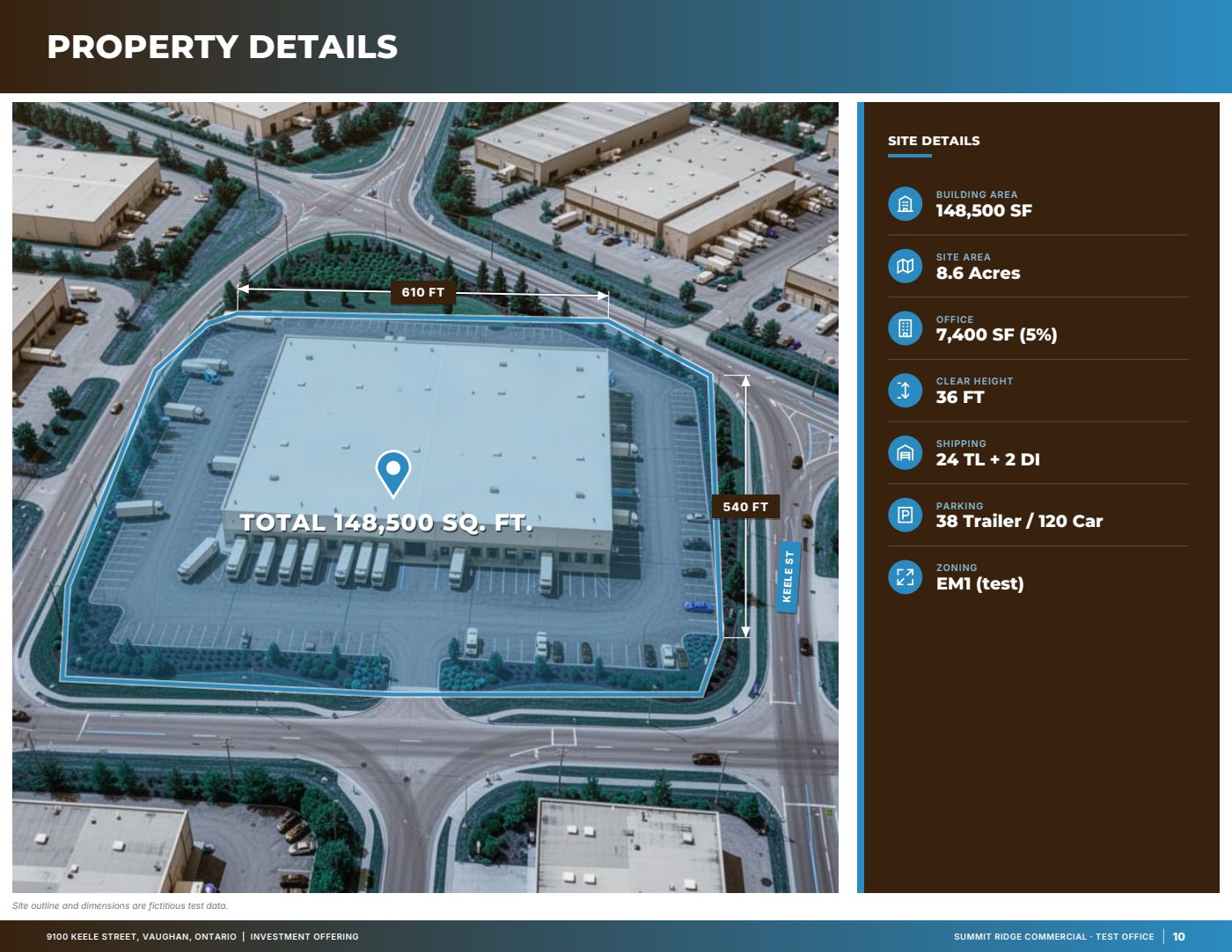
Sample page: Property details over aerial, from a fictitious test listing
Sample · fictitious test listing · p. 10Property details over aerialSite outline, dimension lines and a spec column drawn from your data.

Every feature

Outputs

One property file, three documents.

Switch between them at any time. Add or remove any page, and leave out what you don’t have.

4 pages

Teaser

For the first email to buyers or tenants.

  • Cover
  • Highlights and key metrics
  • Best photo or location page
  • Contacts

8–10 pages

Marketing brochure

A curated listing brochure in the institutional style.

  • Cover and property details
  • Photos
  • Location and drive times
  • Amenities and demographics
  • Zoning
  • Contacts and about

Every page your data supports

Full offering memorandum

Tenancy, financials, market and location in depth. Our fictitious test listing runs to 58 pages.

  • Executive summary and highlights
  • Rent roll, lease abstracts, cash flow
  • Financing and pricing
  • Market, comparables and location
  • Confidentiality agreement with fillable fields

Pricing and plans

Accuracy

Built to be checked.

A marketing document carries your name. The studio is designed so you can see where every figure came from.

01

Nothing invented

If a figure isn’t in your data or a cited source, it isn’t on the page.

02

Calculated values are labelled

Totals, ratios and distances the studio computes are marked as calculated.

03

Sources travel with the facts

Extracted facts keep their page and quote; researched facts keep their link and date.

04

You accept or reject

AI research and drafted copy wait for your approval, one item at a time.

05

Warnings before you send

A different town named in the copy, an unconfirmed map pin, a low-resolution photo: all flagged at render.

06

Thin pages are left out

No “N/A” and no empty boxes. A page without enough data is dropped, and you’re told why.

Questions

Before you start

What do I need to start?

A fact sheet, an old brochure or just the address. Add photos, a rent roll and financials as you go, and leave anything blank that you don’t have.

Where do the location figures come from?

Maps, geocoding and drive times come from Mapbox. Amenities, roads, transit and neighbouring businesses come from OpenStreetMap. Optional AI web research cites a source for every fact. Each figure shows its source and date. Data sources & accuracy

Will it make up numbers?

No. Facts come from your files, your answers or a cited source, and calculated values are labelled. AI research and copy drafts are used only after you accept them. You should still check every document before it goes out.

Can I use my brokerage’s branding?

Yes. Set your colours, your logo (with a version for dark backgrounds) and up to two co-brand logos. A logo check warns you if a logo will print as a box.

How does the free preview work?

Each account gets one free preview of a generated document, shown as watermarked page images on screen. To download the clean PDF, buy that document or subscribe. Billing questions

What file do I get?

A print-ready PDF in Letter or A4 landscape, with optional print bleed and crop marks. Links and form fields are kept.

Can I change it after generating?

Yes. Edit the data, add or remove pages, or switch between teaser, brochure and full OM, then generate again without re-entering anything.

Visit the help centre

Start with the fact sheet you already have.

Upload it, answer only what’s missing for the output you choose, and review a watermarked preview before you buy anything.