Financial pages
Investment pages an underwriter can follow.
Enter or import the numbers once. OfferingStack lays out the investment summary, cash flow, financing, rent roll and comparables, and labels every figure it calculated.
The page set
From summary to rent roll.
Pick a full offering memorandum and these pages are added as your data supports them.
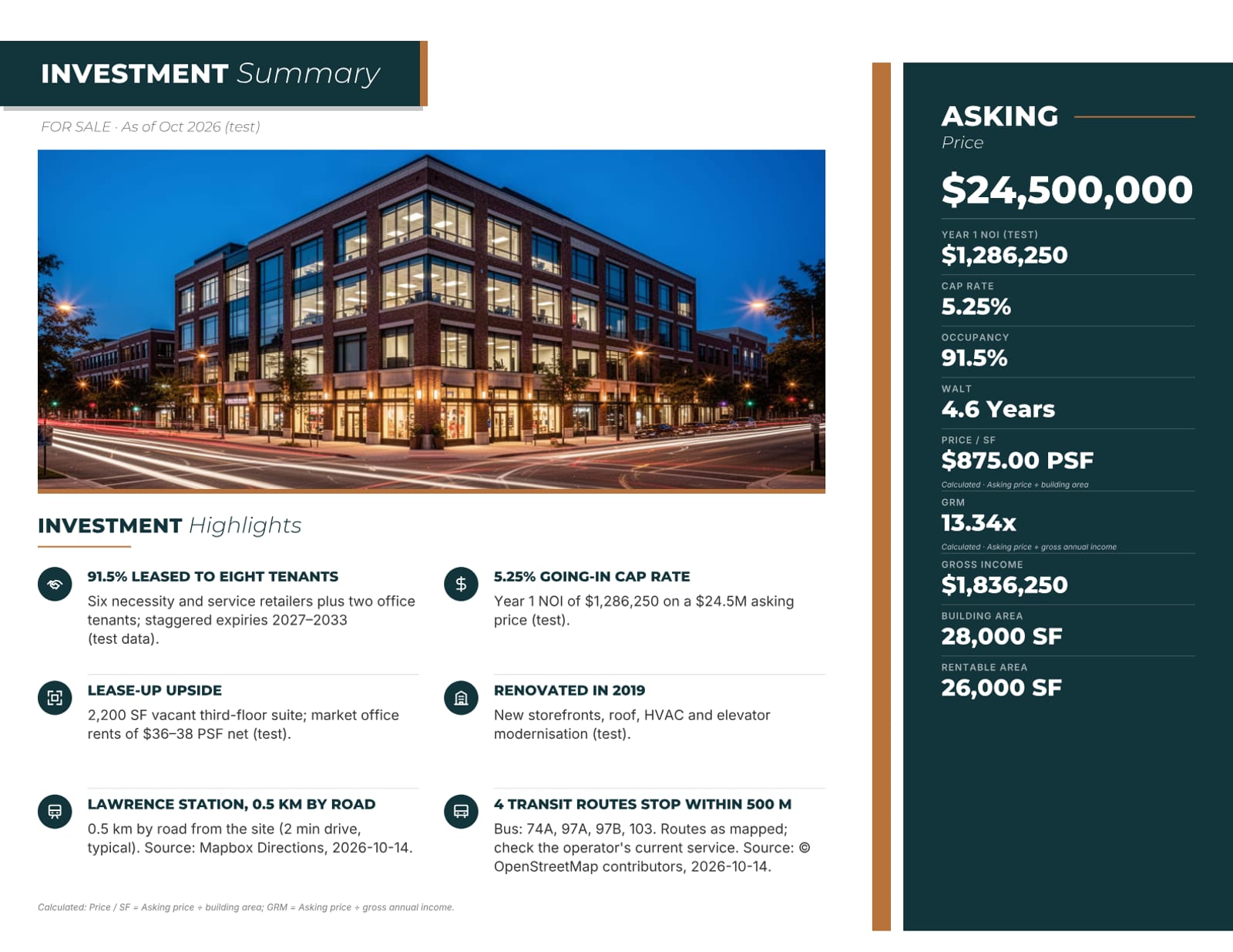
Investment summary
Price, NOI, cap rate, occupancy and WALT with highlights drawn from your data. Added automatically to FOR SALE brochures.
Financial overview and 10-year cash flow
The operating figures and multi-year cash flow you enter or import, laid out for print.
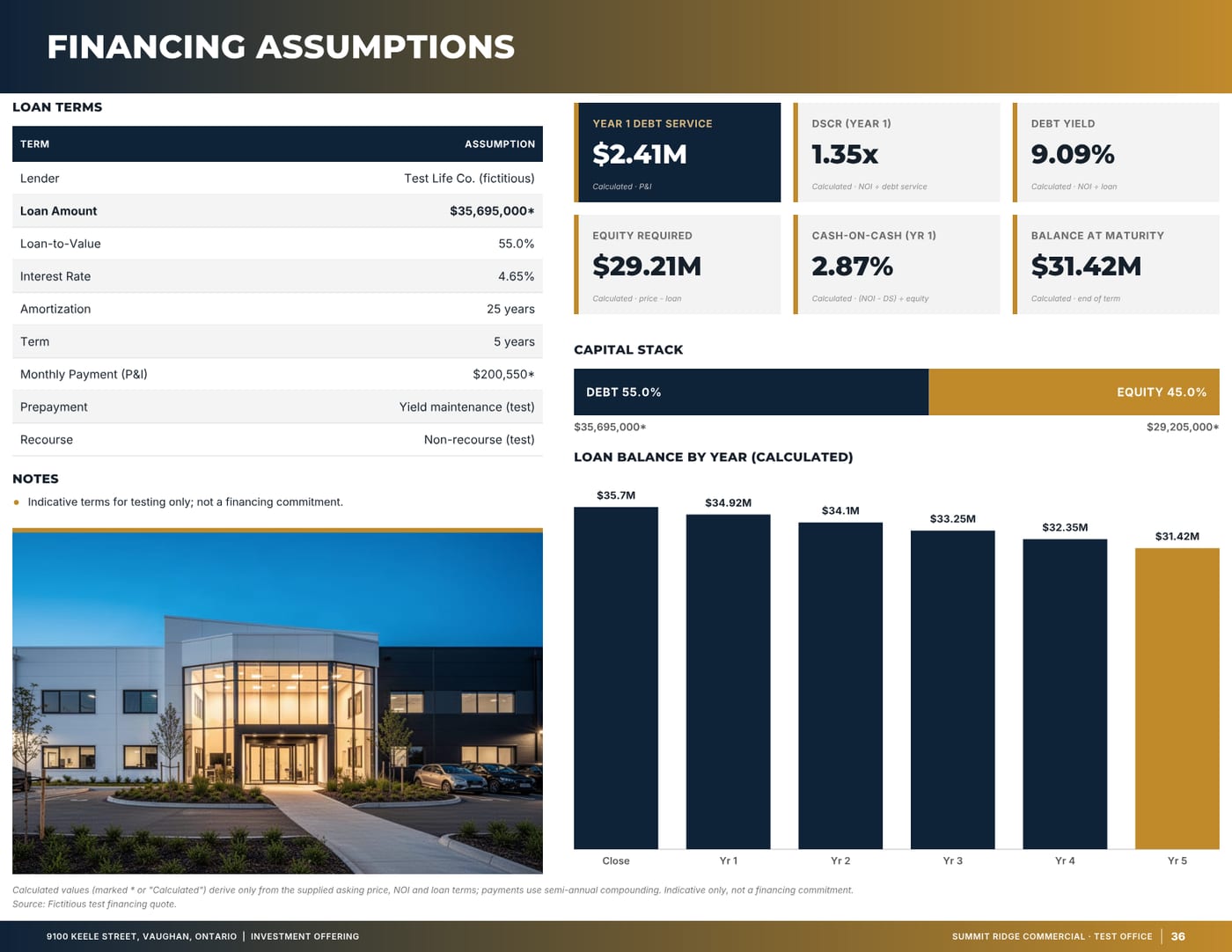
Financing assumptions
Debt service, DSCR, debt yield, capital stack and loan balance, each labelled as calculated.
Rent roll at a glance
Your tenancy schedule on one page, imported from CSV or Excel or typed in.
Tenant profiles and lease abstracts
One block per tenant, with the lease terms you supply.
Capital expenditures and pricing
Past and planned capital work, and the pricing or offering terms.
Comparables
Sale and lease comparables, plus “On the Market” listings, numbered to match the comparables map.
Broker opinion of value
A BOV from the same listing record, for pitching the listing before it goes to market.
How the numbers are handled
Labelled, never padded.
- Every calculated figure says so. Gross rent, for example, is shown as net rent plus additional rent, with the basis printed.
- Pages appear only when the data exists. A sale with no rent roll simply has no rent roll page, instead of an empty table.
- Import tables from CSV or Excel, or paste them; the preview flags any cell it can’t read before anything is saved.
- Prices can be shown “+ HST” when you set the HST treatment. It is a label only: OfferingStack does not calculate tax or give tax advice.
From the sample documents
Real pages, unedited.
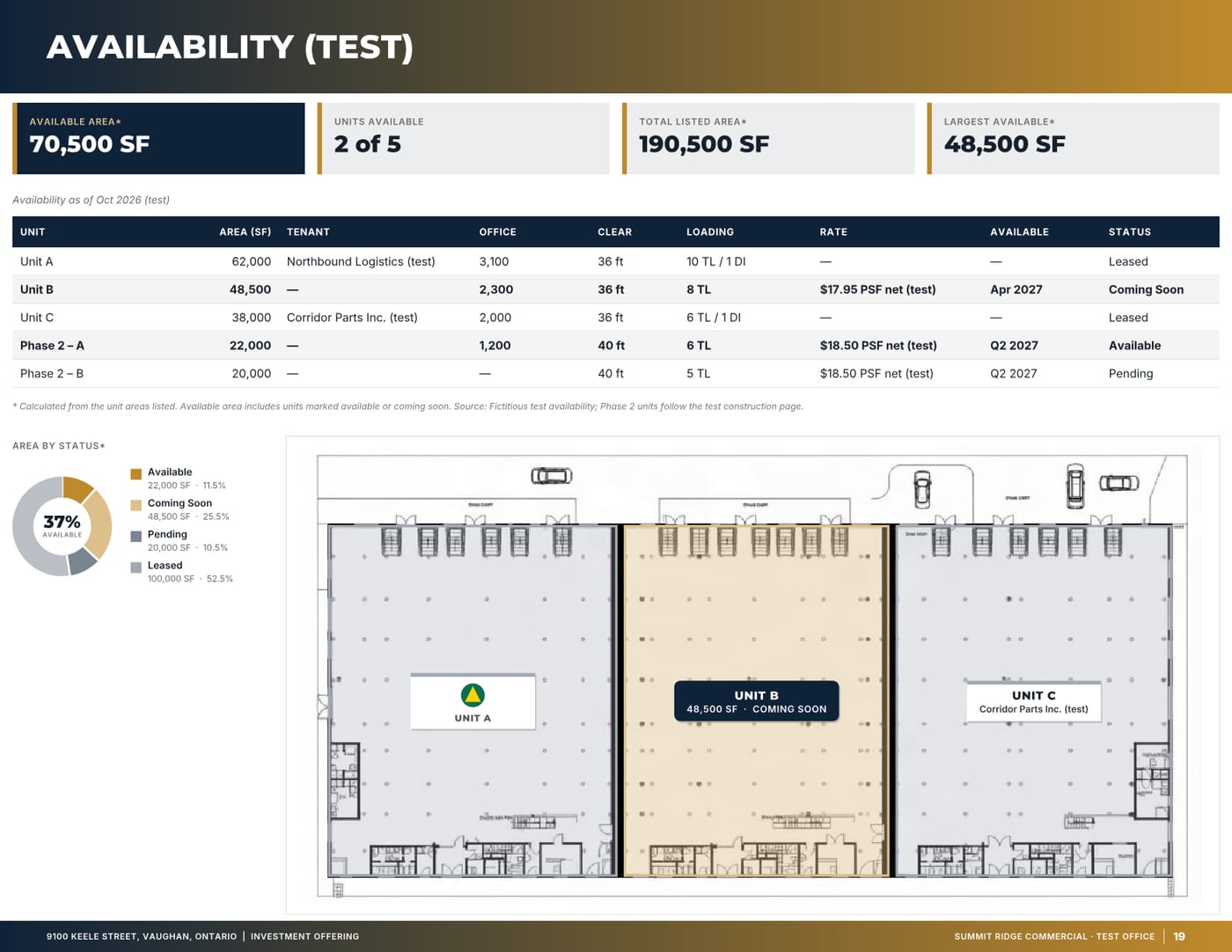
These pages were generated by OfferingStack, unedited, from fictitious sample listings (9100 Keele Street and 3256 Yonge Street). The figures are test data, not real, and are marked (test) on the pages.
Turn your rent roll into an OM.
Import a CSV or Excel rent roll, or type it in. You’ll see a watermarked preview of your own document before you pay for anything.