Listing launch kit
One intake. Everything the launch needs.
Enter the listing once, from a fact sheet, an address or by hand. OfferingStack turns that one record into the documents and sharing tools a commercial listing goes to market with.
Before and after
From a plain fact sheet to finished pages.
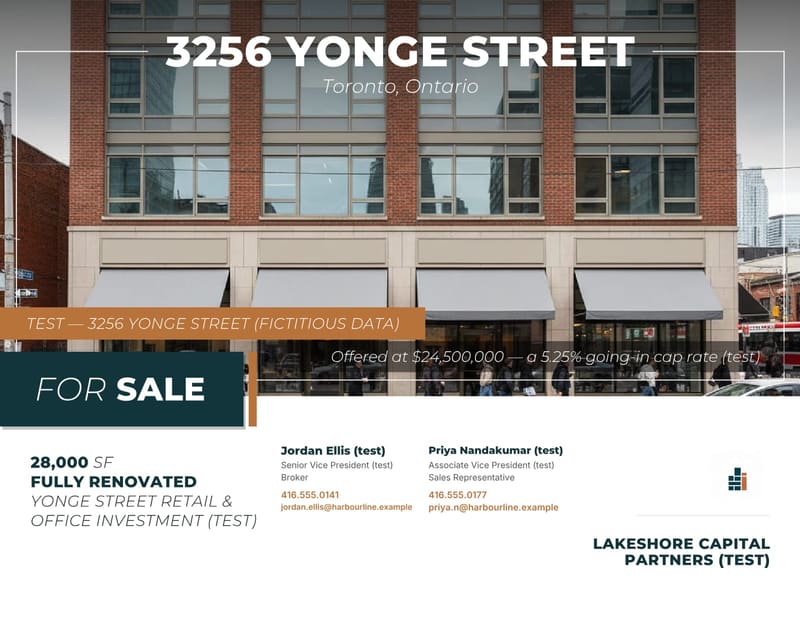
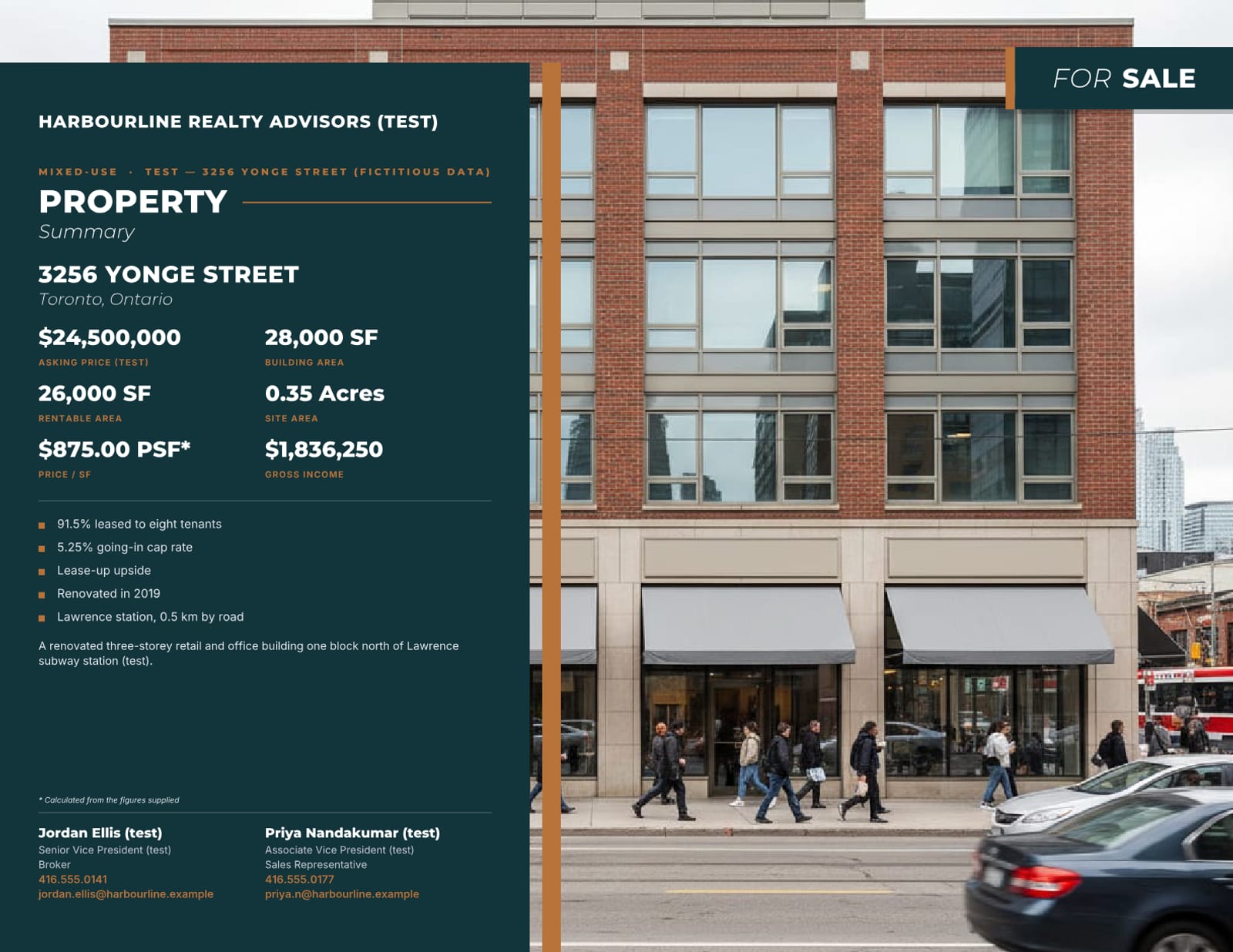
Left: a one-page fact sheet. Right: pages OfferingStack generated for the same fictitious listing once its photos and contacts were added.
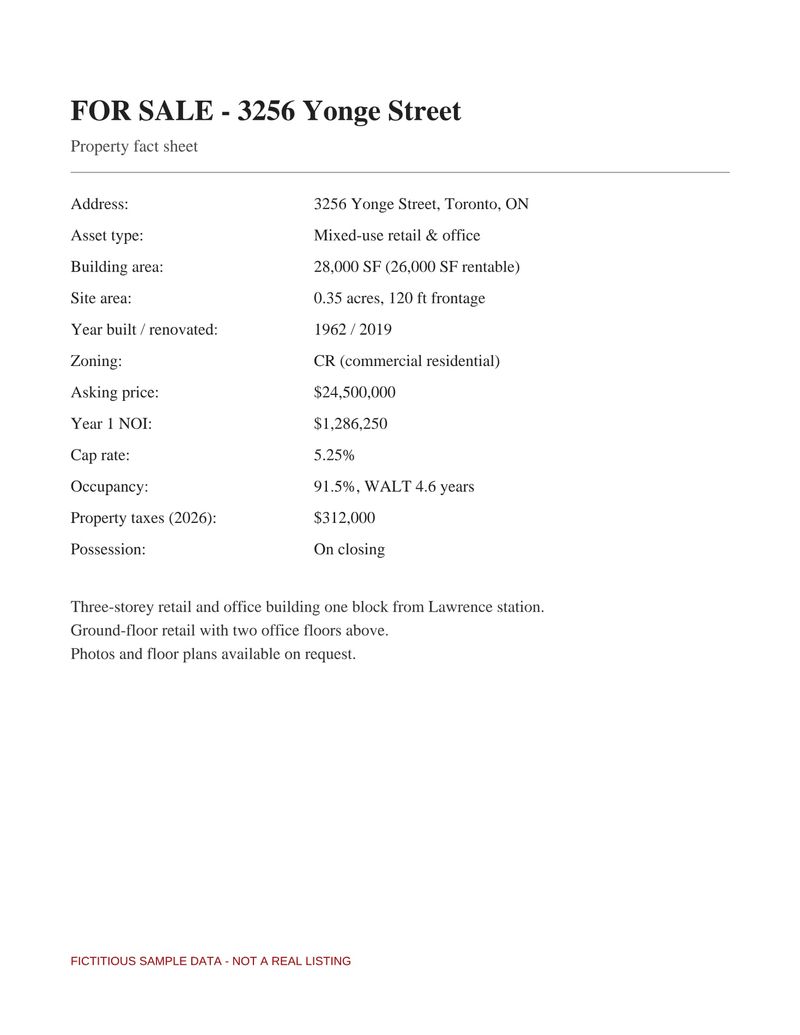
A plain one-page fact sheet, the kind most listings start from.
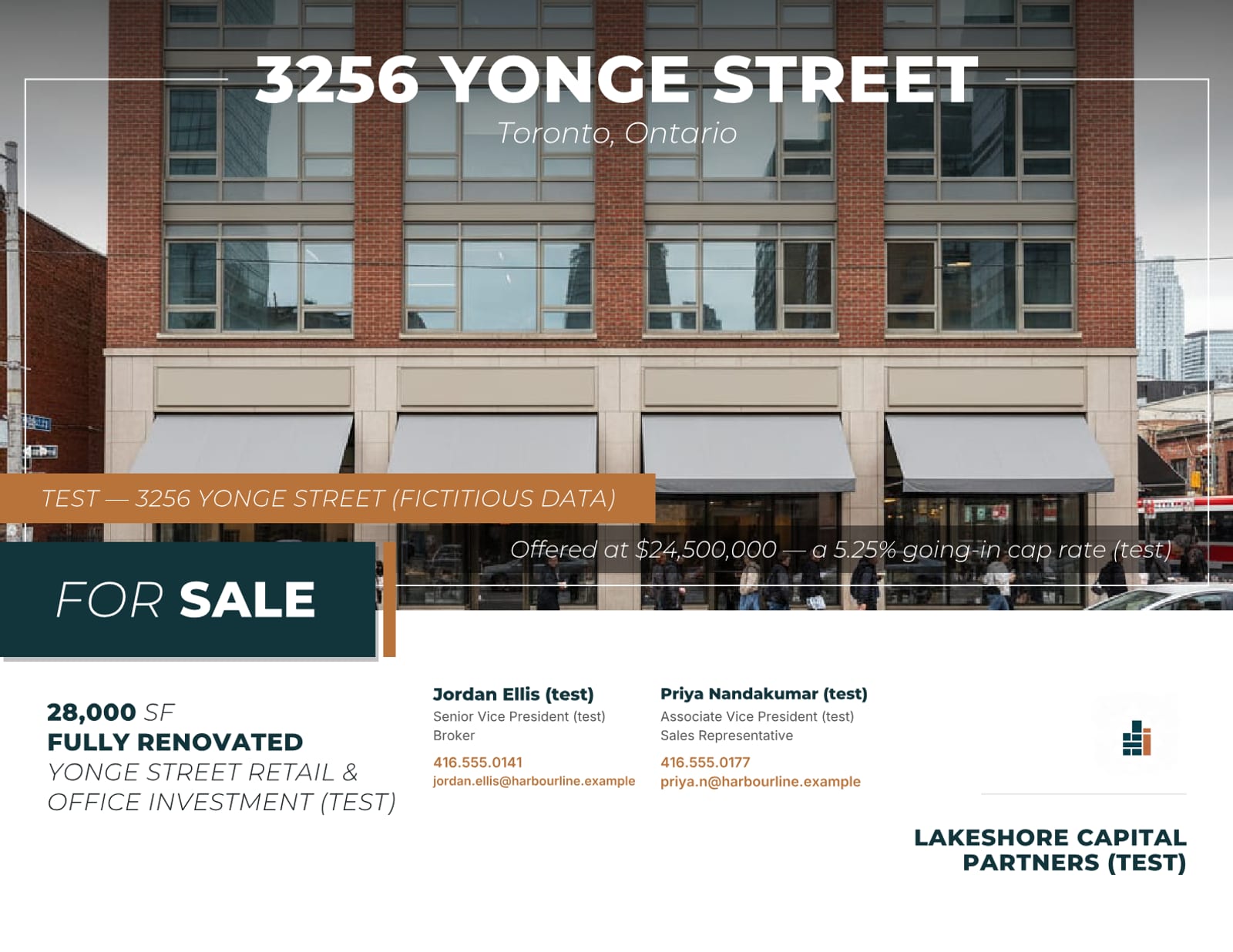
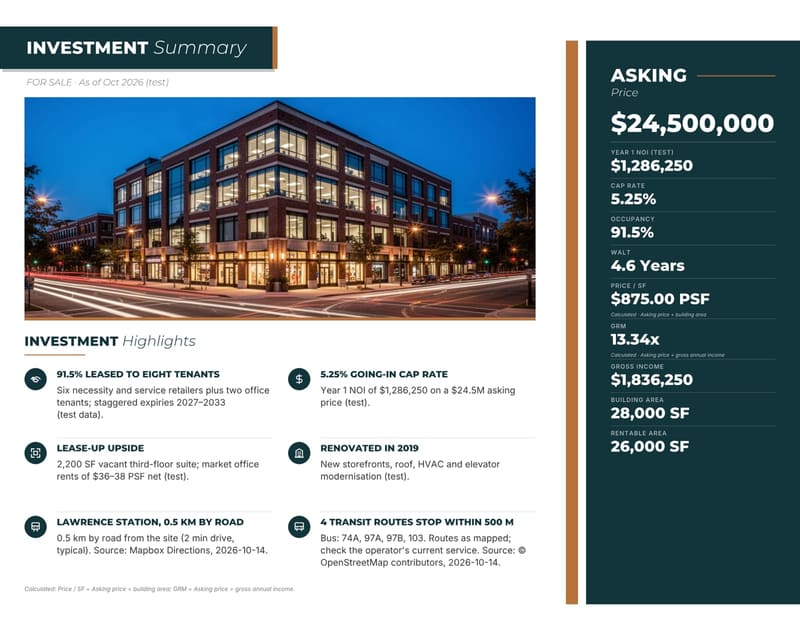
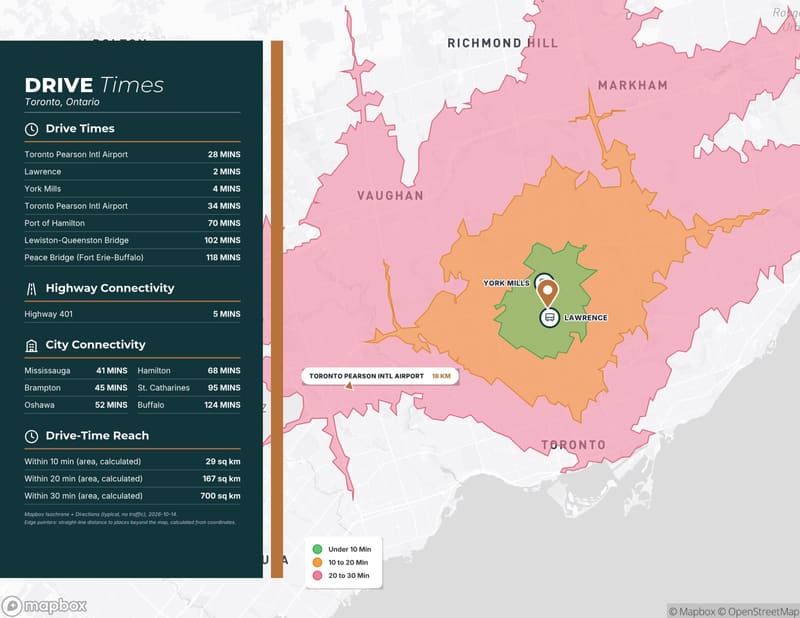
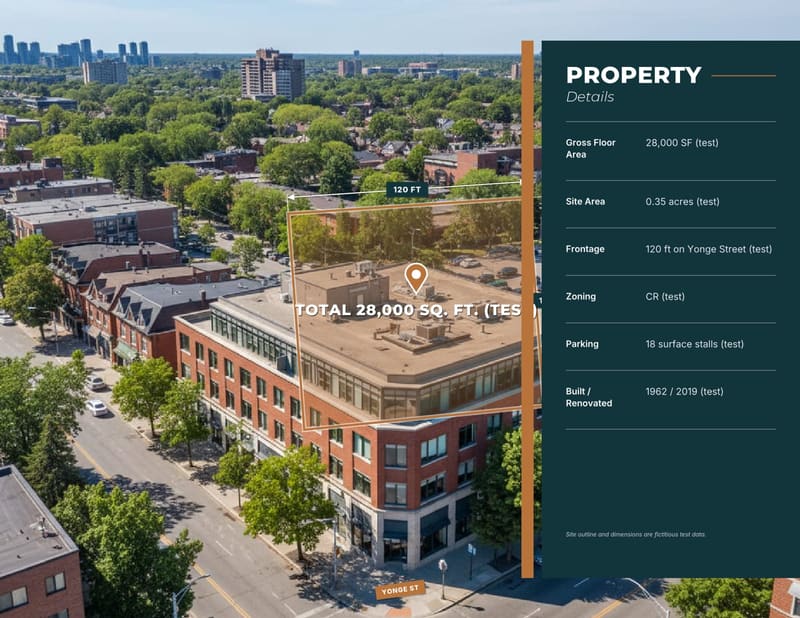
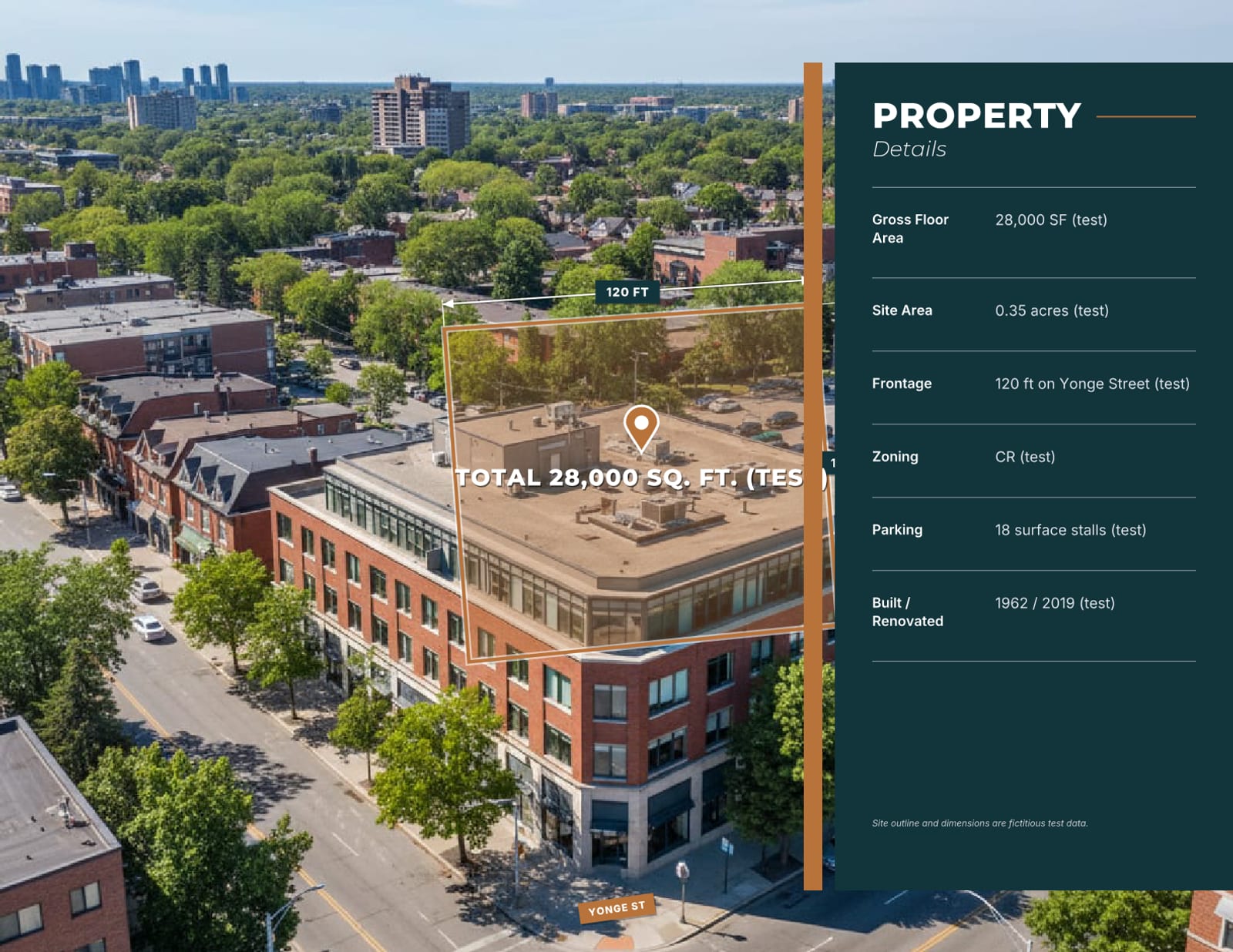
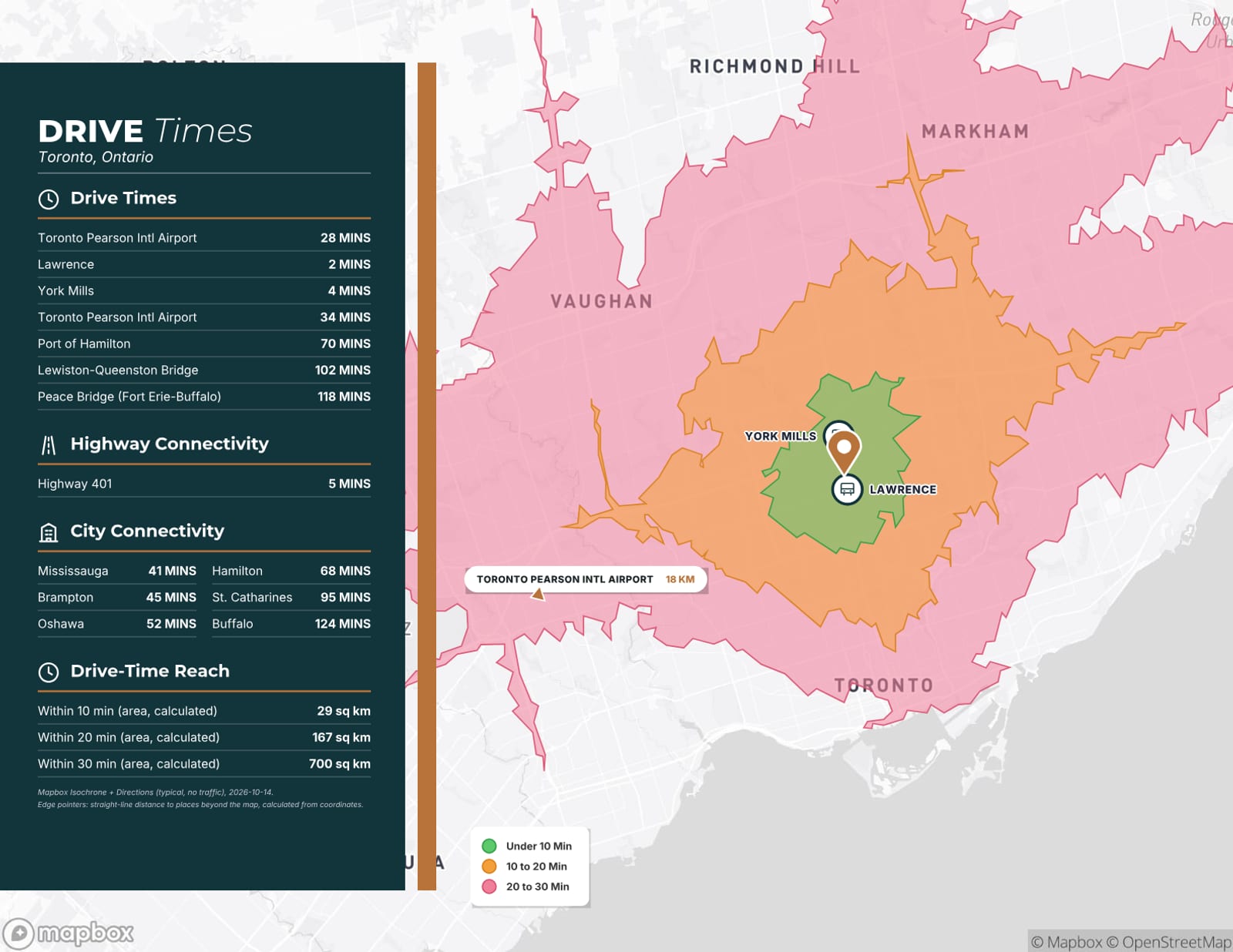
Generated pages: cover, investment summary, drive times, property details.
What’s in the kit
Nine outputs, one listing record.
4 pages
Teaser
Cover, one-page property summary, photos and contacts. Landscape, or portrait for a flyer.
10–13 pages
Marketing brochure
Cover, opportunity, investment summary for sales, property details, zoning, drive times, neighbours, amenities, demographics, photos, about and back cover.
Every page your data supports
Full offering memorandum
Adds financials, rent roll, tenant profiles, comparables, market overview, site plans and a fillable confidentiality agreement. Pages without data are left out, never shown empty.
Landscape PDF
Broker opinion of value
A BOV built from the same listing record, for pitching the listing before it goes to market.
Sized for each channel
Social and email images
Email hero (1200×628), square (1080×1080) and portrait (1080×1350) images, plus a LinkedIn carousel of up to 5 slides with a PDF version.
HTML email
Email blast
A ready-to-send listing email with three subject-line options, a desktop and phone preview, and a footer slot for your CASL details. Copy it or download the .html.
One public page per listing
Listing website
Hero, key facts, highlights, photos, map and contacts. On only when you switch it on; the “Request the OM” form emails each request to you.
Page-by-page in the browser
Web viewer link
A shareable viewer with chapters and phone navigation. You decide whether the PDF can be downloaded.
Checklist
MLS fields sheet
Your listing facts grouped the way MLS forms ask for them, with copy buttons, a missing-fields list and CSV export.
- Edit the listing once: every output reads the same record, so a corrected price or area changes everywhere on the next render.
- Sharing tools (listing website, web viewer, email blast, social images) need a paid document or a plan. The free preview is watermarked and view-only.
- Nothing is invented: researched facts carry a source, calculated figures are labelled, and anything you skip simply doesn’t appear.
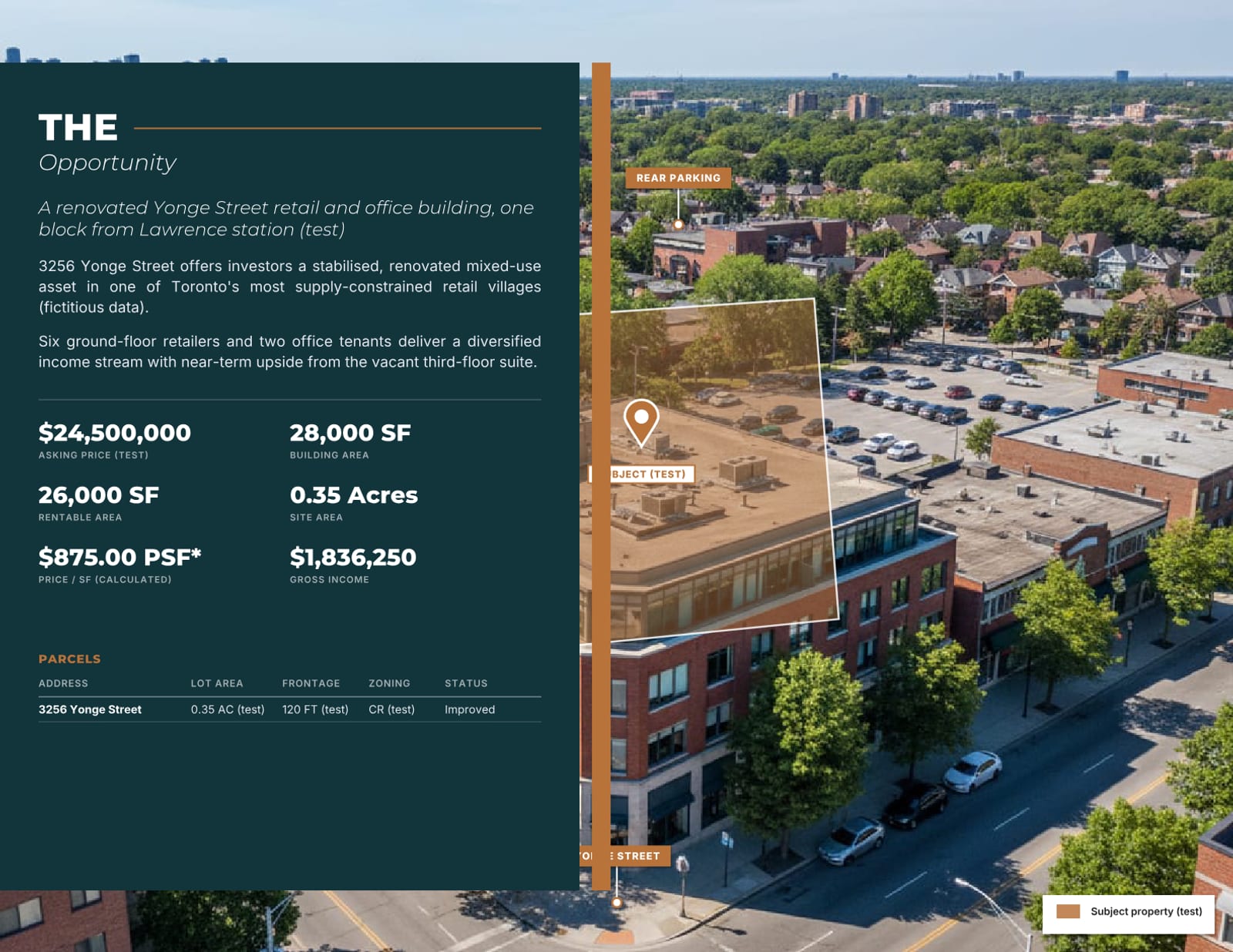
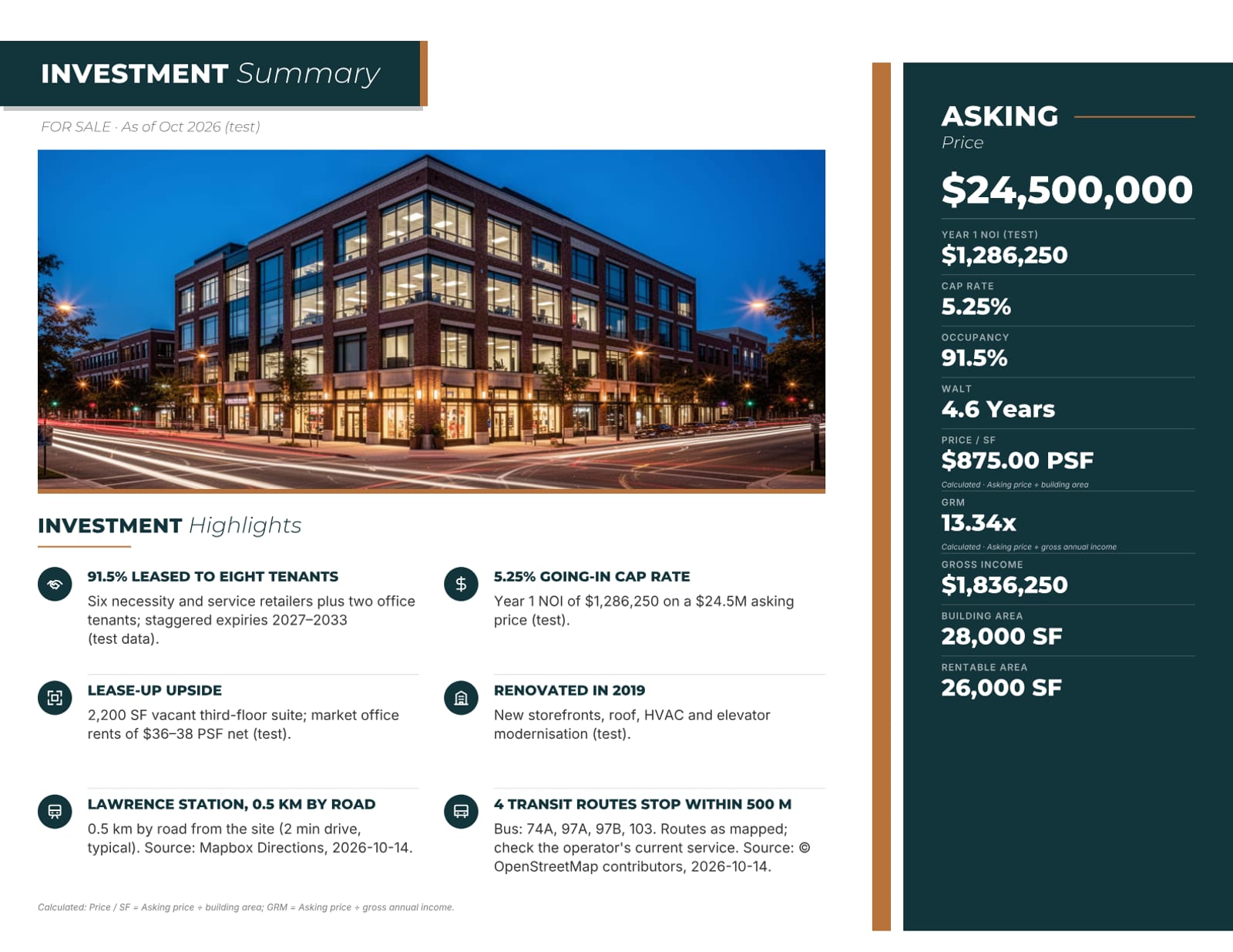
From the sample brochure
Real pages, unedited.
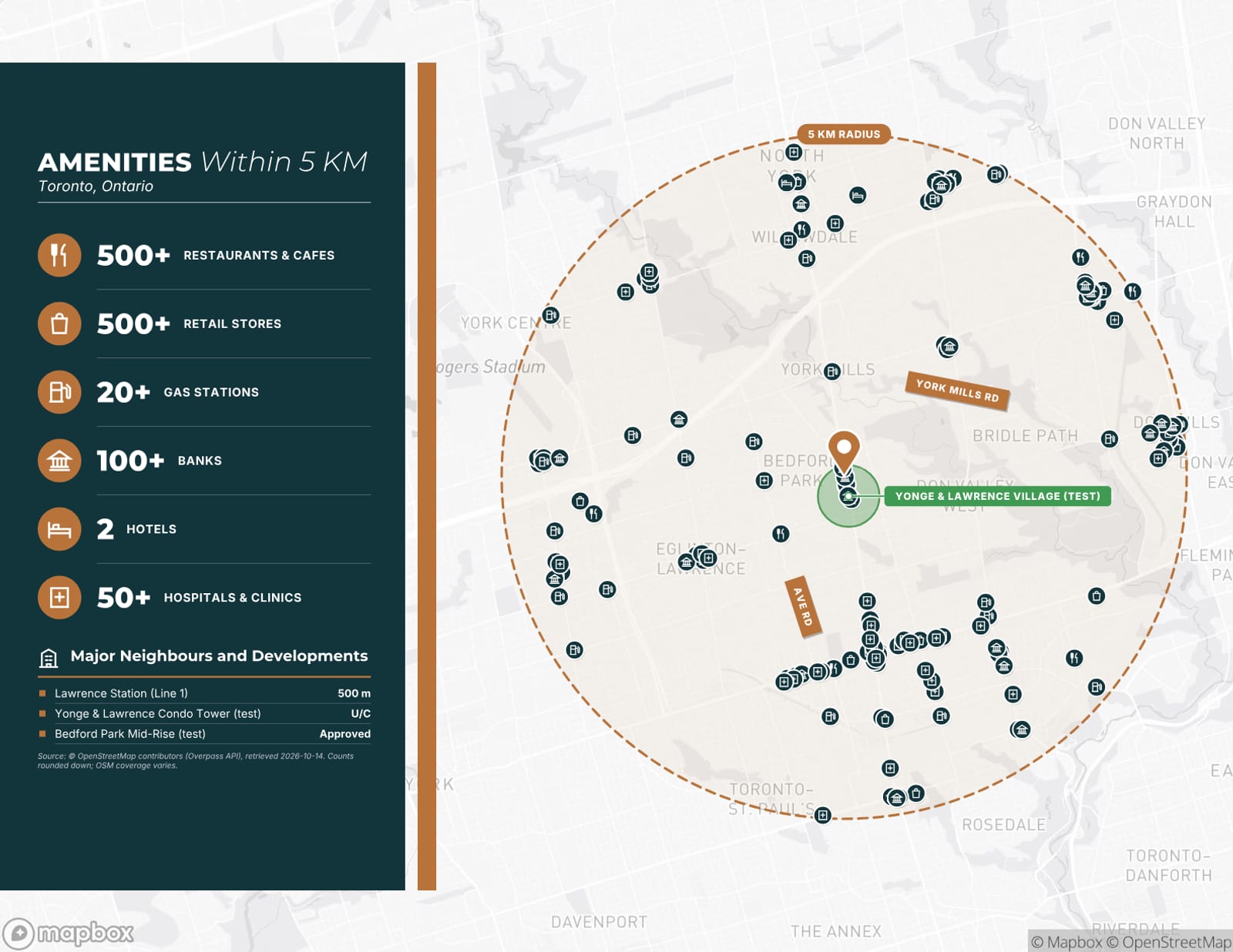
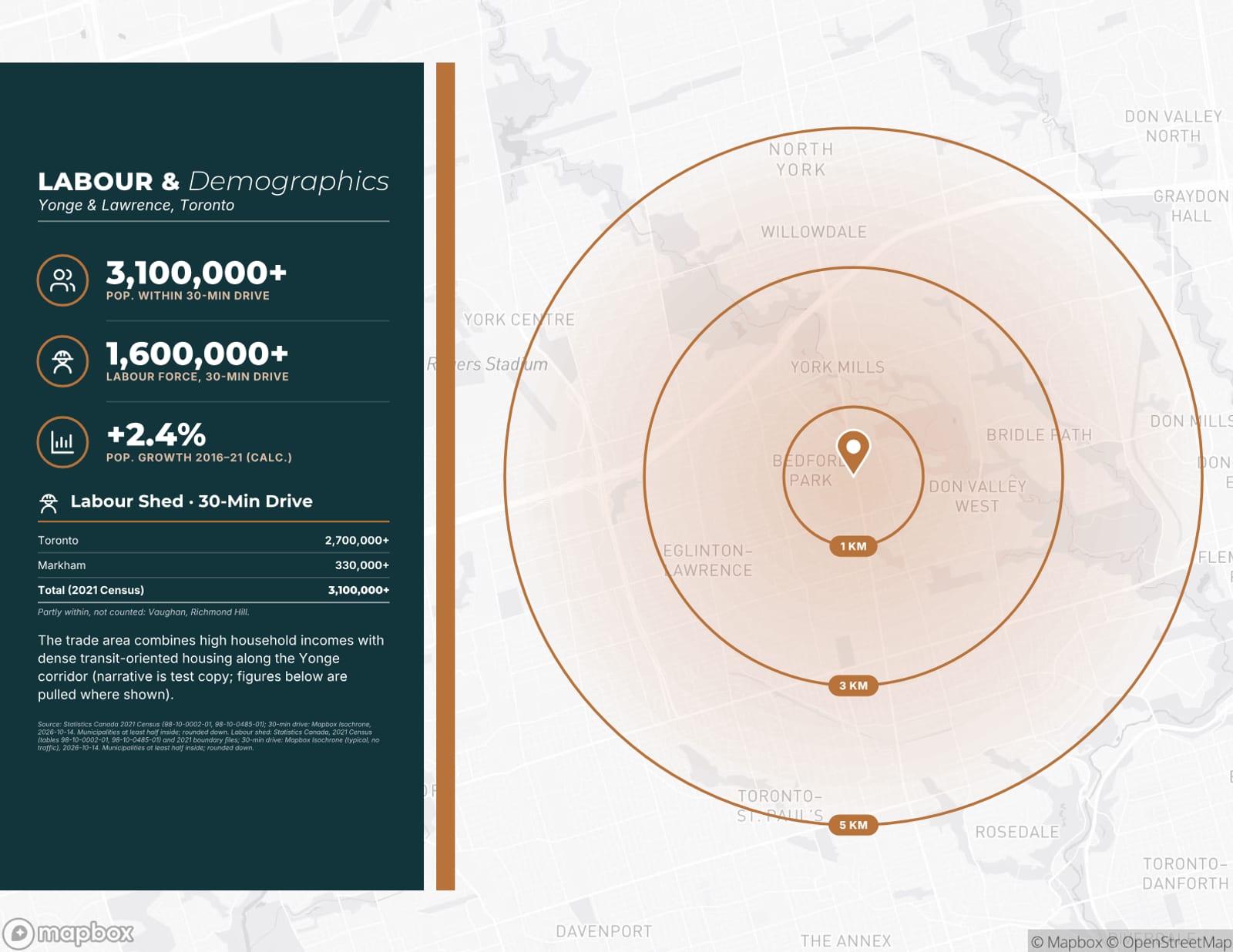
Every page shown here was generated by OfferingStack, unedited, from a fictitious sample listing (3256 Yonge Street, “Harbourline” and “Lakeshore Capital” test brands). Figures marked (test) are not real, and the photos are illustrative.
Launch your next listing from one intake.
Upload a fact sheet or start from an address. You’ll see a watermarked preview of your own document before you pay for anything.