Your brand
Your brokerage’s look, on every page.
Choose one of six themes and OfferingStack sets it in your colours, fonts and logo. Paid documents carry your brand only.
Brand kit
Set it once, use it everywhere.
Your colours, fonts and logo
Set them once in a brand kit and every output uses them: teaser, brochure, OM, BOV, social images and the listing web page.
Suggested from your logo or website
OfferingStack can suggest brand colours and a font pairing from your logo or website. Nothing changes until you click apply.
Co-branding
Add up to two co-brand logos for joint listings or an owner’s brand.
Logo check
A transparent version for light pages and a white version for dark bands, with a warning when a logo would print as a box.
No platform branding on paid documents
Paid PDFs carry your brand only. The free preview is watermarked “OfferingStack PREVIEW”.
Six themes
Same listing, six looks.
Theme images show the cover and investment highlights of a fictitious sample listing (9100 Keele Street, “Summit Ridge Commercial” test brand), rendered by OfferingStack and unedited. Figures marked (test) are not real.
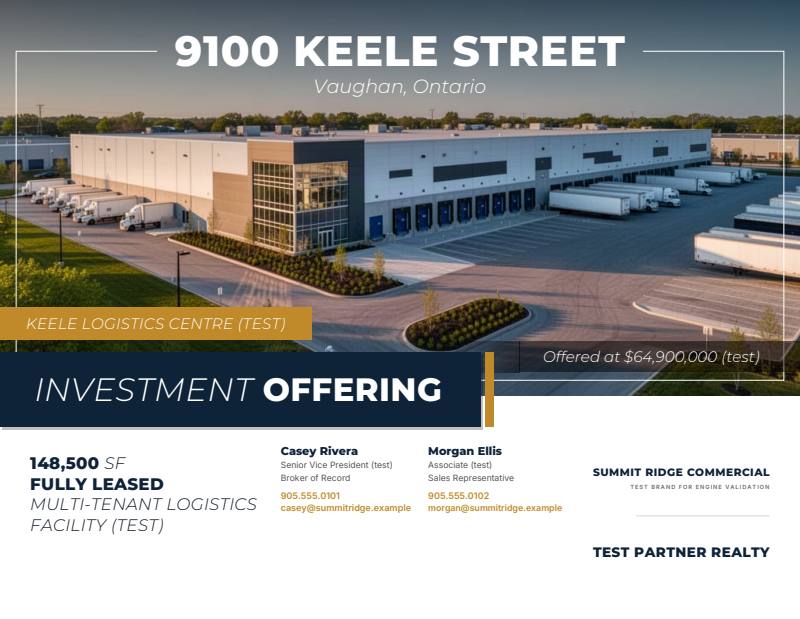


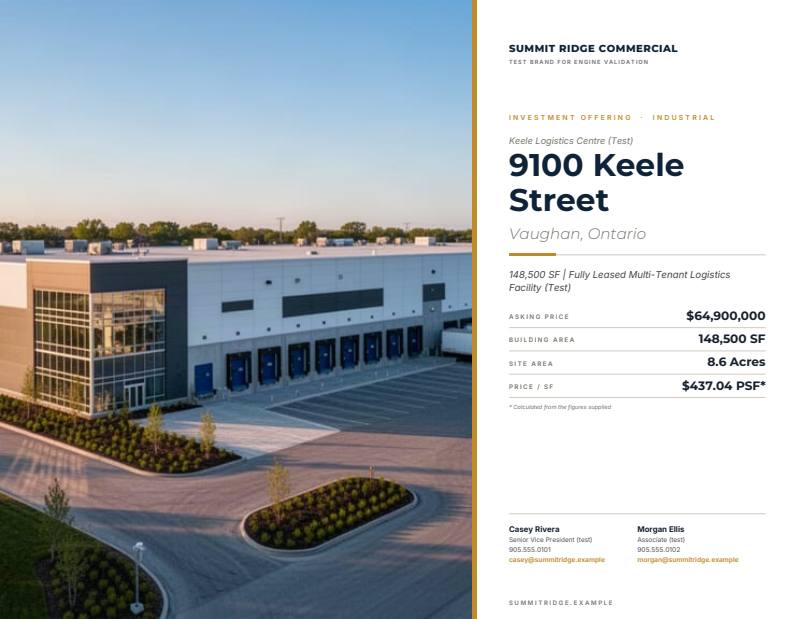


See your listing in your brand.
Start from a fact sheet or an address. You’ll see a watermarked preview of your own document before you pay for anything.