Template · Industrial brochure
Industrial property brochure template
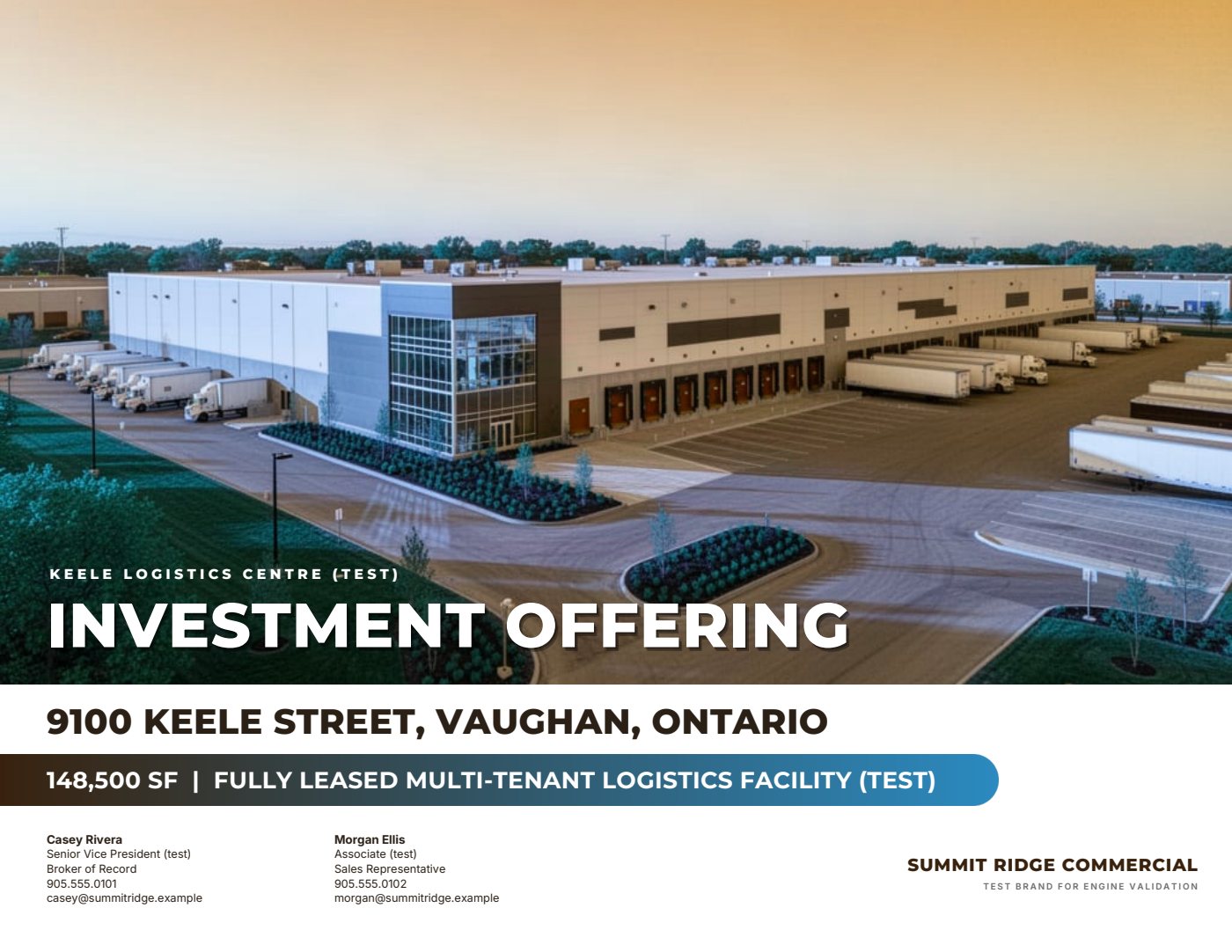
The brochure is the designed marketing piece that sells the opportunity: roughly ten to thirteen pages that move from a strong cover and an annotated aerial to the specifications, the location story and the photos.
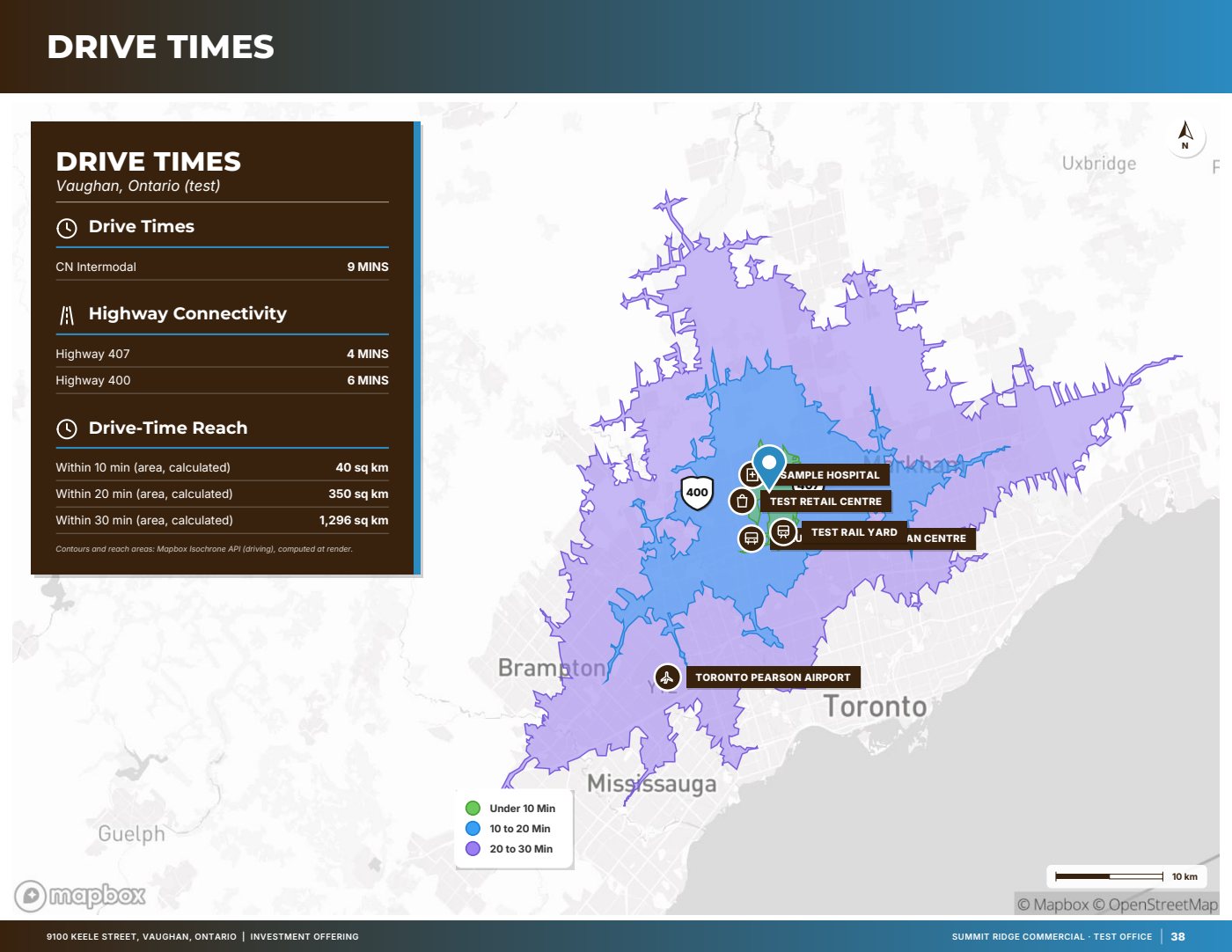
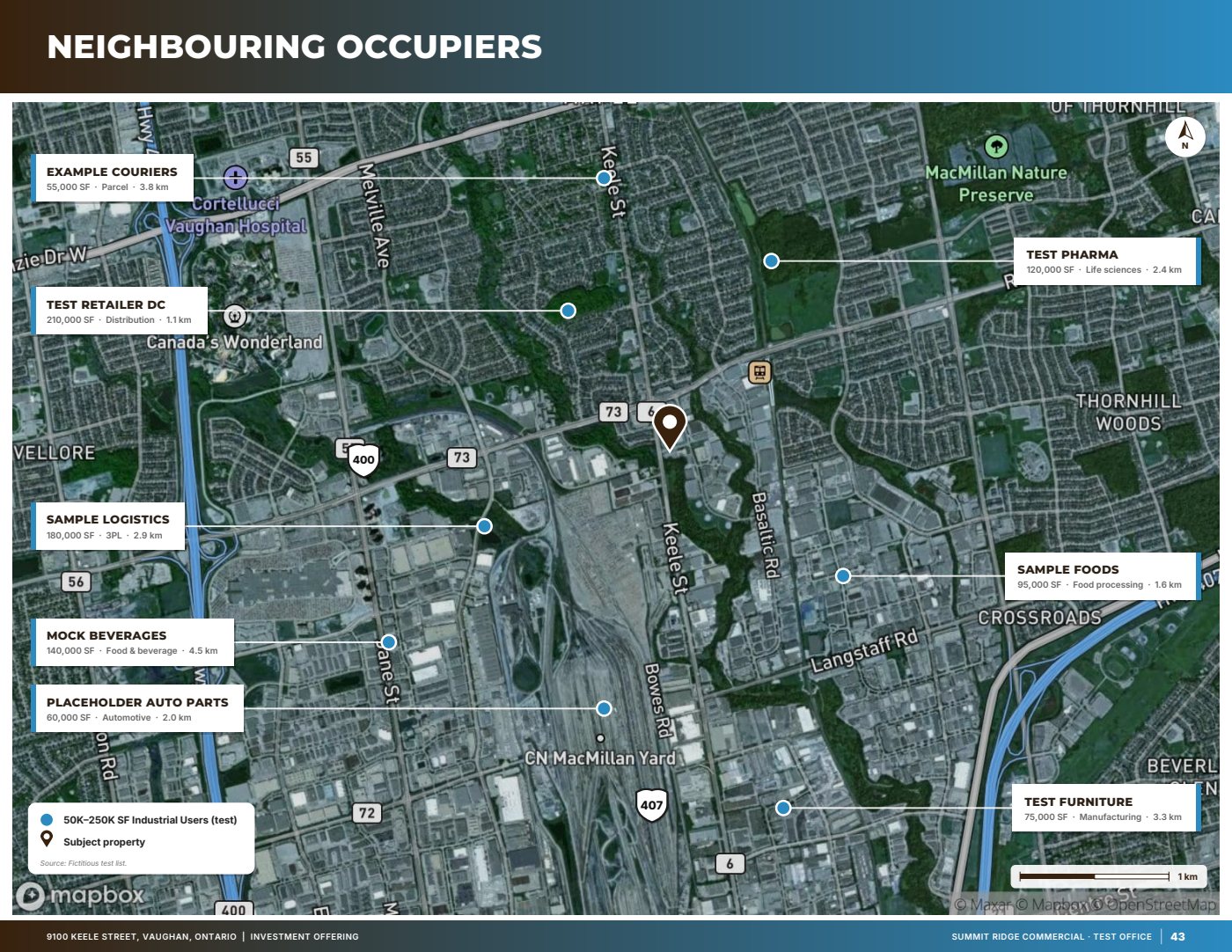
For industrial listings the location pages do most of the work — highway access, drive times, neighbouring occupiers and the labour force within reach — so the brochure puts them up front and builds them from sourced data.
Best for
- Industrial buildings for sale or lease
- Industrial and employment land (adds a servicing page)
- Logistics and distribution listings where drive times sell the site
What you need
- A fact sheet or the address
- Photos (phone, DSLR or drone; HEIC and large files are fine)
- Your logo and brand colours, if you want a co-branded look
Upload a fact sheet (PDF, Word, image or a phone photo of a flyer), paste its text, or start from the address. Extracted facts are marked “verify” until you accept them.
What’s inside
- CoverFull-bleed hero photo, transaction title, headline stats and the listing team.
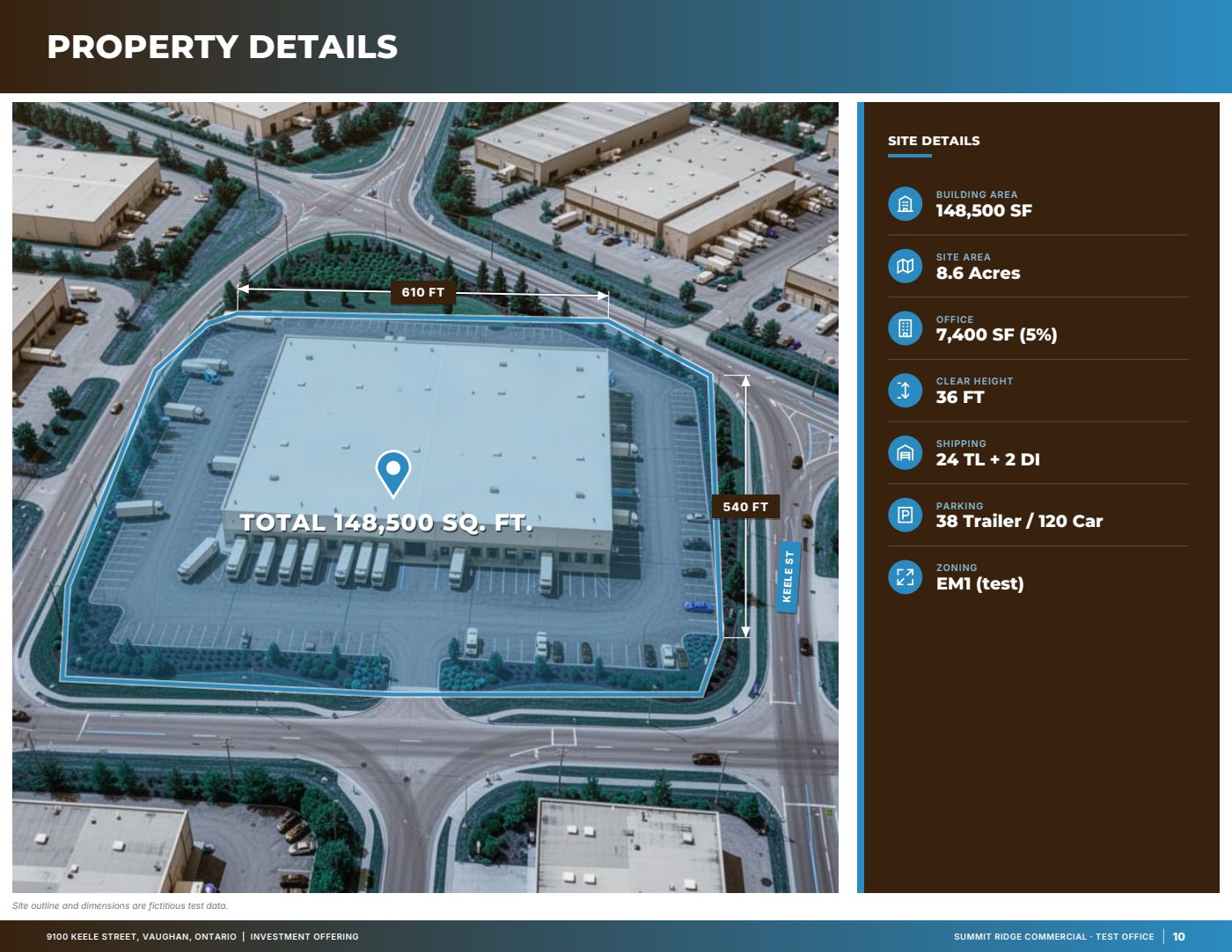
- Narrative over an annotated aerialThe property story in a short panel, with the parcel and nearby roads and landmarks labelled.
- Property detailsSite area, building area, clear height, shipping, power and other specifications that carry data.
- ZoningZone code and the permitted uses that matter to likely buyers or tenants.
- Connectivity and drive timesDrive-time areas and distances to the nearest highway interchanges.
- Neighbours and ecosystemNeighbouring occupiers shown on the map with callout cards.
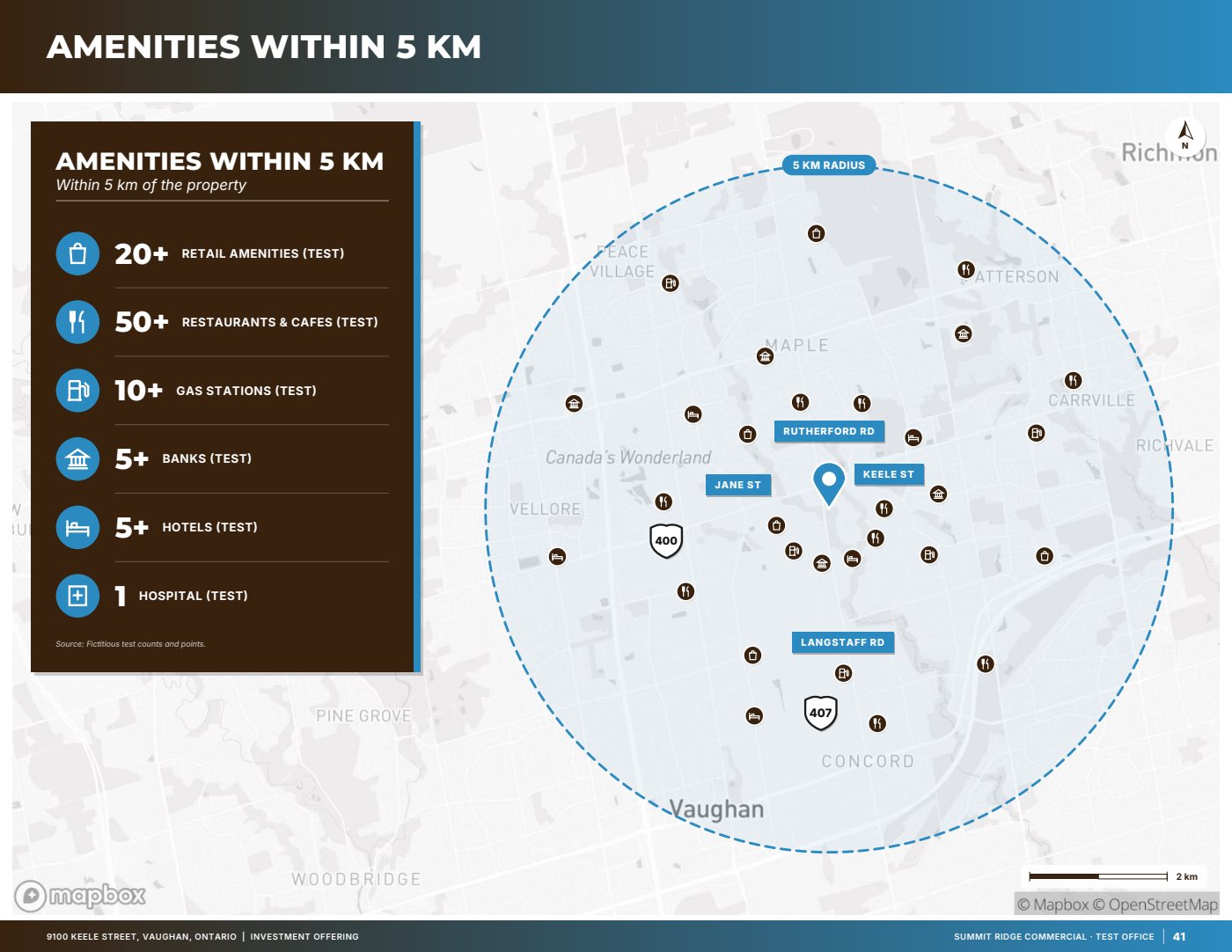
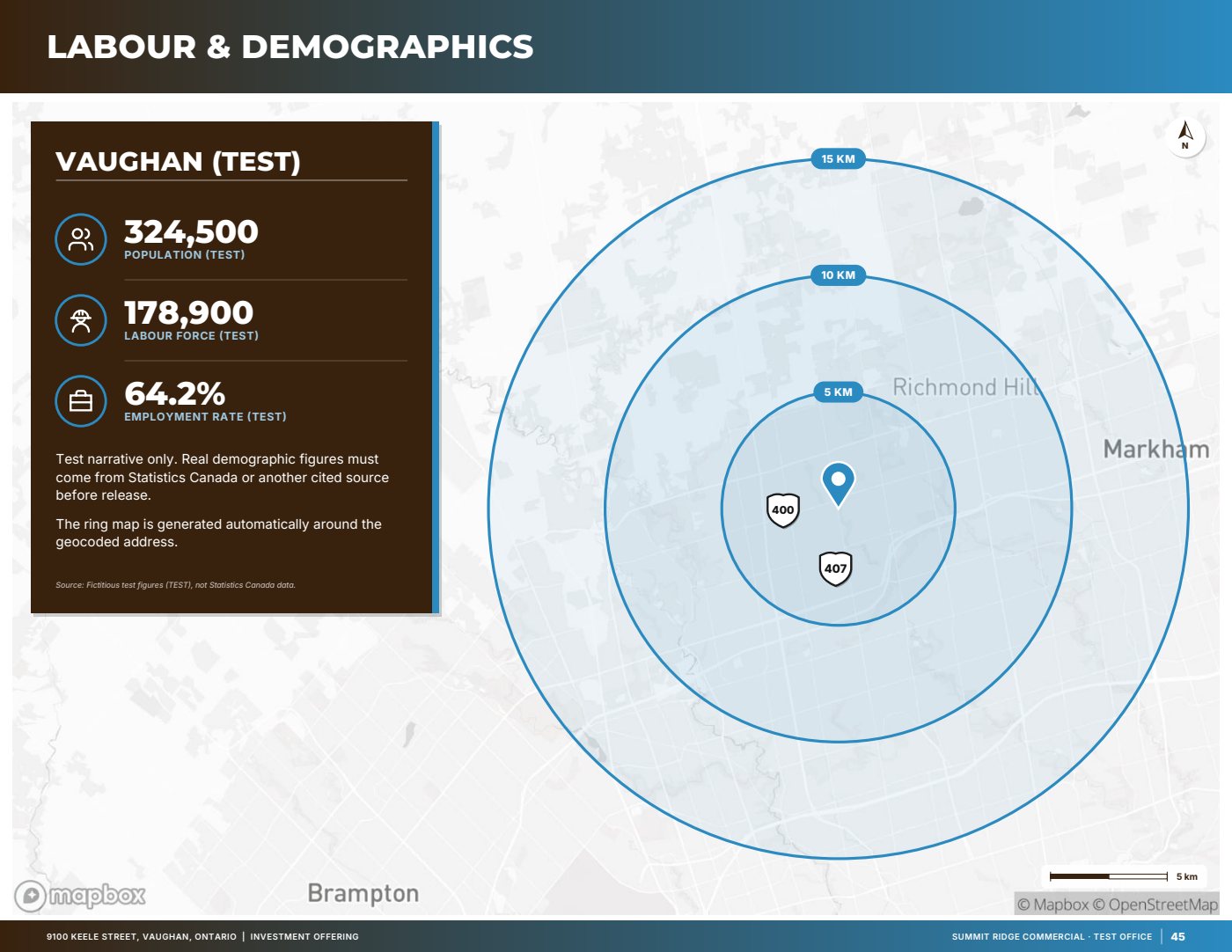
- Community, labour and demographicsAmenities nearby and the labour force within reach, each figure sourced and dated.
- Servicing (land only), site photos, about and back coverServicing at the lot line, a photo spread, your brokerage page and a contact call to action.
Real pages from the product
Sample pages are generated by the product from a fictitious test listing (9100 Keele Street, "Summit Ridge Commercial" test brand). Figures marked (test) are not real.
Questions
Can it match my brokerage’s brand?
Choose one of six layout themes and apply your own colours and logo. Co-branding is included on the Professional plan.
What if I don’t have servicing or zoning details?
Skip those questions. Pages without data are removed from the brochure instead of showing empty boxes.
Can I see it before paying?
Every account gets one free, watermarked, view-only preview of its own document before the paywall.
Start with the fact sheet you already have.
Upload it, answer only what’s missing for the output you choose, and review a watermarked preview before you buy anything.