Template · Retail & office investment brochure
Retail and office investment brochure template
For a retail plaza, an office building or a mixed-use property on a main street, buyers look first at the income and the tenancy, then at the location that supports it. This brochure puts an investment summary page right after the cover for sale listings, then builds the location story from sourced data.
It is the same brochure engine as the industrial template, with the pages a retail or office investor expects: asking price and metrics, highlights, zoning and permitted uses, transit and drive-time access, nearby amenities and the population within reach. Pages without data are left out instead of showing empty boxes.
Best for
- Retail plazas and street-front retail for sale
- Office and mixed-use buildings sold as investments
- Owner-user sales where zoning and transit access sell the property
What you need
- A fact sheet or the address
- Asking price and operating figures if you want the investment summary
- Photos of the frontage, interiors and the street
Upload a fact sheet (PDF, Word, image or a phone photo of a flyer), paste its text, or start from the address. Extracted facts are marked “verify” until you accept them.
What’s inside
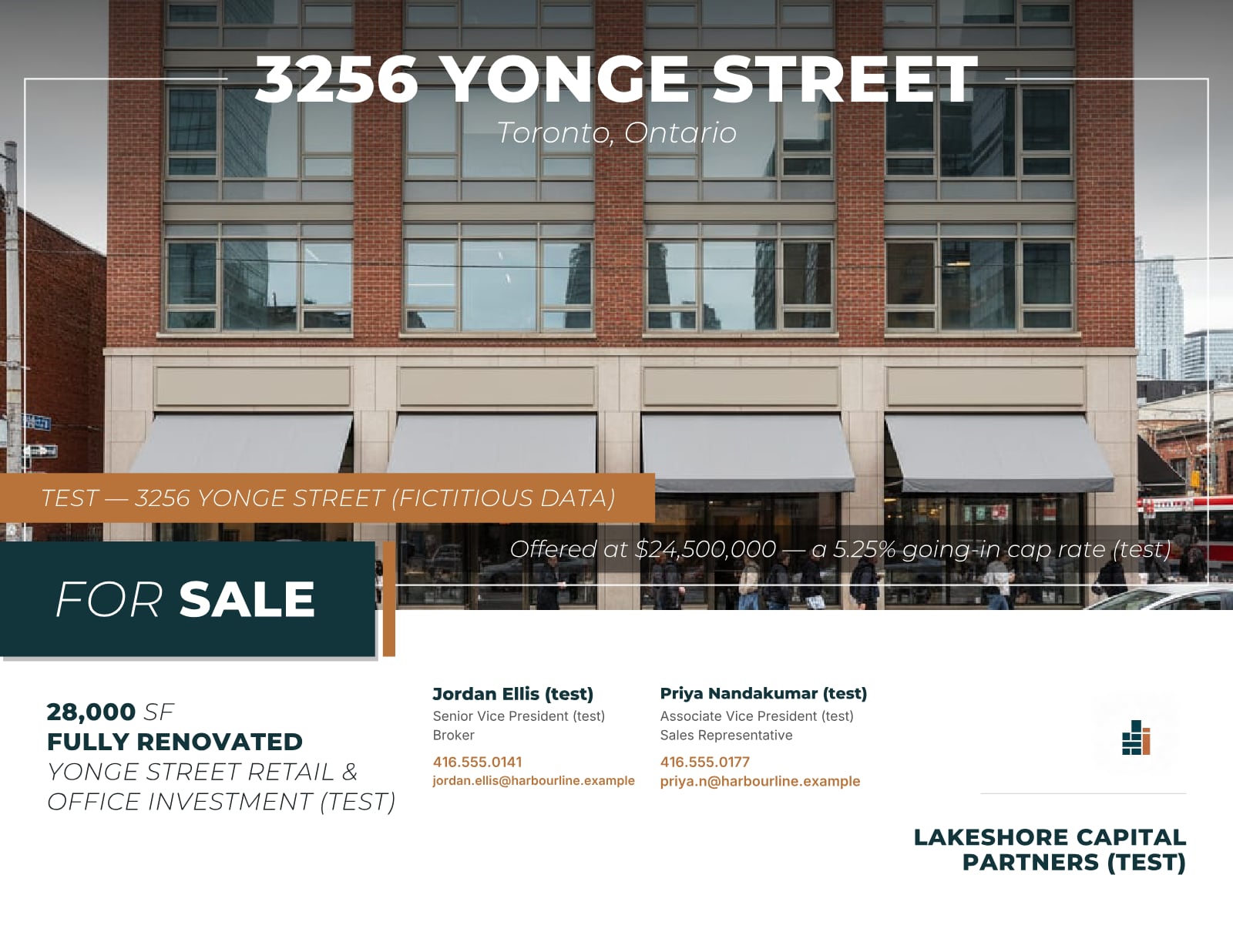
- CoverHero photo, transaction title, offer line and the listing team.
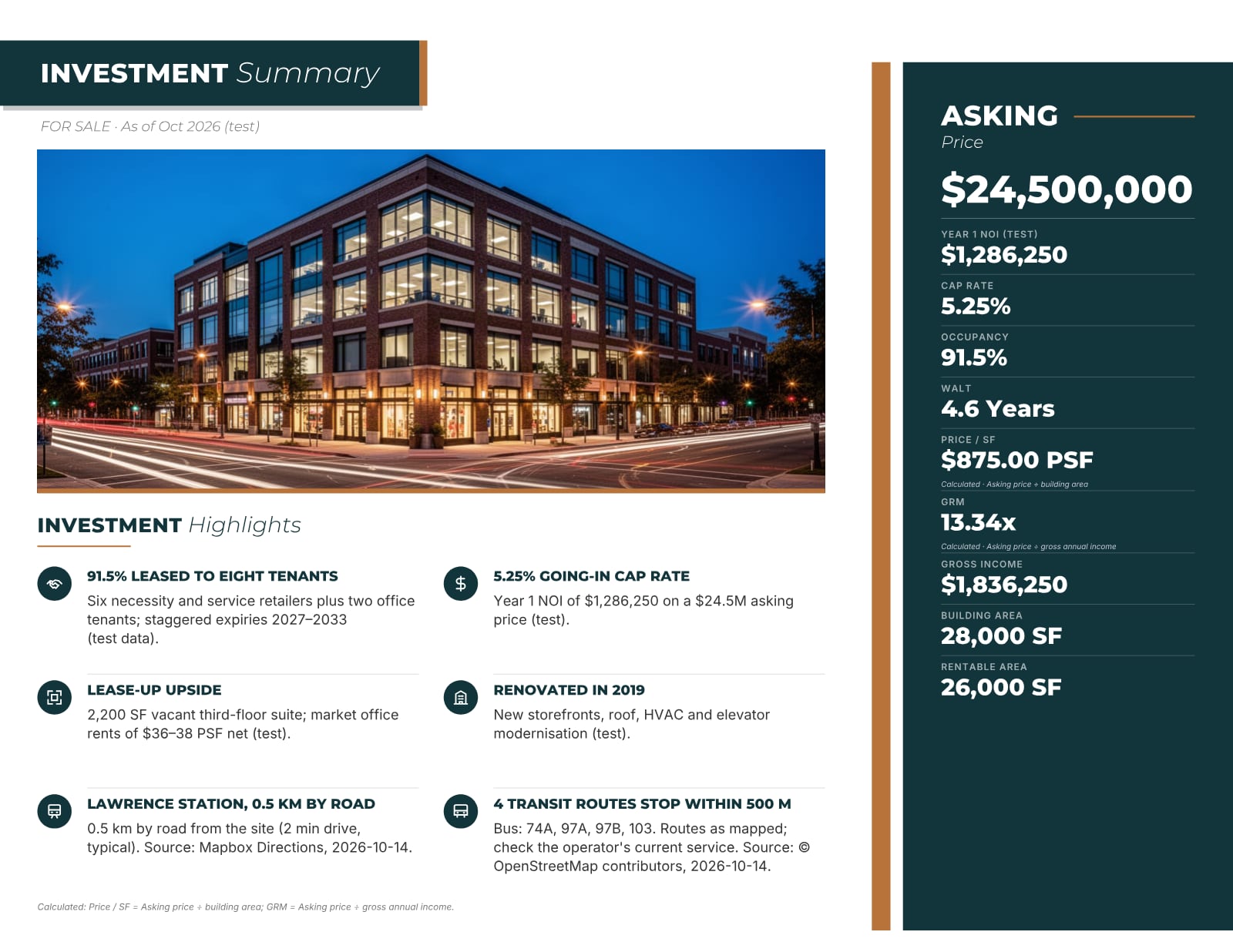
- Investment summary (for sale)Asking price, NOI, cap rate, occupancy, WALT and highlights; calculated values such as price per square foot are labelled as calculated.
- Property detailsBuilding and rentable areas, storeys, parking and the specifications that carry data.
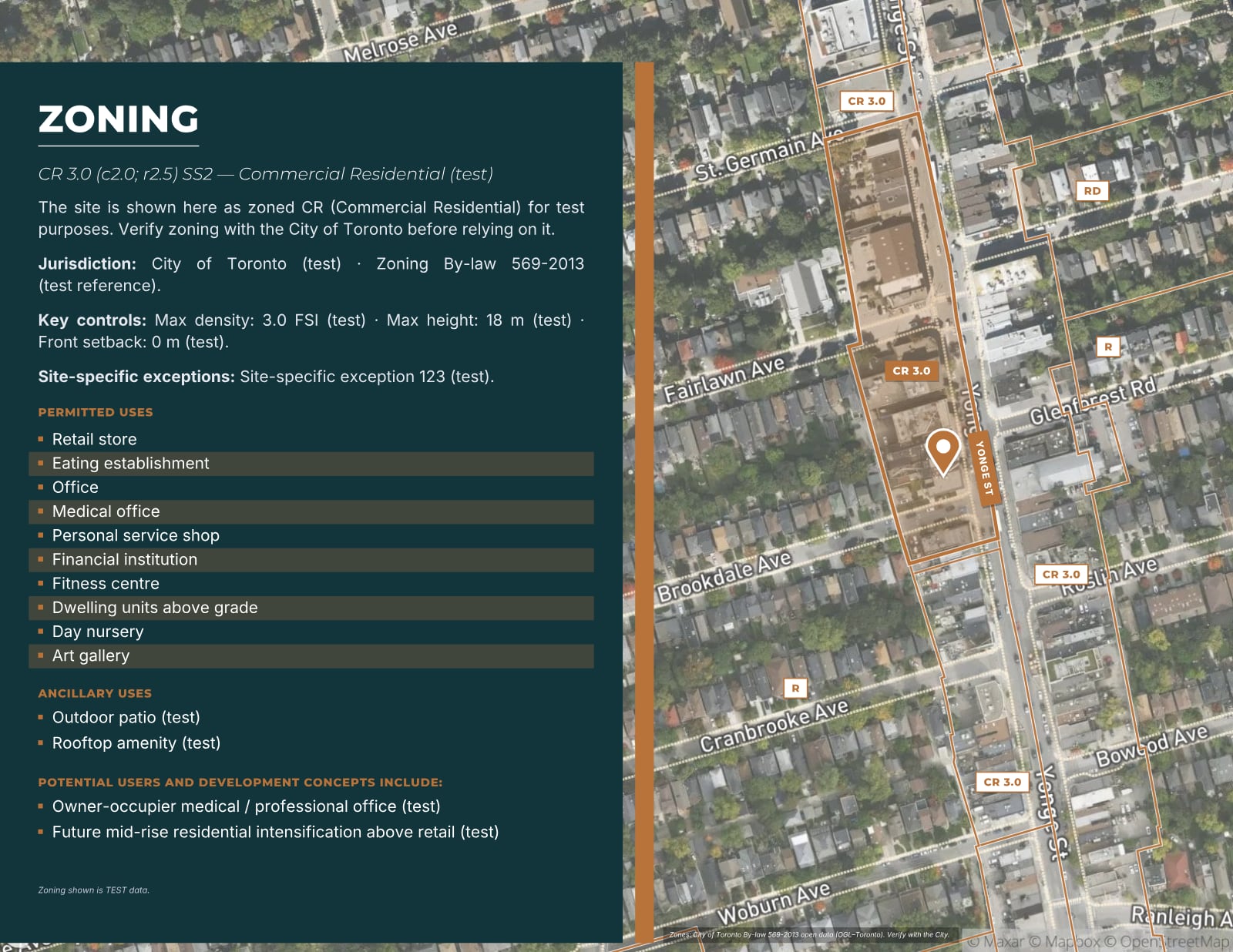
- ZoningZone code, the permitted uses you choose to show and key controls, each with its source.
- Connectivity and transitDrive-time areas, transit stops and distances to stations, sourced and dated.
- Neighbours and amenitiesNearby occupiers and amenities on the map with callout cards.
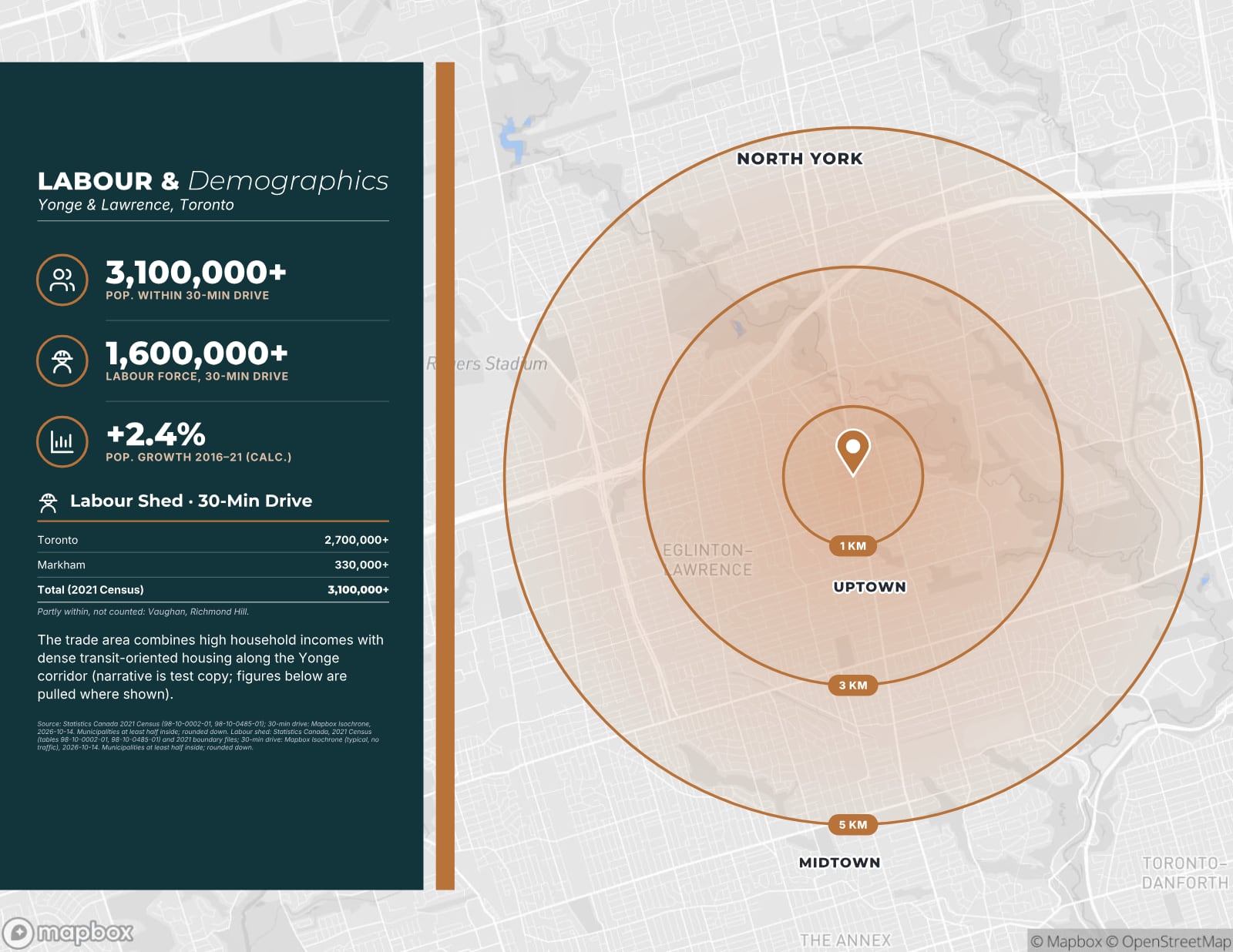
- DemographicsPopulation and labour force around the property from Statistics Canada tables, with the source and year.
- Photos, about and back coverA photo spread, your brokerage page and a contact call to action.
Real pages from the product
Sample pages are generated by the product from a fictitious test listing (3256 Yonge Street, test brand). Every figure marked (test) is not real.
Questions
Does the investment summary appear on a lease brochure?
No. The investment summary page is added to brochures for properties offered for sale. A lease brochure leads with availability and the property details instead.
What if I can’t release the NOI or cap rate yet?
Leave those fields blank. Metrics without data are left off the page, and you can keep income details for the full OM after a confidentiality agreement.
Can I see it before paying?
Every account gets one free, watermarked, view-only preview of its own document before the paywall.
Start with the fact sheet you already have.
Upload it, answer only what’s missing for the output you choose, and review a watermarked preview before you buy anything.