Property websites
One link for the property, in your brochure’s look.
Switch on a listing website and the brochure data becomes a public page you can paste into emails, LinkedIn and MLS remarks or print as a QR code. Requests and offers come straight to you.
Same theme as the brochure
Six themes, three web layouts.
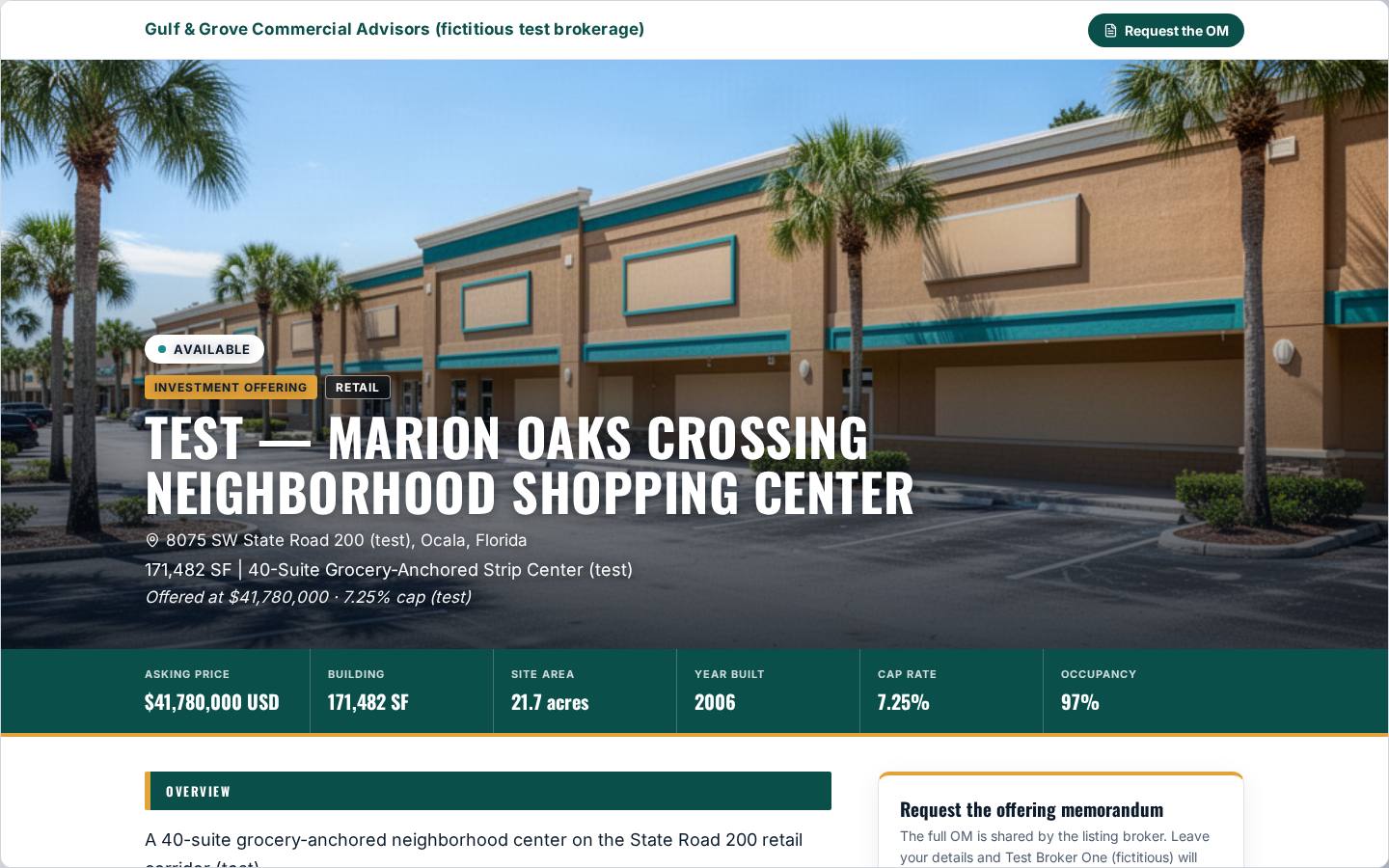
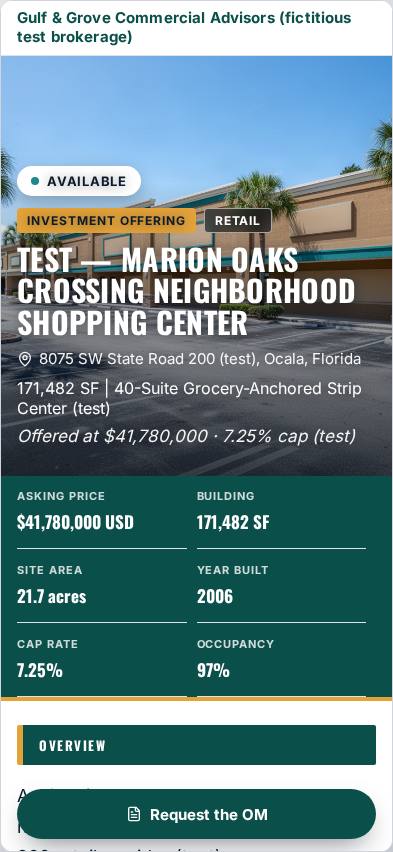
Screenshots of fictitious test listings. The names, addresses, figures and brokerages are invented and marked “test”.
What the page does
A listing page that works for the deal.
Built from your brochure
The page reads the same listing record as your brochure, so a corrected figure shows on the next save.
- Cover photo, key facts, overview, highlights, property details, location map, photos and your contacts
- Sections follow the brochure order
- A field you left blank is left out, never shown as “N/A”
Your theme and brand
The page wears the theme you chose for the brochure, in your colours, logo and fonts.
- Banner and Bold: solid brand bands
- Frame, Editorial and Minimal: a framed hero and hairline section rules
- Panel: a floating brand panel over the cover photo
Enquiries come to you
A “Request the OM” form emails each request to you, with the buyer’s or tenant’s details.
- On phones, one request button stays at the bottom of the screen
- Optional brochure PDF: open to everyone, or sent after the visitor leaves their email
- Hide the price for “price on request” listings
Call for offers
Set an offer date and the page shows the deadline in the property’s own time zone, with a countdown.
- Offer form for sale (price, deposit, conditions, closing) or lease (term, rent steps, free rent, TI)
- Buyers and tenants can attach a letter of intent (PDF)
- Offers arrive in your offer grid and by email
Brochure, deal room and media
Link the rest of your marketing from the same page.
- “View the brochure” card when your web viewer shows a brochure or teaser
- Deal room card for the full OM behind your confidentiality agreement
- Your own video and 3D tour link, loaded only when a visitor clicks
Canada and the US, English and French
Any address in Canada or the US, any asset type, for sale or for lease.
- French headings, buttons, forms and figures for a French document; your own text is shown as you wrote it
- Listing status: available, conditional, sold or leased
- Structured listing data (address, map position, photos) in the page for search engines
Good to know
How it fits together
- The listing website is off until you switch it on, and it needs a paid document or a plan. The free preview is watermarked and view-only.
- Every page lives at offeringstack.com/l/ followed by a name made from the property, so you can paste one link into emails, LinkedIn and MLS remarks, or print its QR code on the site sign.
- Visits, downloads and enquiries are counted for your client activity report; known bots are excluded and no personal data is kept for a visit.
Signs, QR codes and client reports · Themes and co-branding · Help: marketing a listing
Give the property its own page.
Start from a fact sheet or an address. You’ll see a watermarked preview of your own document before you pay for anything.