CRE brochure
Commercial real estate brochures: what to include, page by page, and how to make one fast
How to build a commercial real estate brochure that gets enquiries: the page sequence, sale vs lease, what each property type needs, and a faster way.
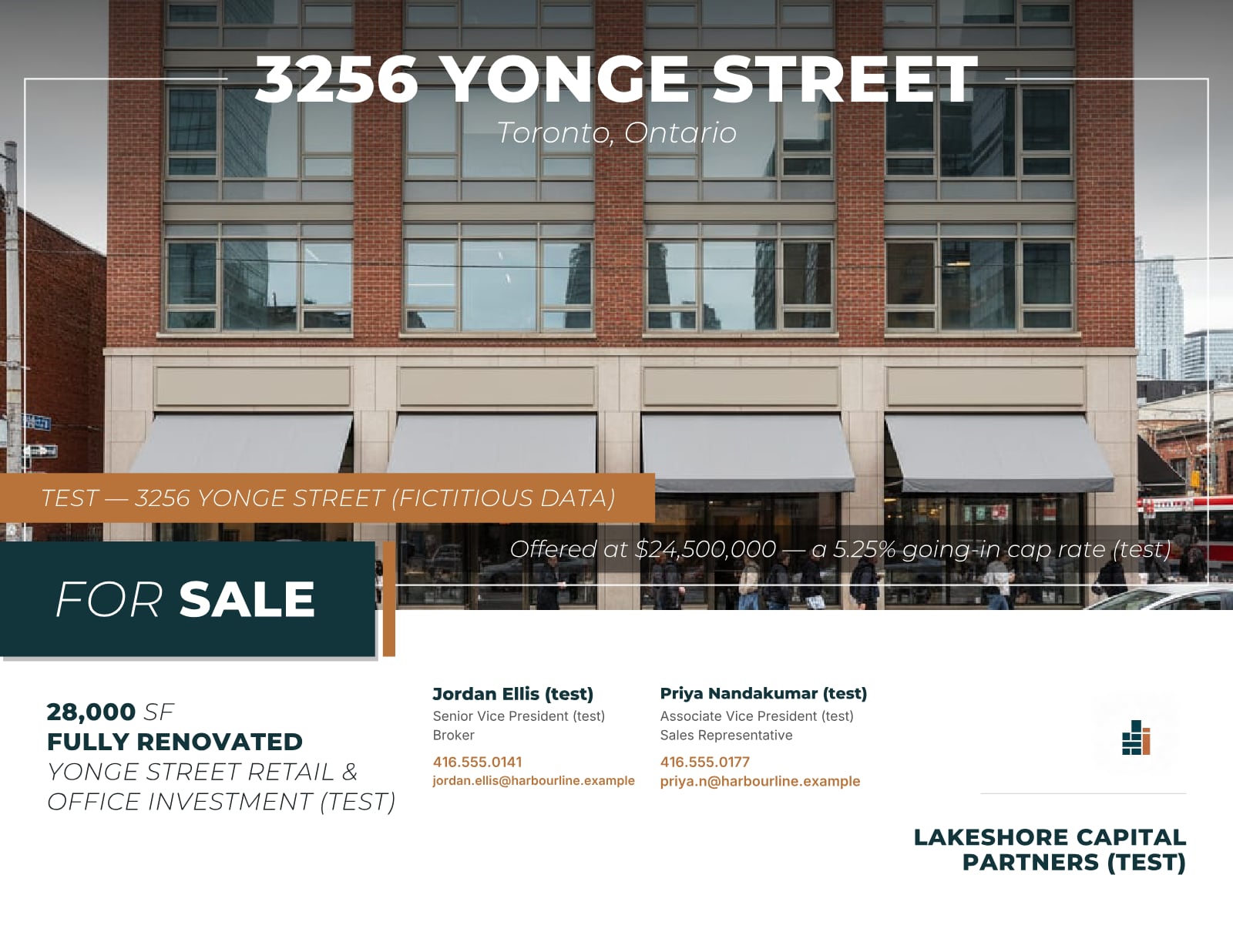
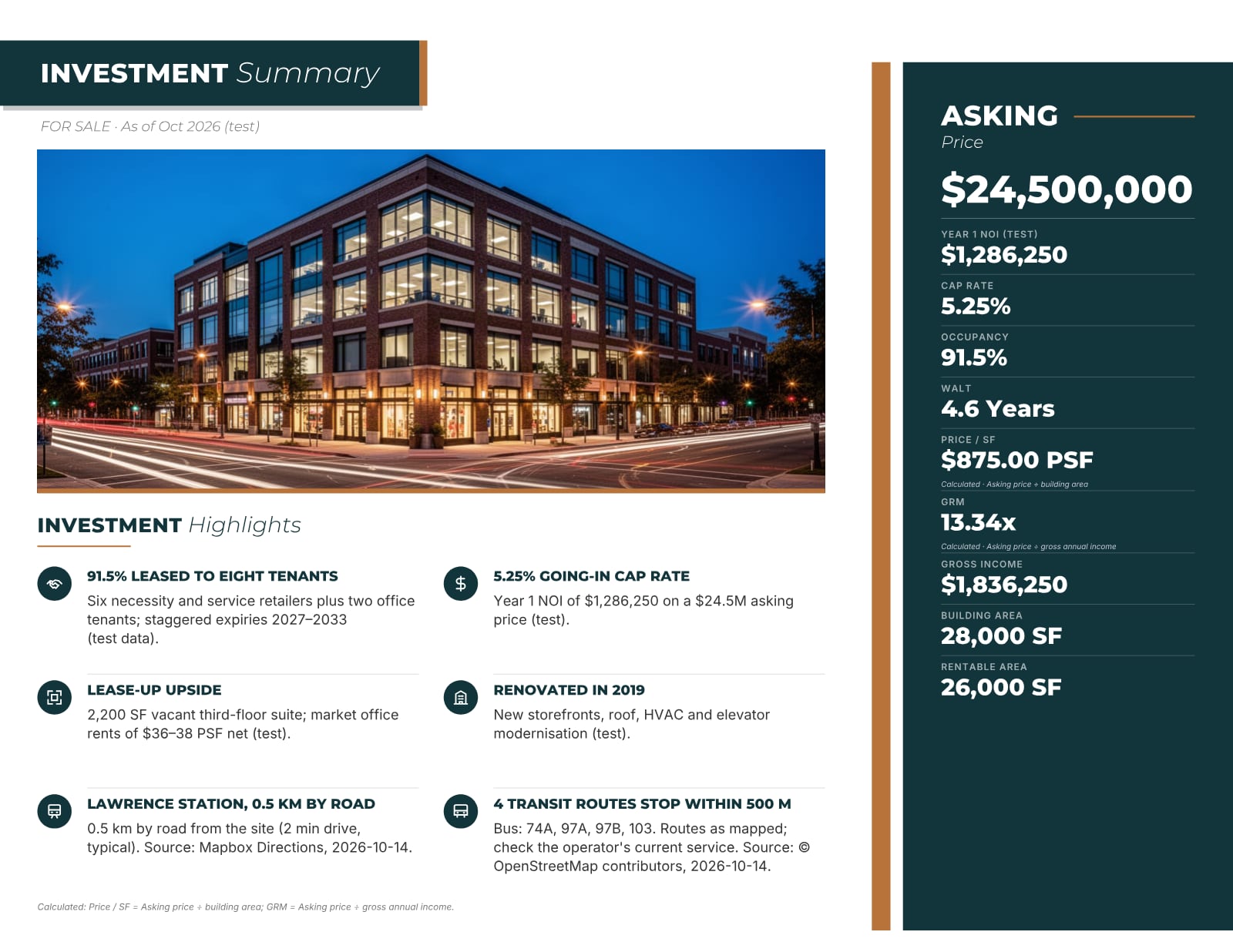
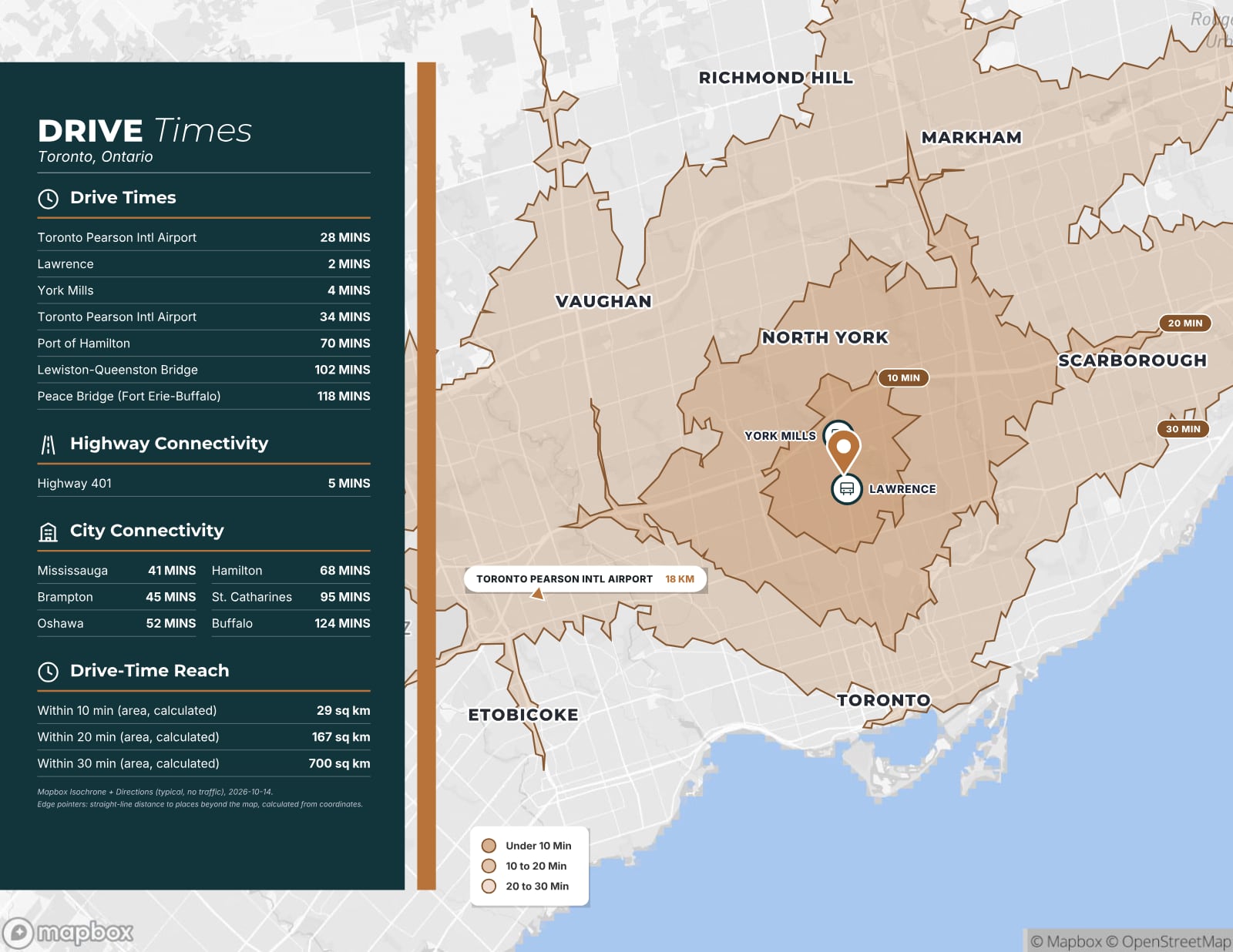
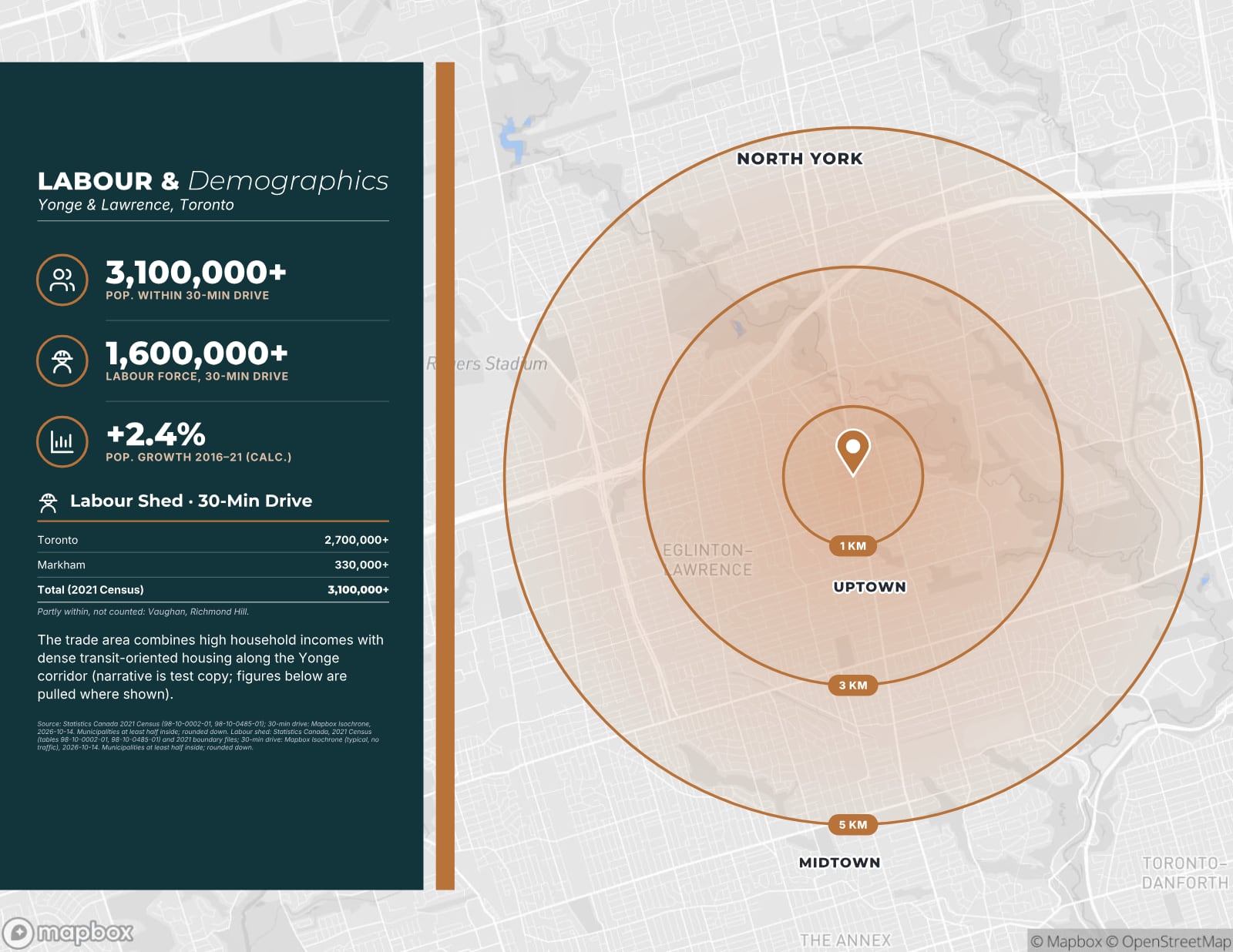
Sample pages are generated by the product from a fictitious test listing (3256 Yonge Street, test brand). Every figure marked (test) is not real.
What a CRE brochure is for
A commercial real estate brochure is the designed marketing piece for a listing: the document a broker emails, prints for tours, attaches to MLS and portal listings and hands to other brokers. It sits between the short teaser and the full offering memorandum. Where the OM is built for underwriting, the brochure is built to create interest and get the phone to ring.
Good brochures are visual but specific. A buyer or tenant should finish one knowing what the property is, why it is worth seeing, where it sits in its market and how to take the next step. Everything in it should be true and checkable, because the brochure sets expectations for the tour and the due diligence that follow.
Brochure, teaser or offering memorandum?
The three documents do different jobs, and many listings use all of them at different stages.
- Teaser (about 4 pages): a first look sent widely. Headline facts, a few photos and a contact. Sensitive figures are usually held back.
- Brochure (about 10–13 pages): the main marketing piece. Enough detail to get a qualified party to call, tour or request more.
- Offering memorandum (as long as the data requires): the complete package for qualified buyers, normally after a confidentiality agreement, with the rent roll, operating statement and supporting detail.
For a lease or a smaller user sale, the brochure is often the only document needed. For an investment sale, the brochure creates interest and the OM supports underwriting. Whichever you use, the facts must match across all of them, so it pays to keep them in one place and generate each document from the same record.
The page sequence that works
Most strong brochures follow a similar order. It moves from the big picture to the detail and ends with a clear call to action. A typical 10–13 page brochure looks like this:
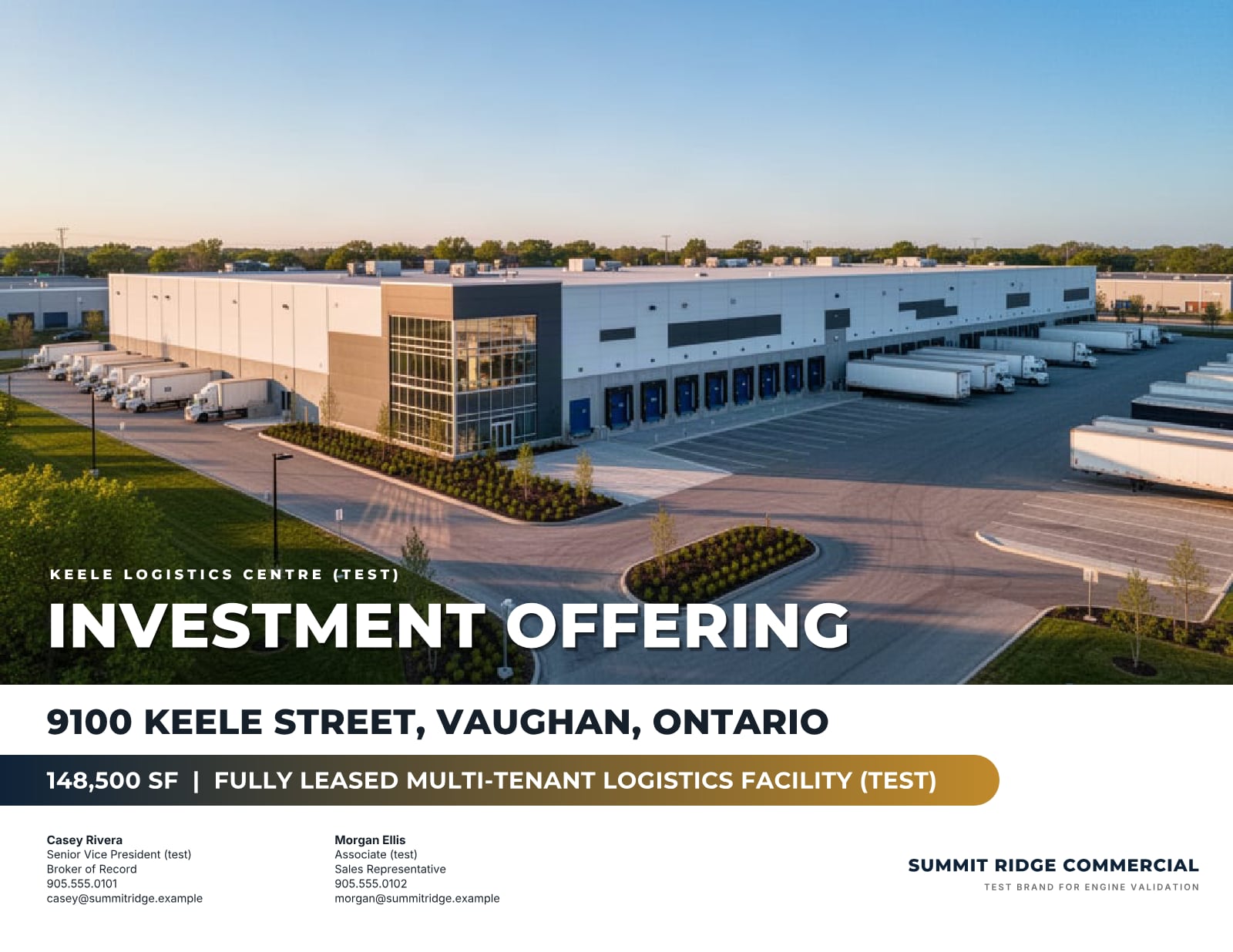
- Cover: a strong photo, the transaction (for sale, for lease), the address and the listing team.
- The opportunity: a short narrative over an aerial photo, with any outline or labels you add yourself.
- Investment summary (for sale): price, NOI, cap rate, occupancy and highlights.
- Property details: areas, specifications and the facts the asset type demands.
- Zoning: the zone, the permitted uses that matter and the source.
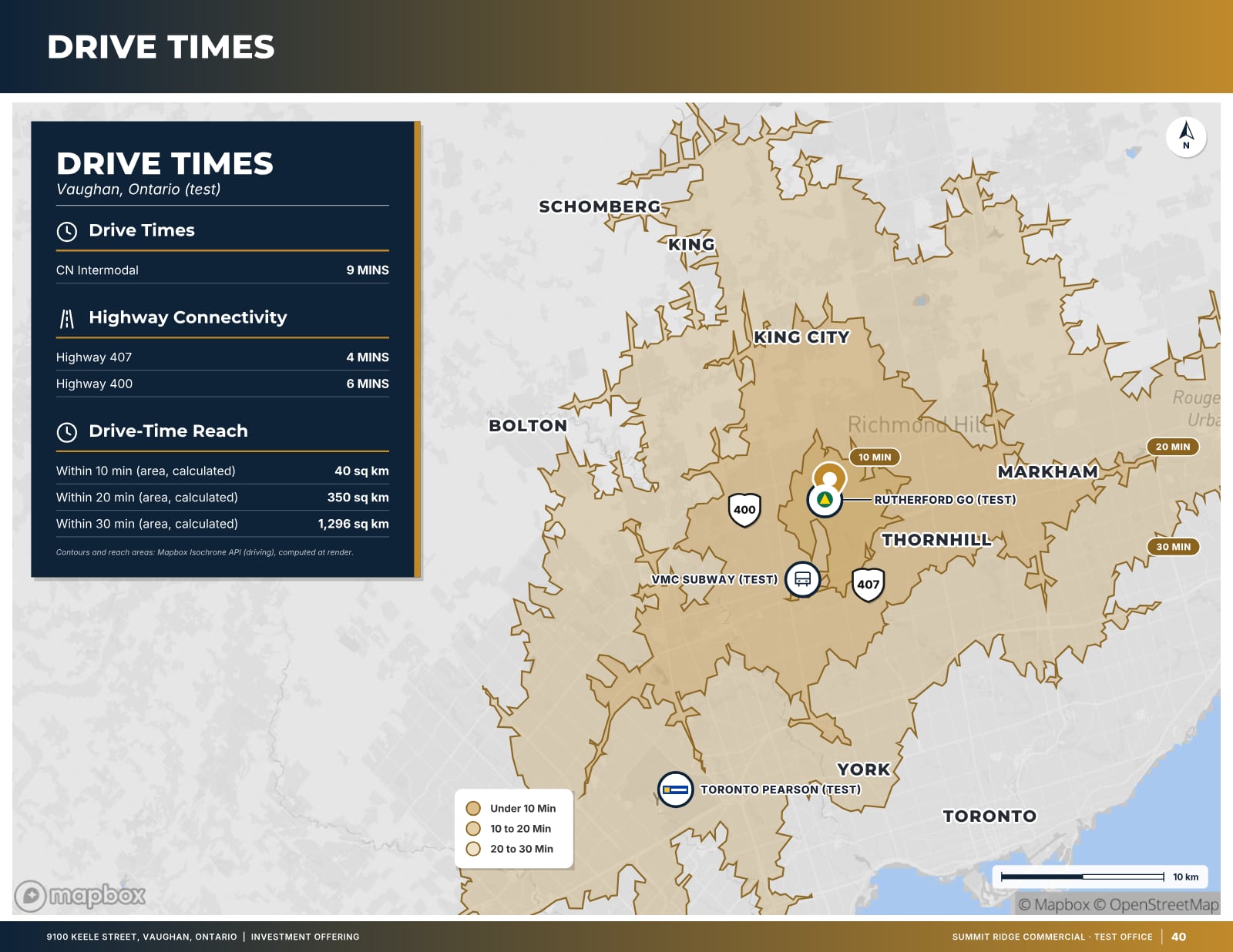
- Connectivity: drive times, highway access and transit.
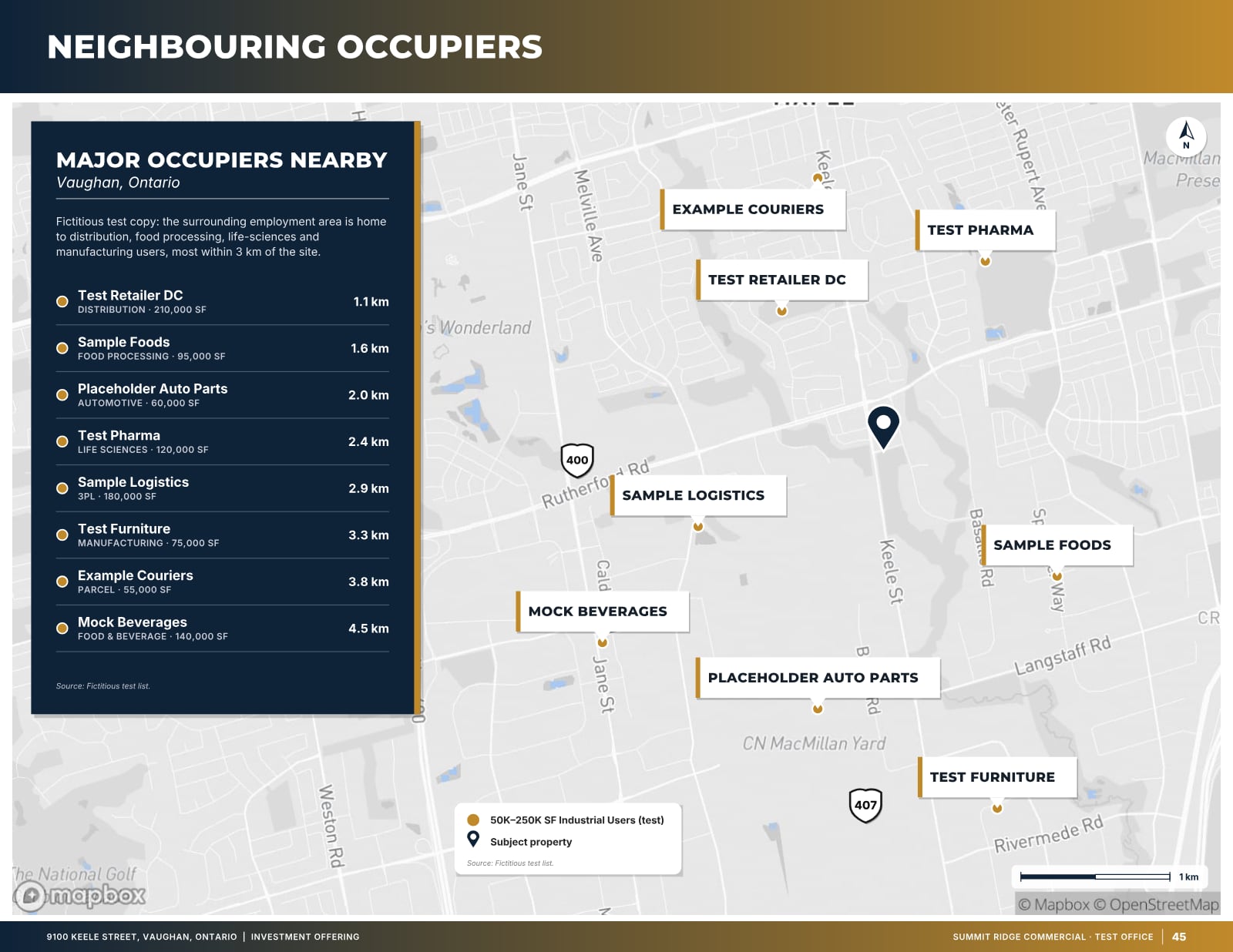
- Neighbours: nearby occupiers that show what the area is used for.
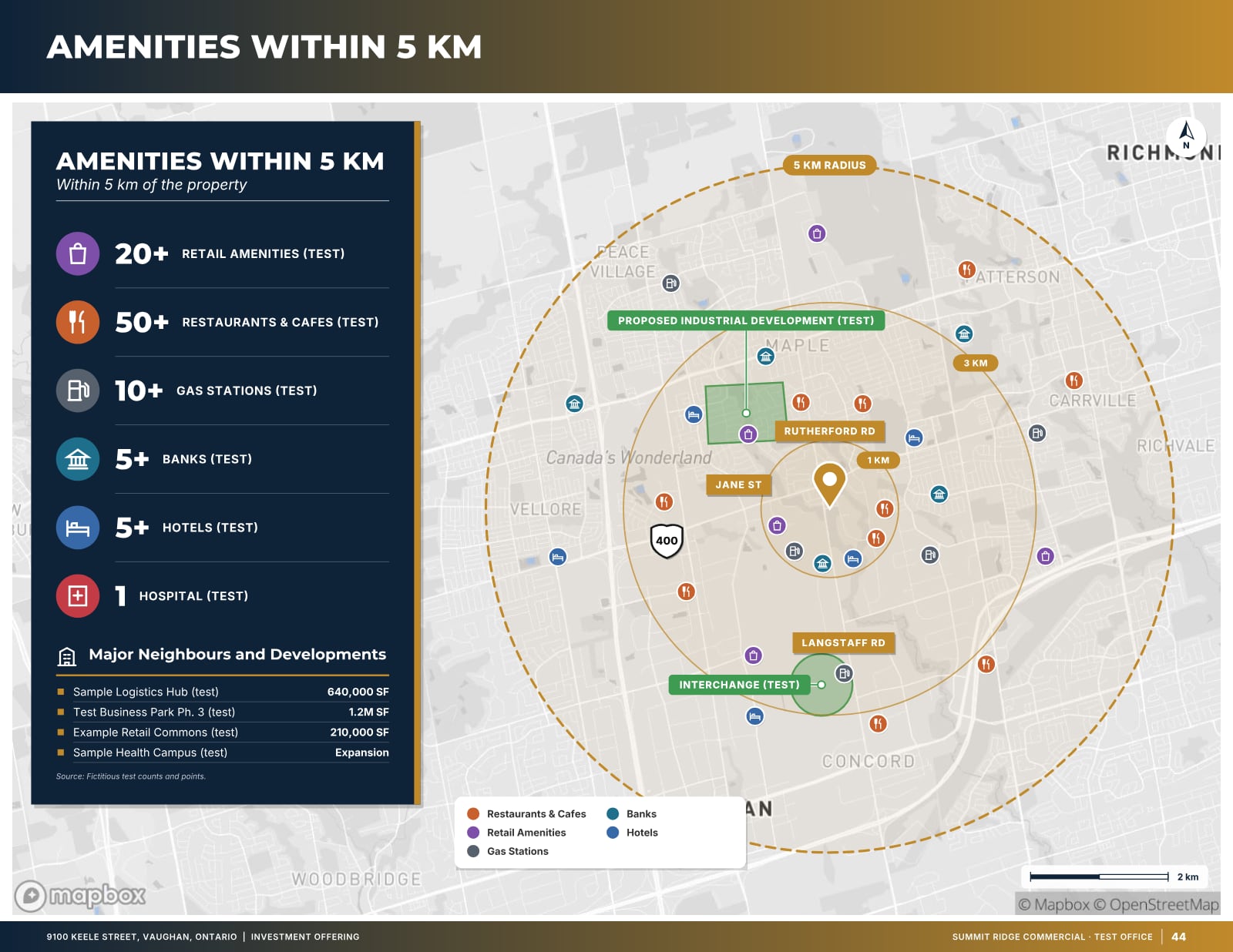
- Community: amenities around the property.
- Labour and demographics: population and workforce within reach, sourced and dated.
- Servicing (land only): what is available at the lot line.
- Site photos.
- About the brokerage, and a back cover with the contact call to action.
Not every listing needs every page. Leave out a page rather than fill it with generic copy; a 9-page brochure with real content beats a 13-page one with filler.
For sale vs for lease
A brochure for a sale leads with value: the investment summary, the income and the price. A brochure for a lease leads with the space: availability, unit sizes, the floor or leasing plan, net rent and the TMI estimate, and the specifications that let a tenant check fit. The location pages matter for both, but a tenant cares more about daily access for staff and customers, and an investor more about the strength of the location over the hold period. Our guide on for-lease versus for-sale brochures goes through the differences in detail.
What each property type needs
Industrial
Clear height, loading (truck-level and drive-in doors), power, sprinklers, shipping court and trailer parking, plus highway access and drive times. Neighbouring occupiers and the labour force within reach often decide the shortlist.
Retail
Frontage, signage, parking, co-tenancy, traffic and transit access, and the population and households around the site. For a plaza sale, the tenancy and lease terms belong up front.
Office
Floor plates, available suites, building systems and amenities, parking ratios and transit. Photos of the actual suites and common areas matter more than exterior shots.
Land
Site area, frontage, zoning and official plan designation, servicing status, access and the surrounding development context. Plans and an aerial with an approximate outline do most of the selling.
Design principles that help, and habits that hurt
Use one consistent layout system: the same fonts, colours and page furniture throughout, with your brokerage’s branding. Give photos room; a few large, well-exposed images do more than a grid of small ones. Put numbers in label–value rows rather than paragraphs. Make maps readable at print size with clear labels and a legend.
- Avoid stock photos that are not the property; buyers notice.
- Avoid walls of text: a brochure is scanned, not read.
- Avoid inconsistent areas or prices between pages, the MLS listing and the website.
- Avoid unsourced location claims such as “minutes from everything”; give the actual drive time.
- Avoid empty or “N/A” boxes; remove the field instead.
Photos and maps: the pages that do the selling
In most brochures, the cover photo and the location pages get more attention than any paragraph. Shoot or commission photos for the listing rather than reusing old ones: a clean frontage shot in good light for the cover, an aerial or drone image that shows the site in context, and interiors that prove the specifications (the loading wall, the clear height, the suites). Correct colour and exposure, but never alter what the property looks like.
Maps should answer specific questions. A drive-time map shows how far the property is from highways, customers and labour in minutes, not just kilometres. A neighbours map shows which businesses are nearby and why that matters. An amenities map helps office and retail tenants picture daily life around the property. Each map needs a legend, a north arrow where relevant, readable labels at print size and a source line with the date.
Our listing photo checklist and our guide to drive-time maps cover both in more detail.
Distributing the brochure
A brochure is only useful if the right people see it. Most listings use several channels at once, and each needs the same facts in a slightly different format.
- Email: a short listing email with a strong image, three or four key facts and a link or attachment. Keep the file size small enough to arrive.
- MLS and portals: attach the brochure and keep the remarks consistent with it.
- Listing website: a single-property page with the key facts, photos, map and a way to request the full package.
- Social media: images sized for each channel, pointing back to the listing page.
- Print: for tours, signs and walk-ins; check that the PDF prints cleanly at full size.
- Co-operating brokers: send the brochure directly to the agents who represent likely buyers or tenants.
Track which channel brings enquiries and adjust. If you send email to people who have not asked for it, follow Canada’s anti-spam rules (CASL).
Keeping the brochure current
Listings change: a unit leases, the price is adjusted, a tenant renews, new photos arrive. An out-of-date brochure costs credibility, so plan for updates from the start. Keep the listing facts in one place, regenerate the brochure when they change, and replace old files everywhere they were posted. Date the brochure discreetly (for example in the footer) so you and co-operating brokers can tell which version is current.
When the listing ends, take the brochure down from portals and your website, or mark the property as sold or leased. A buyer or tenant who calls about a property that is no longer available remembers the brokerage that wasted their time, and one who sees a clear “leased” notice may ask what else you have.
Templates vs a brochure maker
Many brokers start from a design template in a layout or presentation tool. Templates help with the look, but the work of collecting facts, building maps, writing copy and keeping every page consistent is still manual, and it has to be repeated for each listing and each format.
A brochure maker built for commercial real estate starts from the data instead. OfferingStack asks for the listing facts once (from a fact sheet, manual entry or just the address), builds the location pages from sourced map and census data, and lays out a landscape brochure in the sequence above, with your brand colours and logo. The same property file produces the 4-page teaser and the full offering memorandum, so the facts match across all three. You can preview your own brochure for free with a watermark, edit the text directly on the pages, and pay only for the clean PDF you want to send.
A checklist before the brochure goes out
- Every figure matches the source documents and the MLS listing.
- Calculated figures are labelled; third-party data has a source and date.
- Photos are current and show the property as it is.
- The brokerage name and contacts are clear on the cover and back page.
- The file opens quickly on a phone and prints cleanly.
- The seller has approved the brochure for release.
Frequently asked questions
What should a commercial real estate brochure include?
A cover, the opportunity, property details, zoning, location pages (drive times, neighbours, amenities, demographics), photos and a contact page, plus an investment summary for sales and availability with rents for leases.
How many pages is a CRE brochure?
Usually 10 to 13 pages. A teaser is about 4 pages, and a full offering memorandum includes every page the data supports.
Is there a free commercial real estate brochure template?
OfferingStack lets you build your own brochure from your facts and see a free, watermarked preview before paying for the clean PDF. Our template pages show real sample pages for industrial and retail/office listings.
Should a brochure be portrait or landscape?
Landscape is common for CRE brochures and OMs because maps, aerials and photo spreads read better wide. OfferingStack makes brochures and OMs in landscape; teasers and flyers can also be portrait.
What these pages look like
Sample pages are generated by the product from a fictitious test listing (9100 Keele Street, "Summit Ridge Commercial" test brand). Figures marked (test) are not real.
Related
Last updated 2026-10-14. General information for commercial real estate professionals, not legal advice.
Start with the fact sheet you already have.
Upload it, answer only what’s missing for the output you choose, and review a watermarked preview before you buy anything.