Template · Broker opinion of value
Broker opinion of value (BOV) template
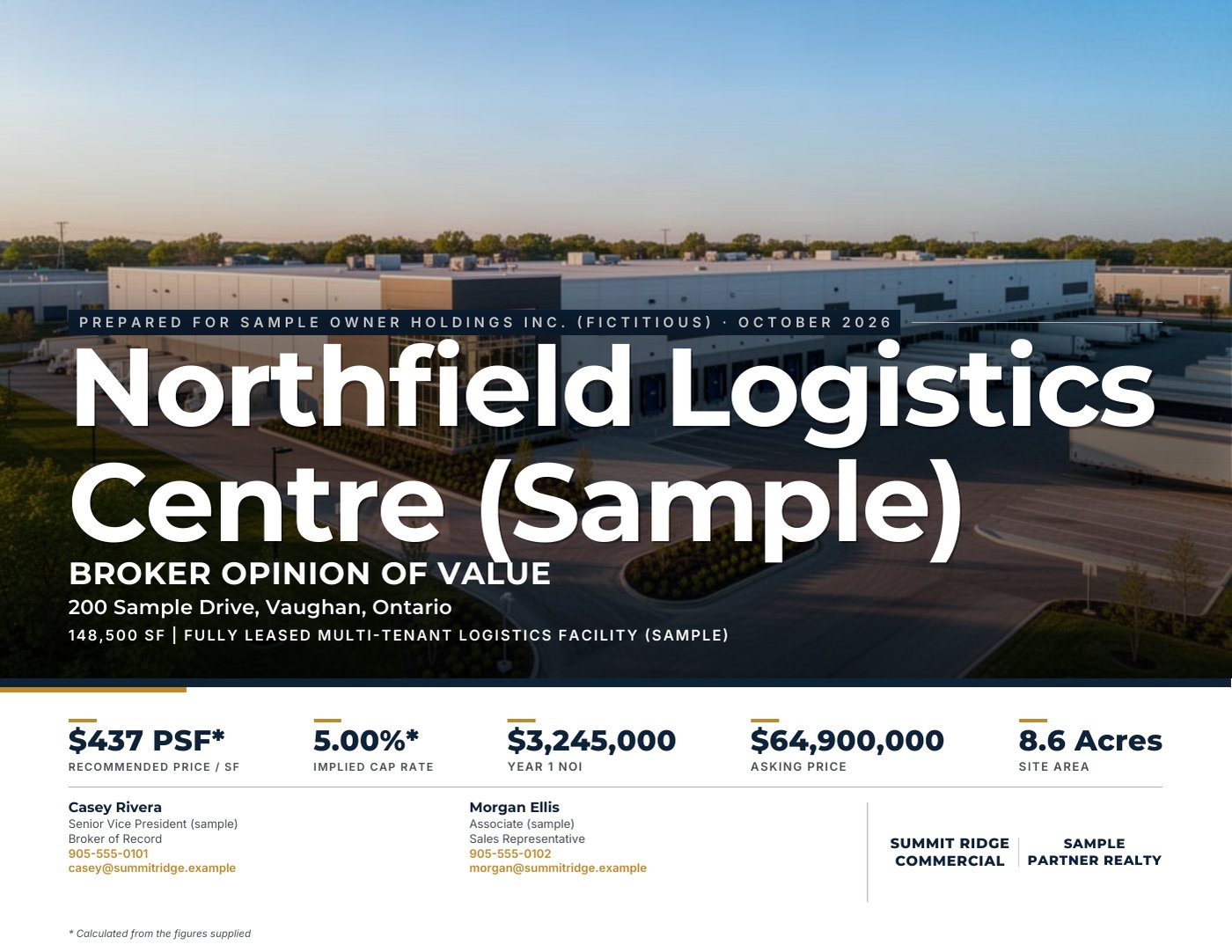
A broker opinion of value is the document you bring to a listing pitch: what you think the property is worth (or what it should lease for), why, and how you would take it to market. This template builds a BOV from the same property facts you would use for a brochure or offering memorandum, for any commercial asset type in the US and Canada, and lays it out as a design-grade landscape PDF with live location maps.
- Real sample pages and PDFs to open
- Teaser, brochure, full OM and opinion of value from one listing
- Location maps, drive times and census demographics in the document price
- Documents in English or French
- Canada and US listings: km or miles, CAD or US$
Download a sample broker opinion of value (PDF)7 pages · 1.5 MB · free, no email · watermarked “Sample – fictitious property”
The BOV takes its pages from your listing’s own data and leaves out any page with nothing to show. It never prints an empty page to fill a slot; if a page is missing, the builder tells you exactly what to add to get it.
Best for
- Listing pitches: show an owner a value range, the evidence behind it and your marketing plan before they sign
- Owners weighing a sale or a lease: the same template makes an opinion of value or an opinion of rent
- Portfolio and hold/sell reviews: a consistent, sourced document for each property
- Land and redevelopment sites, where site area, servicing and planning status drive the value
What you need
- The property facts: a fact sheet, pasted text or just the address
- Your opinion (a low–high range or a recommended figure), or the inputs for indications: a value-per-SF or cap-rate range, a market rent, a ground rent, a replacement cost, or three or more sale comparables with price and area
- A cover photo at minimum (seven or more photos add one photo page)
- A few lines each on strengths, considerations and go-to-market steps, and at least one broker contact
Upload a fact sheet (PDF, Word, image or a phone photo of a flyer), paste its text, or start from the address. Extracted facts are marked “verify” until you accept them.
What’s inside
- Cover, prepared for your clientYour cover photo, the “Broker Opinion of Value” title and a line naming who it was prepared for and the date.
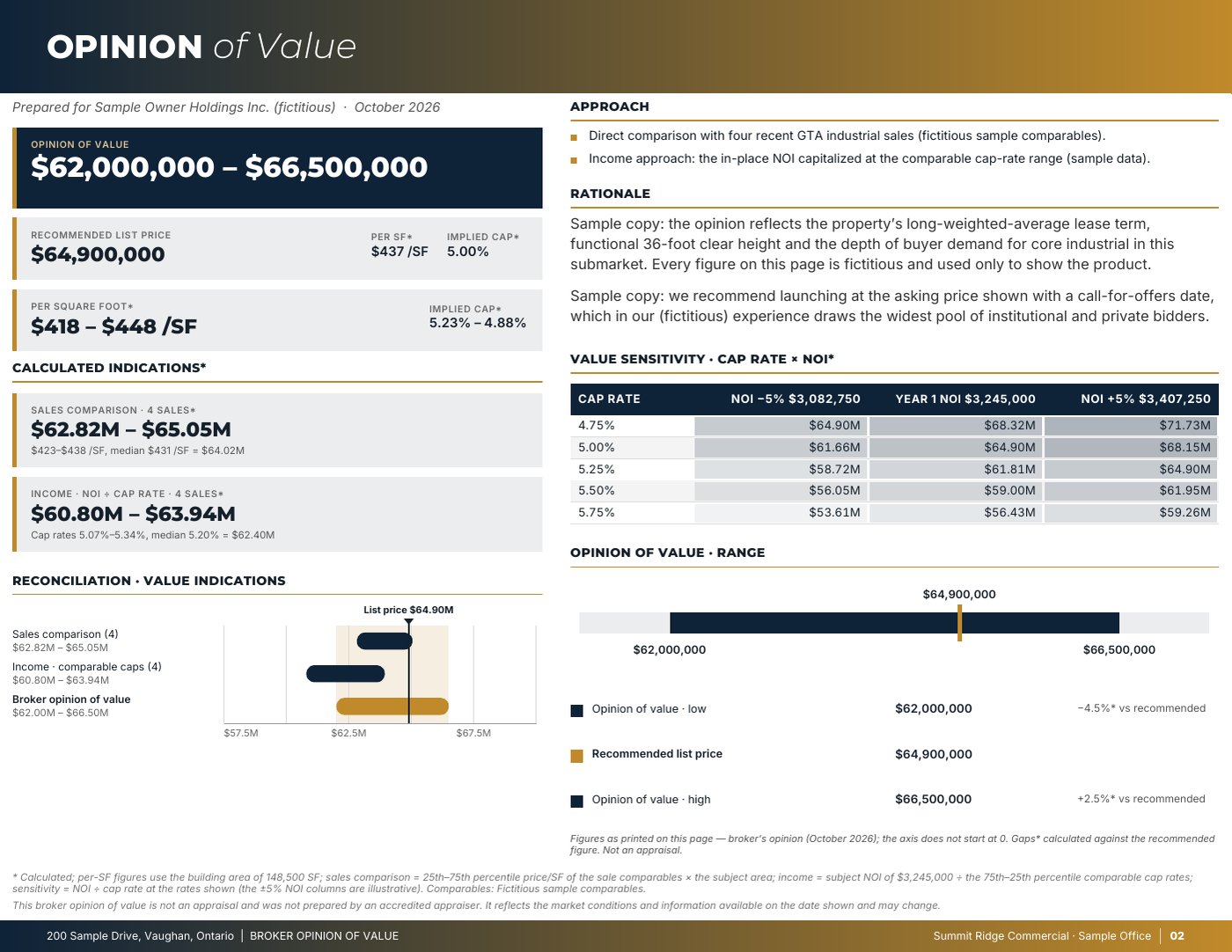
- Opinion of value (or opinion of rent)Your value range and recommended figure with its reconciliation and pricing grid. With no opinion entered yet, the page is titled “Valuation Indications” and shows only calculated indications, labelled as calculated.
- The propertyExecutive summary, highlights and the property or site details; for land, servicing and planning approvals. Multi-building listings get a per-building table.
- Income and the property-type dashboardTenancy, unit mix, hotel performance and the operating statement where they apply, plus one visual dashboard for the property type when the listing has the data.
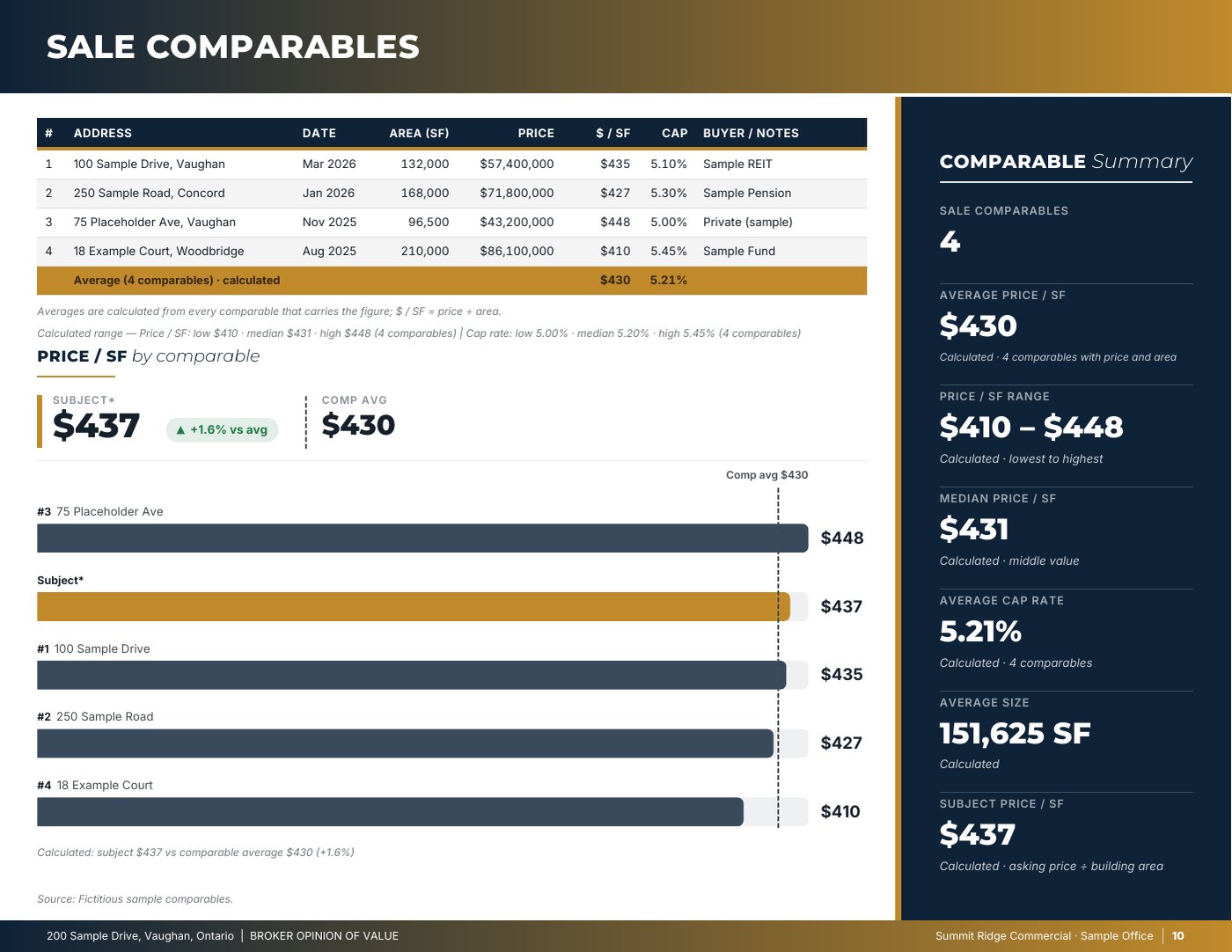
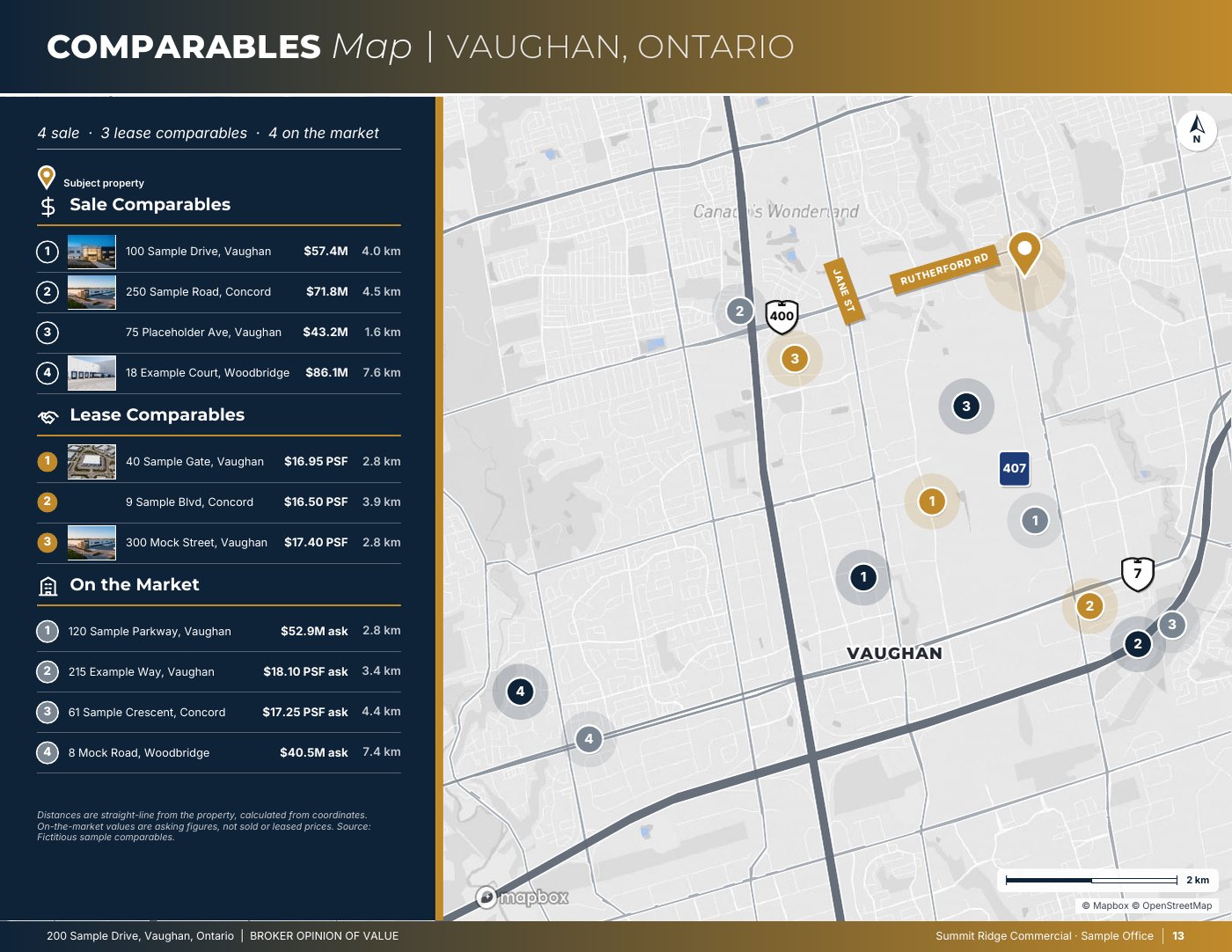
- Comparables and the comparables mapSale comparables, lease comparables and properties on the market, sold and active kept separate, with a map of where they sit relative to the subject.
- Market, demographics and drive timesA market overview, demographic rings and 10-, 20- and 30-minute drive areas from the address, with sources printed on the page.
- Pricing and go-to-market strategyYour strengths, considerations and marketing steps. When they are short, they print on the opinion page instead of a near-empty page of their own.
- Your team and the call to actionYour advisory team when contacts have a bio or headshot, and a back cover with your contacts and a call to action for the owner.
Start with your fact sheet
We’ll build your teaser, brochure, OM and BOV preview from it. You upload it in the builder; nothing is sent from this page. One listing per free preview.
Upload your fact sheet — free previewValue BOVs and rent BOVs
Choose the transaction and the BOV follows. A sale BOV leads with an opinion of value and sale comparables. A lease or sublease BOV becomes an opinion of rent: lease comparables come first, the space on offer follows the property details, and the strategy page becomes “Rent & Leasing Strategy”. For land on a ground lease, your ground rent can be the opinion.
Units, currency and terms follow the property: square feet or square metres, USD or CAD, NNN and CAM or additional rent and TMI, in one template for both countries.
What the template will not do for you
- It does not decide the value. The opinion is yours: you enter it and approve it. Anything calculated from your inputs, such as price per square foot or an indication from comparables, is labelled as calculated.
- It is not an appraisal. A BOV is a broker’s marketing opinion, not an appraisal prepared by a designated appraiser under appraisal standards (USPAP in the US, CUSPAP in Canada). Lenders, courts and tax matters usually need an appraisal. Your brokerage’s disclaimer goes on the document.
- It does not invent comparables or market figures. Comparables come from you; location data is sourced and shows its source.
For how to put a BOV together (choosing comparables, valuation approaches, presenting the conclusion), read the broker opinion of value guide linked below.
One property file, every document
The same property file that makes your BOV also makes the brochure, the teaser and the full offering memorandum once you win the listing, so you never re-enter the facts. Download a print-ready PDF in Letter or A4 landscape; paid documents can also be exported as an editable PowerPoint file. Start with one free watermarked preview built from your own facts and photos.
Real pages from the product
Sample — fictitious property. These pages come from a BOV made once for an invented sample listing; the owner, building, value range, comparables and deal figures are invented, and location data shows its source. See all sample pages on the samples page.
See a sample for your property type
Fictitious properties, each labelled as a sample.
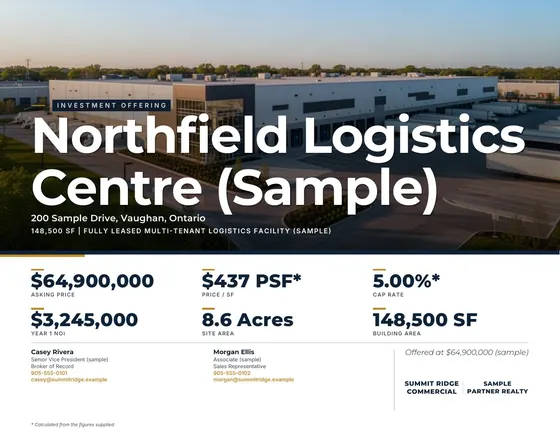 Sample — fictitious propertyIndustrialNorthfield Logistics Centre200 Sample Drive, Vaughan, ON (invented address)
 Sample — fictitious propertyOfficeMesquite Point Corporate Center600 Sample Avenue, Mesa, AZ (invented address)
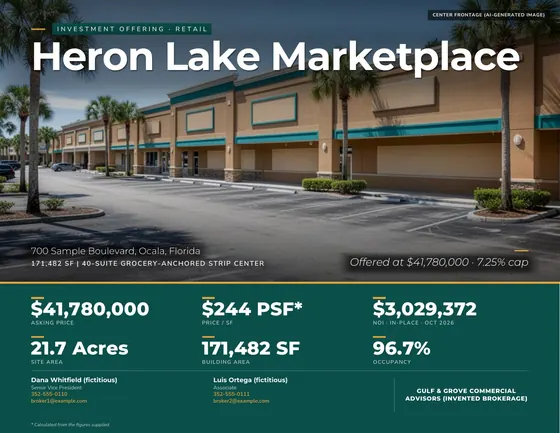 Sample — fictitious propertyRetailHeron Lake Marketplace700 Sample Boulevard, Ocala, FL (invented address)
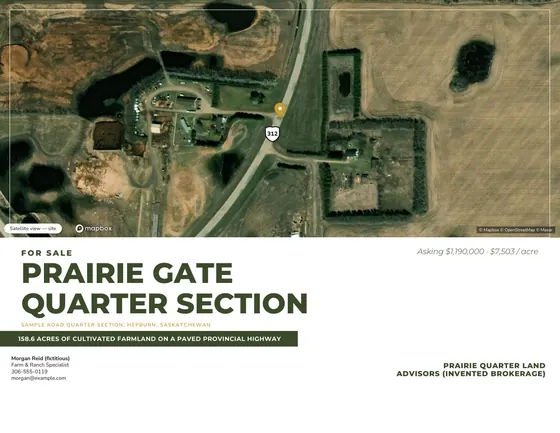 Sample — fictitious propertyLandPrairie Gate Quarter SectionSample Road, R.M. of Laird, SK (invented address)
Questions
What is a broker opinion of value?
A broker’s written opinion of what a property would sell or lease for in the current market, with the comparables and reasoning behind it, usually prepared to win a listing or to help an owner decide whether to sell.
Is a BOV the same as an appraisal?
No. An appraisal is prepared by a designated appraiser under appraisal standards: the Uniform Standards of Professional Appraisal Practice (USPAP) in the US and the Canadian Uniform Standards of Professional Appraisal Practice (CUSPAP) in Canada. A BOV is a broker’s opinion for marketing and listing decisions.
Can I make a BOV for a lease instead of a sale?
Yes. Set the transaction to lease or sublease and the template produces an opinion of rent, led by lease comparables and a leasing strategy.
What if I don’t have comparables yet?
Enter your own value range, a value-per-SF or cap-rate range, a market rent or a replacement cost and the BOV can still show the value page. Without any of these, the builder tells you what to add; it never prints an empty value page.
Will the owner see my working notes?
No. The PDF carries only the pages and the call to action; instructions about what to add stay in the builder.
Can I turn the BOV into a brochure or offering memorandum after I win the listing?
Yes. Switch the output and the facts, photos and maps carry over.
Start with the fact sheet you already have.
Upload it, answer only what’s missing for the output you choose, and review a watermarked preview before you buy anything.