AI broker opinion of value
AI broker opinion of value (BOV) for commercial listings
Nothing invented. Location data cites its source. Build a commercial BOV for a listing pitch from your facts and comps. The value stays yours; AI never sets it.
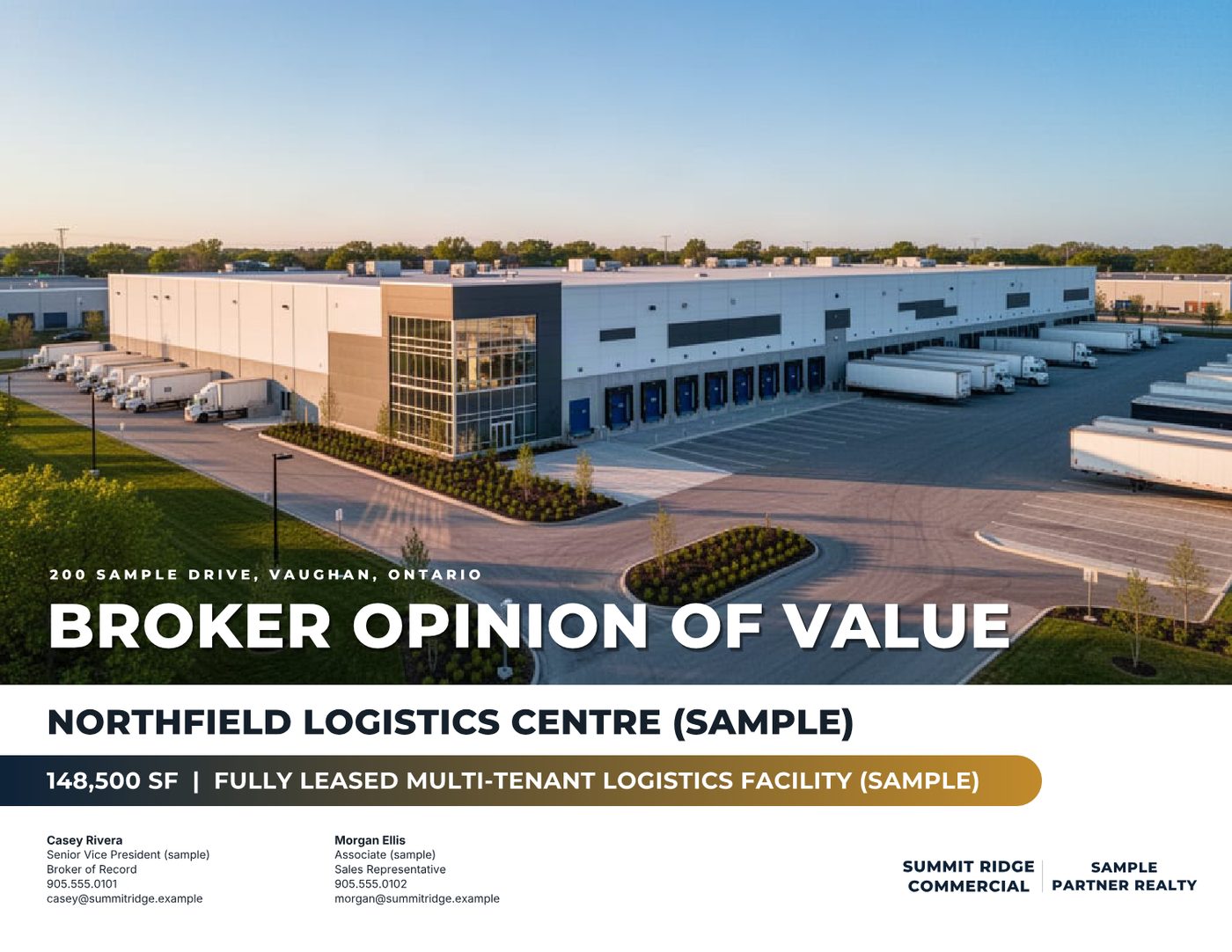
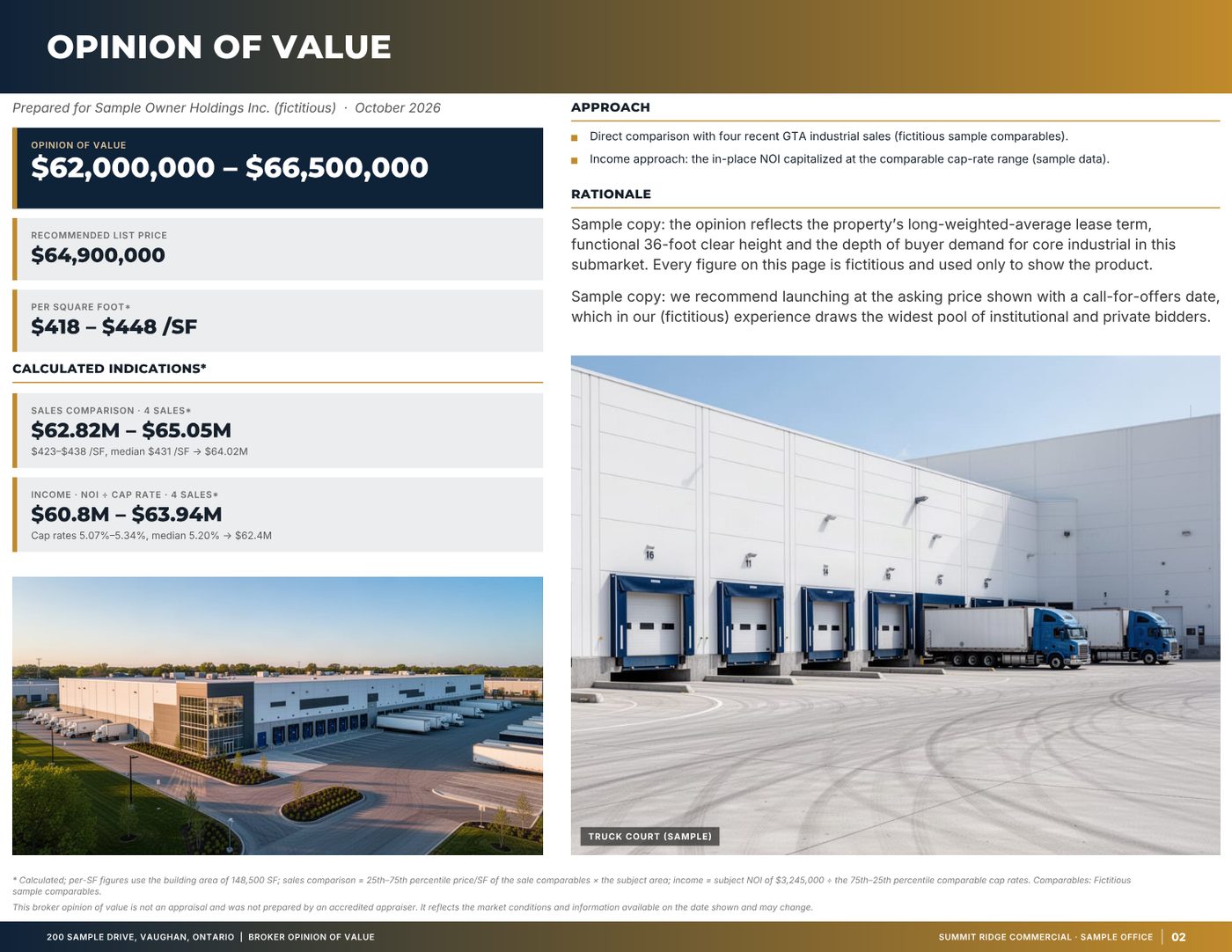
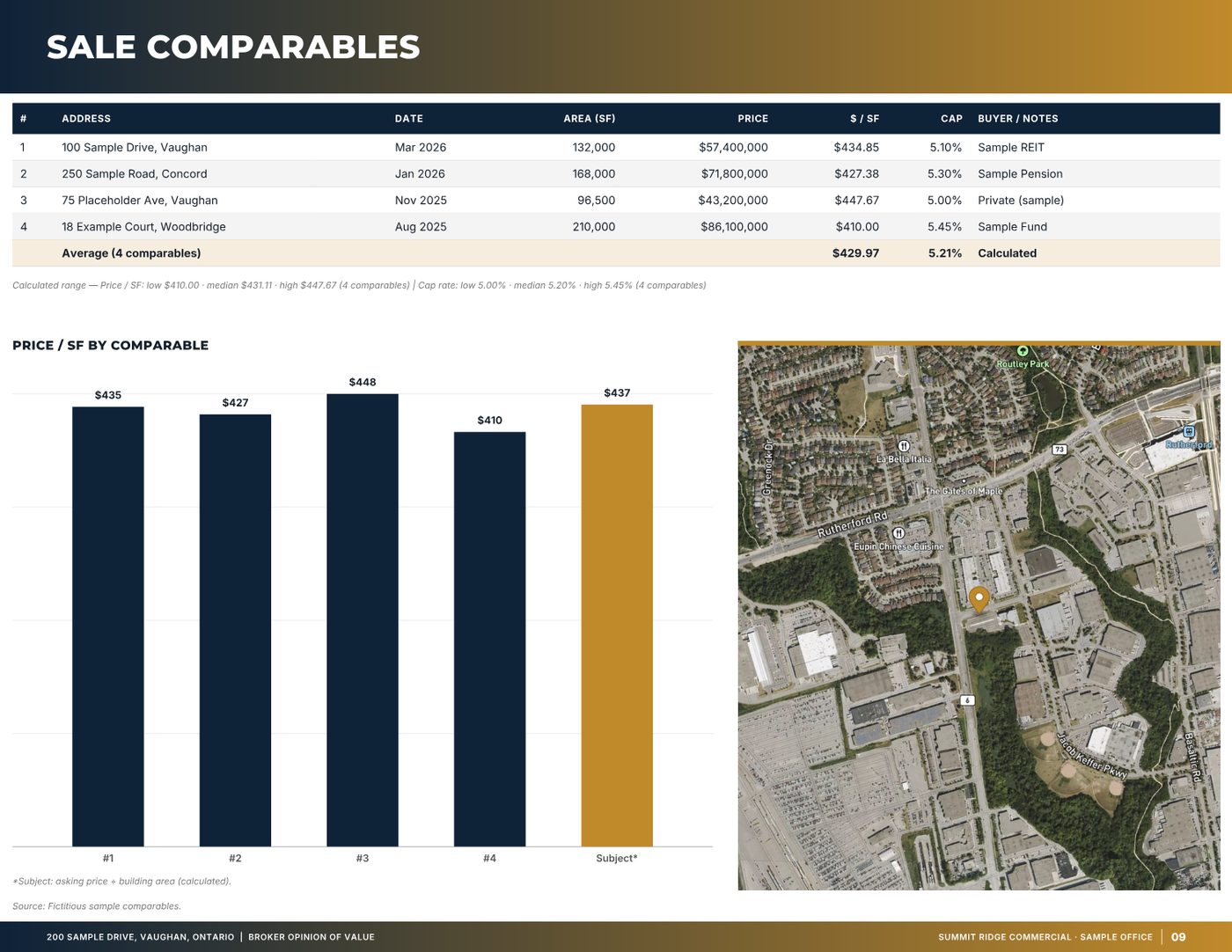
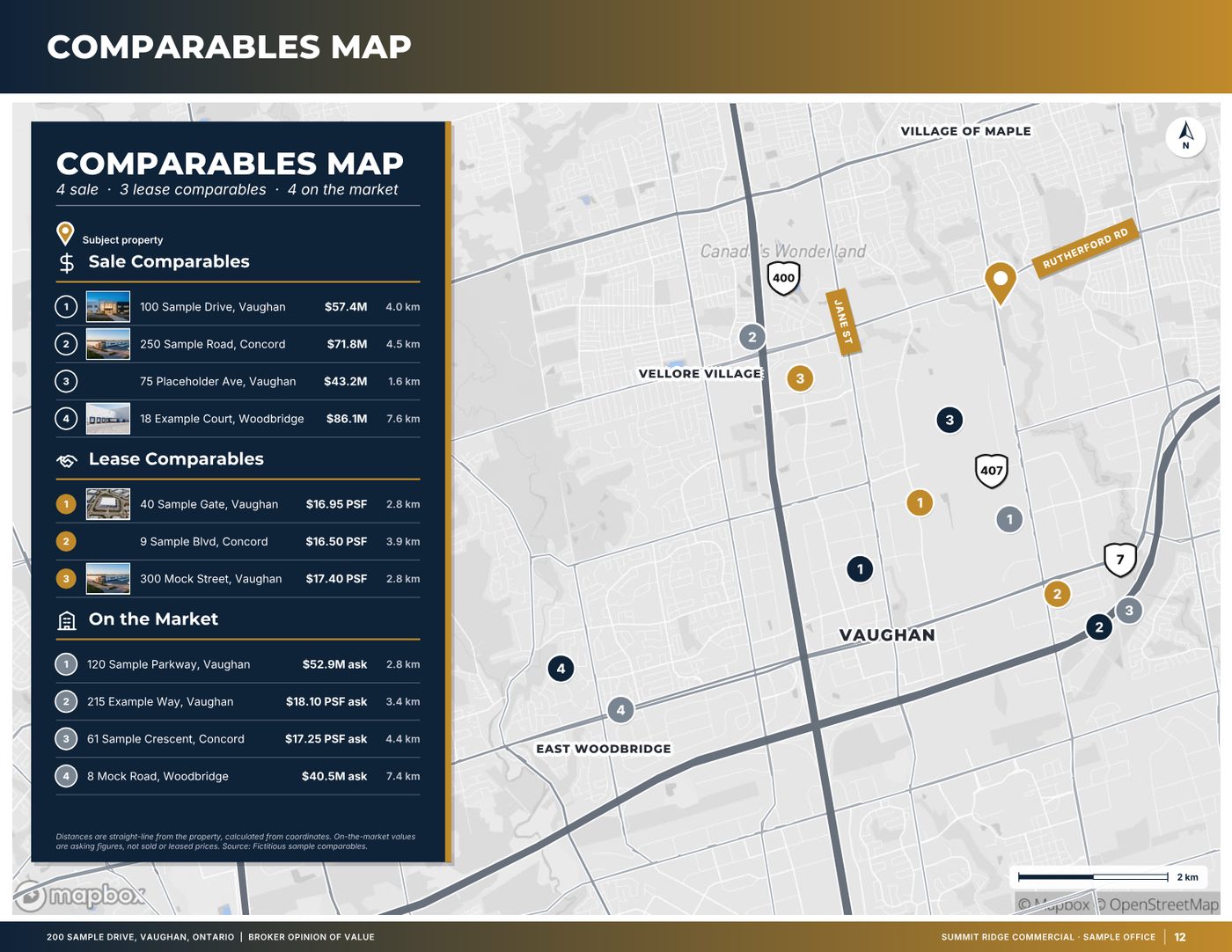
Sample — fictitious property. Pages generated by the product for an invented listing: the name, address, brands and deal figures are invented, as is any value marked (sample). Location pages print the source of their data.
AI that builds the BOV, not the value
Nothing invented. Location data cites its source. A broker opinion of value is your professional opinion, and it should read that way. OfferingStack uses AI to read your files, research the location and draft the property story; the value or rent range is the one you enter and approve.
If you have not entered an opinion yet, the value page is titled “Valuation Indications” and shows only indications calculated from your inputs, each labelled as calculated. It is never presented as your opinion.
Where AI helps, and where it is not allowed to guess
The AI in OfferingStack does four jobs, and none of them puts a figure on a page by itself:
- Reading your files: facts are read from a fact sheet, rent roll or old brochure (PDF, Word, Excel, CSV, images or pasted text). Each one is shown with the page and the quote it came from and waits for you to accept it.
- Researching the location: zoning, demographics, the market, nearby occupiers, transit and infrastructure, each with a source link and a confidence level. You accept or reject each fact one at a time.
- Drafting copy: summaries and highlights are written from your accepted facts. Any drafted sentence with a figure that is not in your data is dropped, and before you generate, a number check lists any figure in your text that does not match your listing data.
- Placing photos: suggestions for the best page, the focus point and the alt text, applied only when you click.
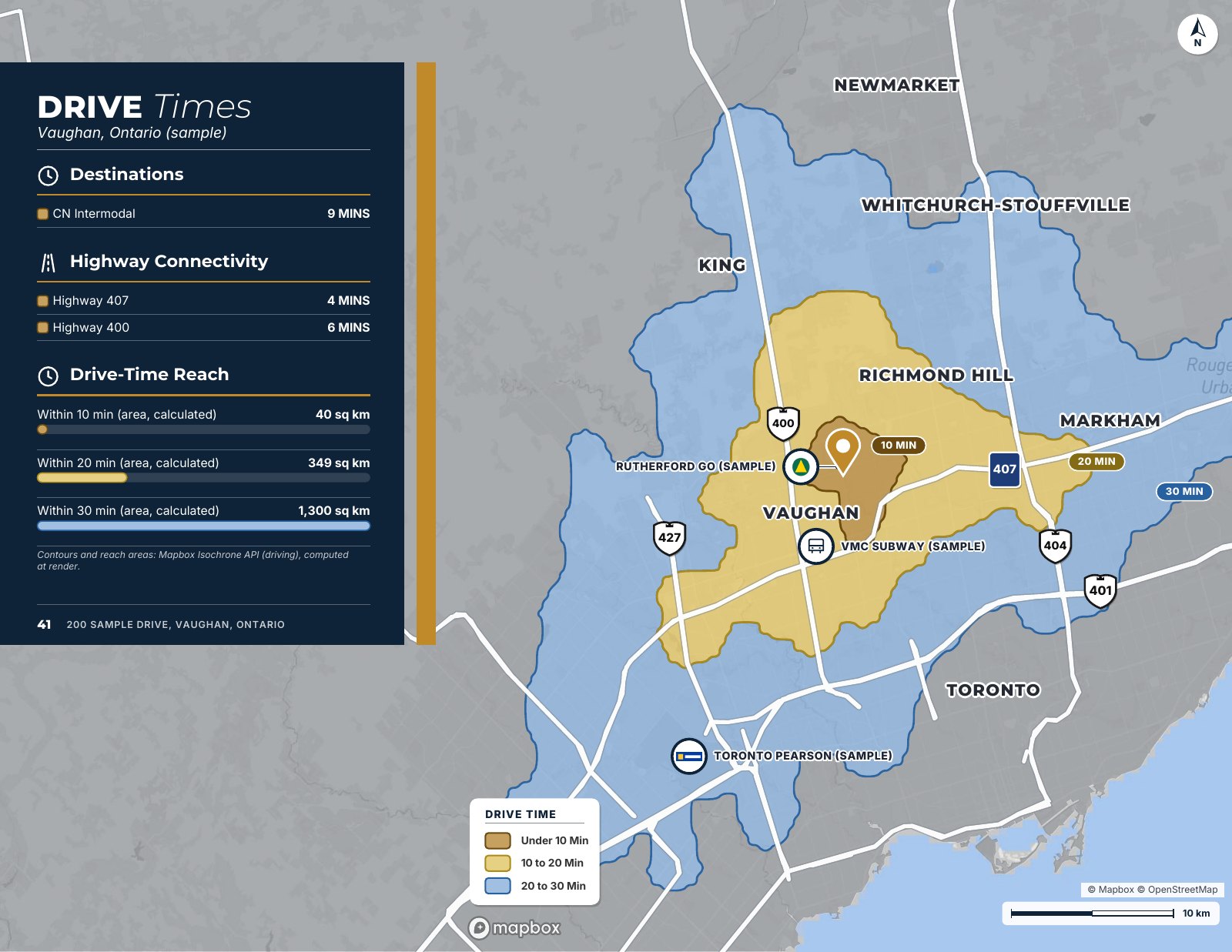
Everything else is not AI. Maps, drive-time areas and amenity counts come from mapping and open-data services, demographics from official statistics, and calculated figures (cap rate, price per square foot, totals) from arithmetic on your numbers, labelled as calculated.
What the BOV contains
A landscape PDF for the owner: a cover prepared for your client, the opinion of value (or opinion of rent for a lease) with its reconciliation and pricing grid, the property, income where it applies, sale and lease comparables with a comparables map, market, demographics and drive-time areas, your pricing and go-to-market strategy, and your team.
Comparables come from you; the BOV does not invent them. Location data is sourced and prints its source.
Labelled figures, sourced location data
Every value in the builder carries a label saying how it got there: supplied by you, extracted from your file, researched with a source link, pulled from a mapping or open-data service, or calculated. On the finished pages, location and market data print with their source and date, and calculated figures are marked so a reader can check the arithmetic.
If the data for a page is not there, the page is left out, or the builder tells you what to add. Nothing is invented to fill a gap.
A BOV is not an appraisal
A BOV is a broker’s marketing opinion, not an appraisal prepared by a designated appraiser under appraisal standards (USPAP in the US, CUSPAP in Canada). Lenders, courts and tax matters usually need an appraisal. Your brokerage’s disclaimer goes on the document.
Win the listing, keep the work
The same listing that makes the BOV makes the teaser, brochure and full offering memorandum once you win the mandate, so the facts, photos and maps carry over and the numbers never disagree between documents.
What happens to your listing data
The AI features use a model provided by OpenAI, reached through our hosting platform. Only the content needed for the feature you use is sent, and your content is not used to train models. The details are in our privacy policy.
Try it on a real listing
Build a free watermarked preview of your own listing without a card, and look at every page before you decide. After that you can pay for a single document or choose a monthly plan; current prices are on the pricing page.
Frequently asked questions
Can AI value a commercial property?
OfferingStack does not let AI set a value. You enter the opinion of value or rent; the AI helps read your files, research the location and draft the property story, and anything calculated from your inputs is labelled as calculated.
What if I have no opinion entered yet?
The value page is titled “Valuation Indications” and shows only indications calculated from your inputs, labelled as calculated. Without any inputs, the builder tells you what to add.
Does it find comparables for me?
No. Comparables come from you, and closed deals from your own firm library can be suggested on plans that include it. The BOV never invents comparables.
Is a BOV the same as an appraisal?
No. An appraisal is prepared by a designated appraiser under USPAP in the US or CUSPAP in Canada. A BOV is a broker’s opinion for marketing and listing decisions.
Can I make a BOV for a lease?
Yes. Set the transaction to lease and the BOV becomes an opinion of rent, led by lease comparables and a leasing strategy.
What these pages look like
Sample — fictitious property. Pages generated by the product for an invented sample listing with an invented brokerage brand. Figures marked (sample) are not real.

Related
Last updated 2026-11-03. General information for commercial real estate professionals, not legal advice.
Start with the fact sheet you already have.
Upload it, answer only what’s missing for the output you choose, and review a watermarked preview before you buy anything.