Offering memorandum software
Offering memorandum software for commercial real estate brokers
Offering memorandum software for CRE brokers: build an OM, brochure, teaser or BOV from a fact sheet or address, with location maps and your brand.
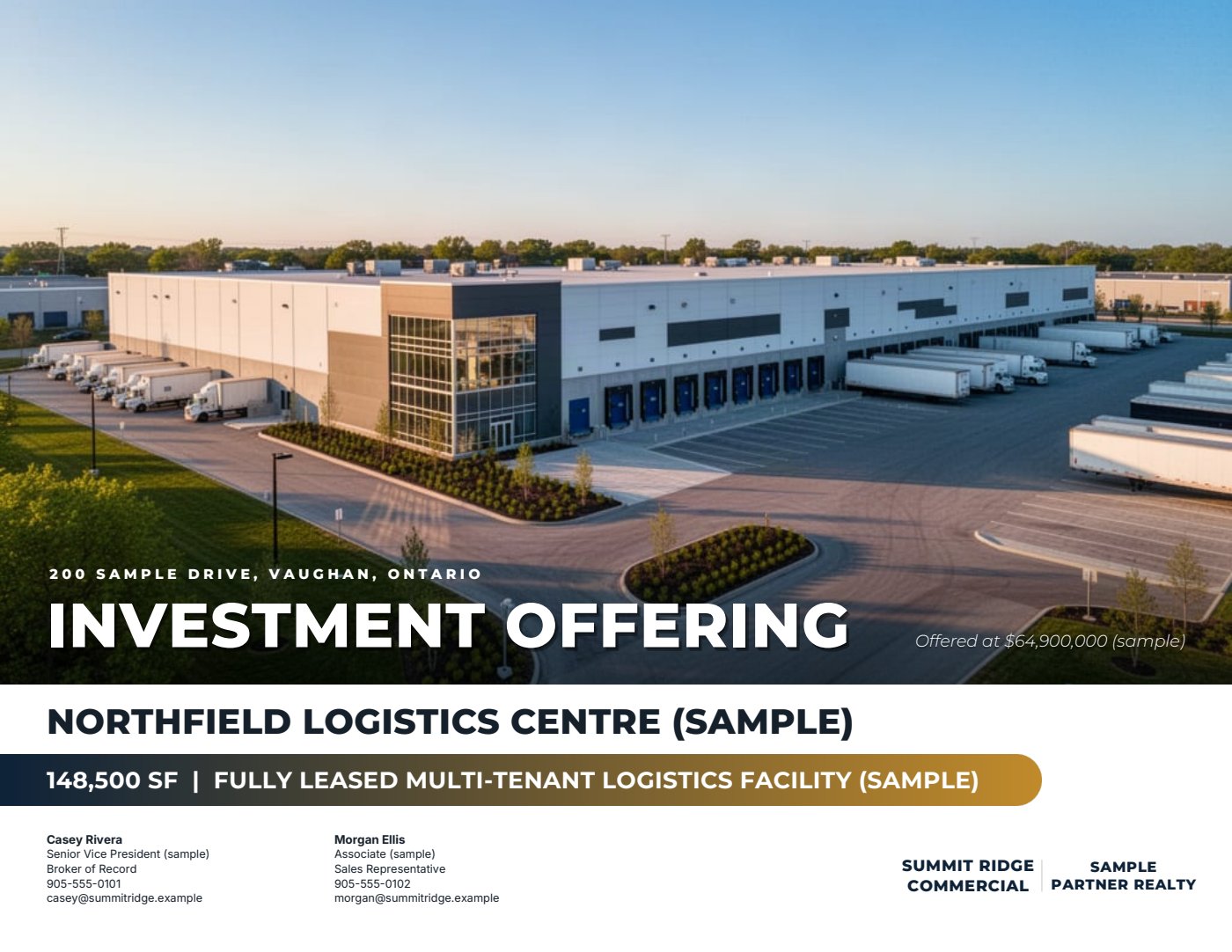
What offering memorandum software does
Offering memorandum software turns the facts about a listing into finished marketing documents. Instead of copying figures from a fact sheet into a layout file, rebuilding the location map by hand and checking every page for stale numbers, the broker enters the property once and the software assembles the pages: the cover and executive summary, the specifications, the rent roll and financial analysis, the location and market pages, the photos and the closing contacts.
For a commercial listing team the real value is consistency. The same facts feed the teaser that goes out widely, the brochure for user buyers and tenants, the full OM for qualified investors and, when the seller wants a pricing view, the broker opinion of value. Change the asking price or a lease in one place and every document that uses it changes with it.
What to look for when you choose OM software
Most tools promise speed. The questions that matter to a listing broker are about what the buyer will see and whether it is right.
- Design quality: do the pages look like they came from a top brokerage, or like a form? Ask to see full sample documents, not just a cover.
- Location pages: does it draw real drive-time areas, highway access and nearby occupiers from the address, or leave you to paste in a screenshot?
- Accuracy: are calculated figures labelled as calculated, are sourced figures shown with their source and date, and does anything extracted from your files wait for your approval?
- Your brand: do your colours, fonts, logo and co-brand logos run through every page, or only the cover?
- Every document from one listing: teaser, brochure, full OM and BOV from the same facts, so numbers never disagree between them.
- Distribution: a listing page and a confidentiality-gated deal room, so the OM is released the way your process requires.
- Editing: can you change a word on the finished page, and can you export a file your team can keep working in?
- Cost: can you try it on a real listing before you pay, and can you pay per document when you only list a few properties a year?
How OfferingStack builds an offering memorandum
OfferingStack starts from what you already have. Upload the fact sheet, rent roll or an older brochure and the facts it can read are filled in for you to accept or change; or start from the property address and enter the rest. Every section is optional, and pages without data are left out rather than printed empty.
- Enter the address and confirm the pin. You can move it before anything is generated.
- Add the facts, tenancy and numbers you have, and the property photos.
- Choose your colours, fonts and logo once; they carry into every document.
- Generate a free watermarked preview and look at every page.
- Pay for the document you want, then download the print-ready PDF.
Brochures, full OMs and BOVs are laid out in landscape, the format most investment brokerages use for marketing packages; teasers are a short portrait summary to send first.
The documents one listing produces
One set of listing facts can become several documents, each sized to its stage of the sale or lease process.
Teaser
A four-page summary for wide distribution: the headline facts and the reason to look, without the sensitive figures.
Marketing brochure
A visual, photo-led document for user buyers and tenants, with specifications, availability, location pages and contacts.
Full offering memorandum
Every page the data supports: executive summary, property and site, tenancy and rent roll, operating statement and pricing metrics, location and market, photos, the offering process and a fillable confidentiality agreement.
Broker opinion of value
A value range with its reconciliation and pricing grid, built from the comparables and income figures you provide, for seller pitches and pricing conversations.
Listing page and deal room
A listing website with a request-the-OM form, and a deal room that releases the OM after a signed confidentiality agreement, with watermarked pages and an activity log so you can see who opened what.
Location pages and maps from the address
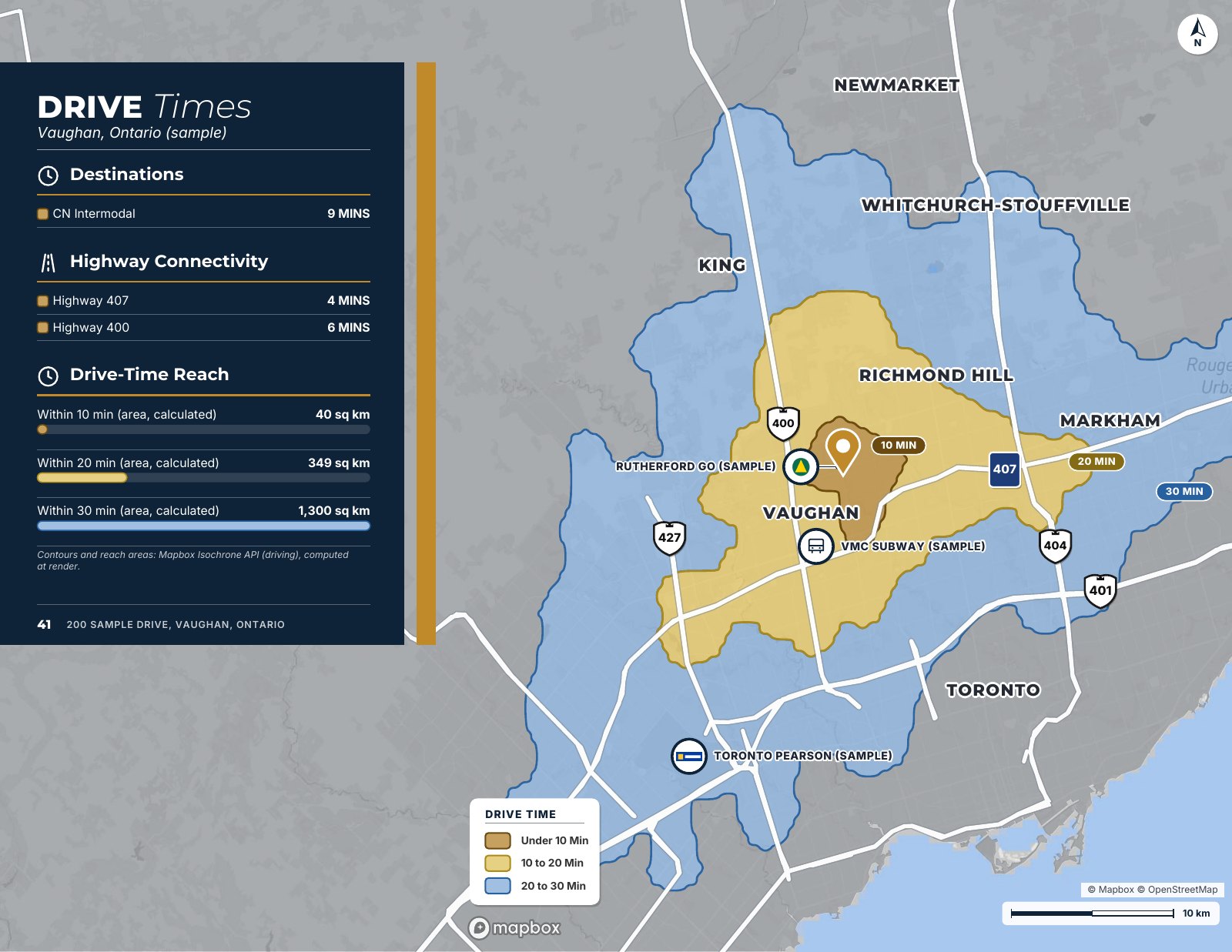
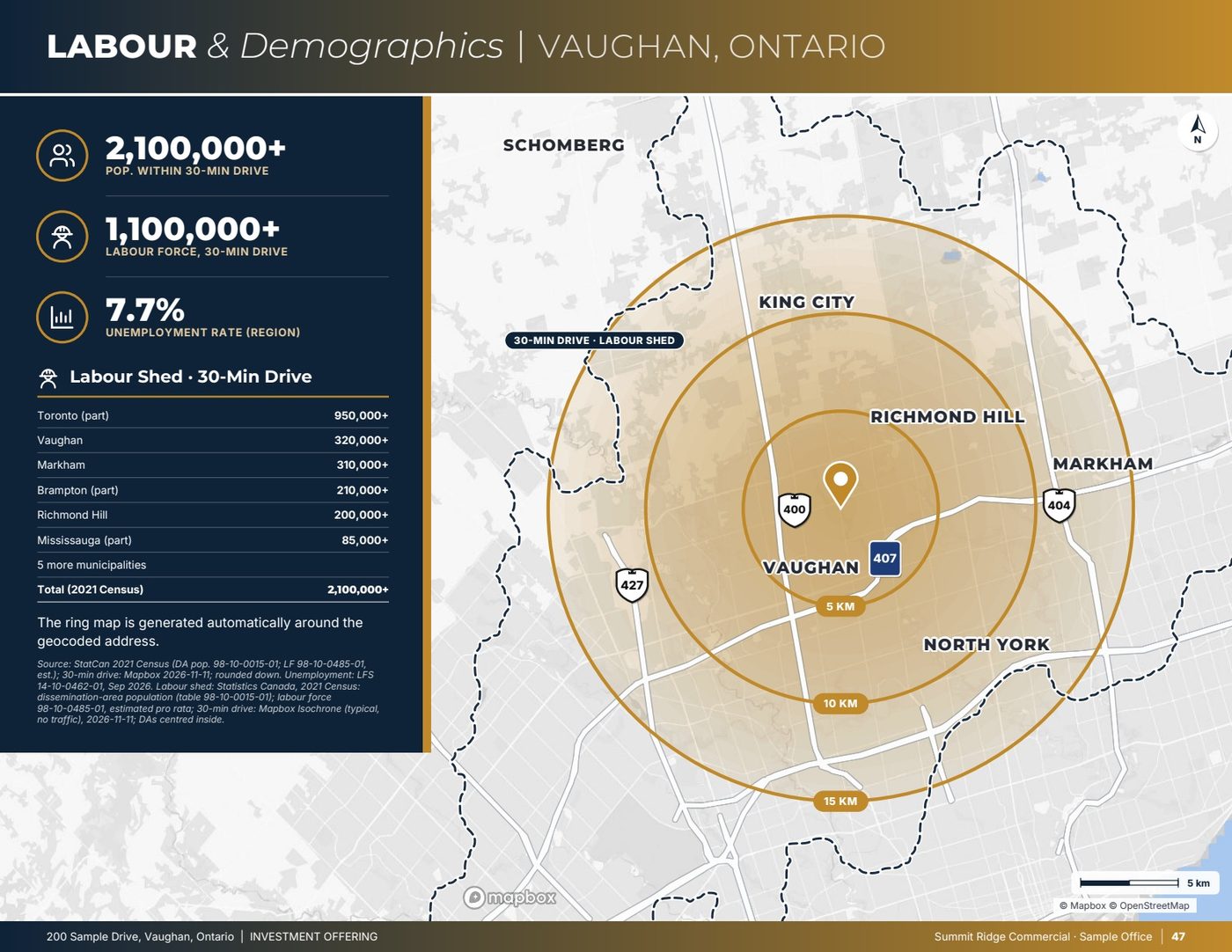
The location section is usually the slowest part of an OM to make by hand. OfferingStack draws it from the address: 10, 20 and 30-minute drive areas, drive times to the airport, rail, city centre, ports and border crossings, road labels set along the roads and highway shields where a highway is shown. Maps, geocoding and drive times come from Mapbox, and the population and labour figures come from official statistics with the source printed on the page.
Because the maps are generated for each property, they show what a buyer in that market cares about rather than a generic regional map.
Accuracy you can stand behind
A buyer underwrites from your OM, so a wrong number costs more than an ugly page. OfferingStack keeps three kinds of figures apart.
- Your figures: what you entered or approved, printed as you gave them.
- Calculated figures: cap rate on the asking price, price per square foot or square metre, totals and averages, labelled as calculated so a reader can check the arithmetic.
- Sourced figures: public market and location data, printed with the source and date, and only after you accept them.
Facts read from an uploaded fact sheet or rent roll wait for your approval before they reach a page. Nothing is invented to fill a gap; if the data is not there, the page is left out or you are asked for it.
Your brand on every page, and editable after it is made
Your colours, fonts, logo and any co-brand logos run through every page of every document, so a listing looks like it came from your brokerage rather than from a software company. Paid documents carry no OfferingStack branding.
After a document is generated you can click any text on a page and change it in place. Paid documents can also be exported as an editable PowerPoint version, for teams that like to finish the last details in their own files.
Made for brokers in Canada and the United States
OfferingStack is built for commercial brokers across North America. Units, terms and data sources follow the property: square feet or square metres, TMI and additional rent or NNN and CAM, Statistics Canada or the US Census for demographics. Prices on the site are in Canadian dollars, and documents can be made for any asset type, for sale or for lease: industrial, office, retail, multifamily, land, mixed-use, medical office, self-storage and hotel.
Software, a designer or a template?
There are three common ways to produce an offering memorandum, and each has a place.
- A graphic designer gives you a bespoke document, at a designer’s cost and turnaround. It makes sense for a trophy asset with a long marketing period.
- A word-processor or slide template is cheap, but every map, chart and page break is manual, and numbers drift between the teaser, the brochure and the OM.
- Offering memorandum software sits between them: designed layouts, generated maps and financial pages, and one set of facts behind every document, at a per-listing cost.
Many teams mix them: software for the steady flow of listings, a designer for the occasional landmark property.
What stays in the broker’s hands
Software assembles pages; it does not replace the judgement that wins a listing. The broker still decides how the property is positioned, which buyers it is written for, what the investment highlights are and how the pricing is presented. Those decisions shape the executive summary, the order of the sections and the closing offering process, and they are where an OM earns its keep.
The broker also stays responsible for the facts. Review every figure before a document goes out, confirm the zoning and areas against the source documents, and keep the confidentiality and disclaimer language your brokerage requires. A good tool makes that review easier by showing where each number came from; it never makes it unnecessary.
Who it suits
Offering memorandum software pays off most for brokers who list regularly and want every listing to look like a flagship: independent brokers and small teams without an in-house designer, mid-size brokerages that want a consistent look across agents, and marketing coordinators who produce documents for several brokers at once. Teams that list only occasionally can still use it per document, without a subscription.
It is also useful earlier in the process. A quick teaser or a broker opinion of value built from the same facts helps in a listing pitch, and the full OM is ready from that same listing once the mandate is signed.
Trying it before you pay
You can build a free watermarked preview of your own listing without a card, so you judge the output on a real property rather than a demo. After that you choose a monthly plan or pay per document, with no plan or seat licence needed for a single document. Current prices are on the pricing page.
One thing offering memorandum software is not: a securities disclosure tool. If you are selling interests in a fund or a company rather than a property, the document is a different kind of offering memorandum and a lawyer should be involved.
Frequently asked questions
What is offering memorandum software?
Software that turns a commercial listing’s facts, numbers and photos into finished marketing documents such as a teaser, brochure, full offering memorandum and broker opinion of value, so the broker enters the property once instead of building each layout by hand.
Can I try OfferingStack on a real listing for free?
Yes. You can build a free watermarked preview of your own listing without a card. You pay only if you want the clean, print-ready document.
Does it make the location maps for me?
Yes. From the property address it draws 10, 20 and 30-minute drive areas, drive times to the airport, rail, city centre, ports and border crossings, road labels and highway shields. You can move the pin before you generate.
Will the documents carry my brokerage’s branding?
Yes. Your colours, fonts, logo and co-brand logos run through every page. Paid documents carry no OfferingStack branding.
Can I edit the document after it is made?
Yes. Click any text on a finished page to change it in place, and paid documents can be exported as an editable PowerPoint version.
Does it work for US and Canadian listings?
Yes. Units, lease terms and demographic sources follow the property’s country, for sale and lease listings of any commercial asset type.
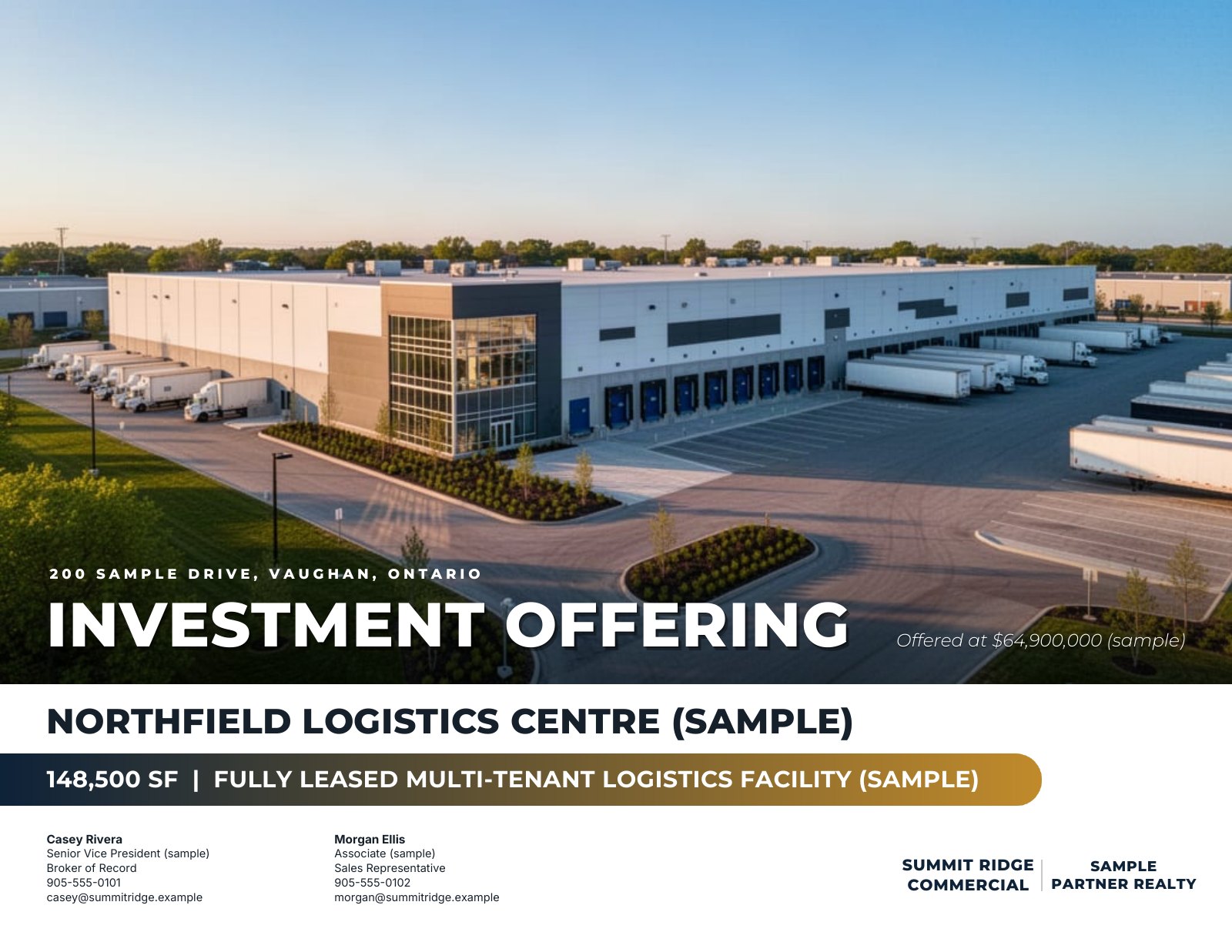
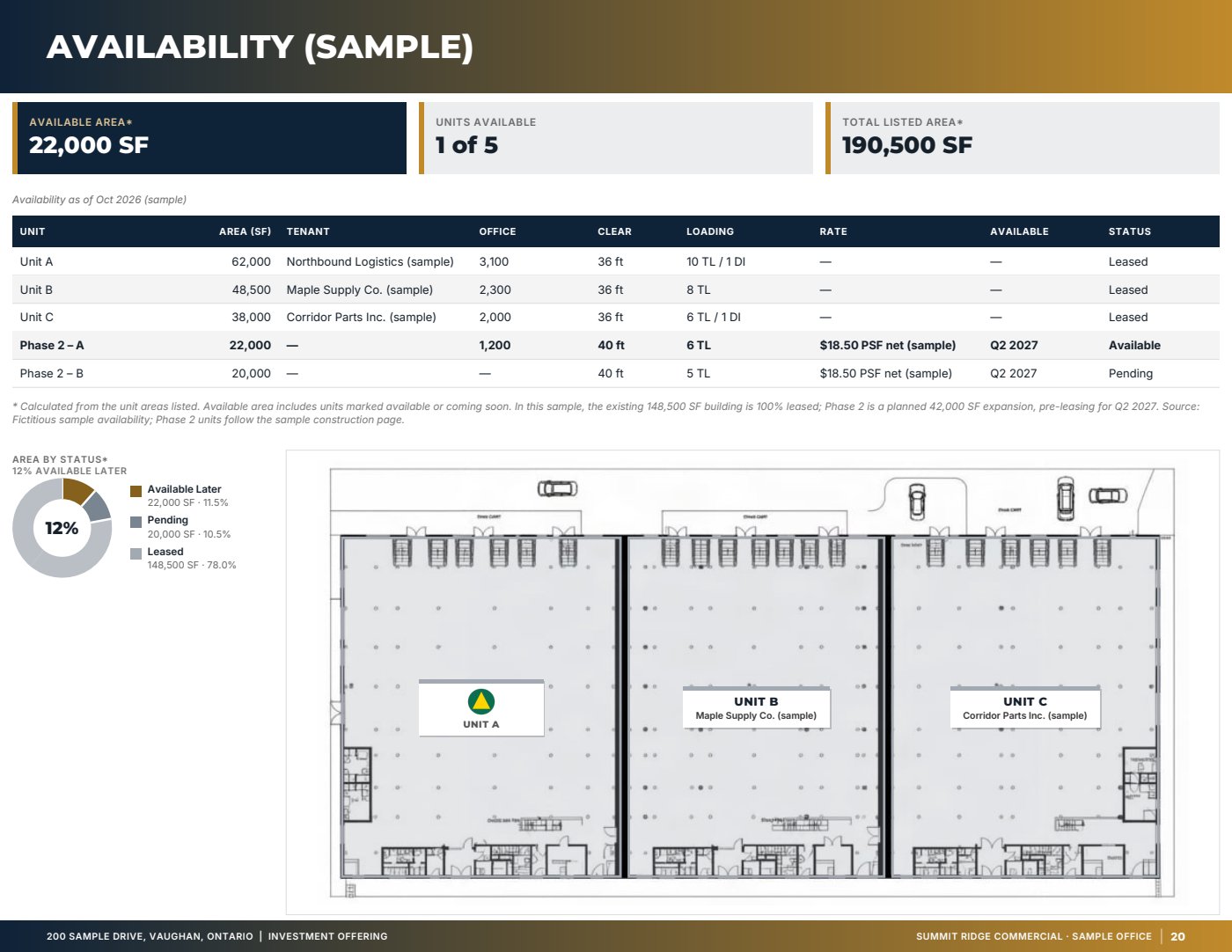
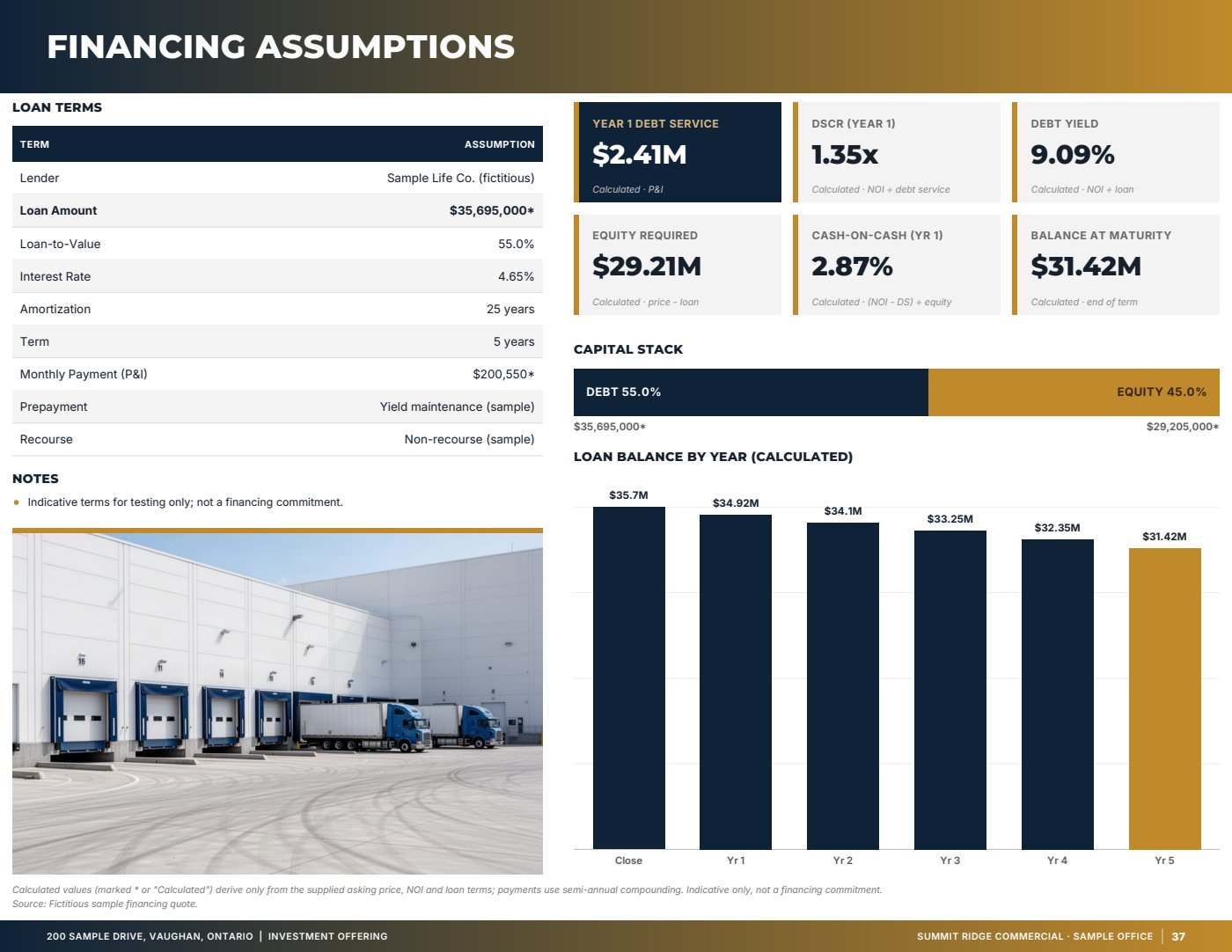
What these pages look like
Sample — fictitious property. Pages generated by the product for an invented sample listing with an invented brokerage brand. Figures marked (sample) are not real.
Related
Last updated 2026-10-27. General information for commercial real estate professionals, not legal advice.
Start with the fact sheet you already have.
Upload it, answer only what’s missing for the output you choose, and review a watermarked preview before you buy anything.