Offering memorandum
How to write an OM for a manufactured housing community
How to write an offering memorandum for a manufactured housing or land-lease community: homesites, lot rent, home ownership, utilities and page order.
What makes this property type different
A manufactured housing community, also called a mobile home park or, in parts of Canada, a land-lease community, earns most of its income from renting homesites. In most communities the residents own their homes and rent the ground under them. That changes almost everything about how the memorandum should read: the rent roll is a list of sites rather than suites, the buildings matter less than the roads and the utilities, and the residents’ ownership of their homes is part of what makes the income stable.
Buyers range from operators who own many communities to investors buying their first one. Both groups ask the same early questions: how many homesites there are, how many are occupied, what lot rent is today and when it last changed, how many homes the community itself owns, and who pays for water, sewer and the rest of the infrastructure. A memorandum that answers those on its first few pages gets read to the end.
A page order that works
- Cover: community name, location, deal type and an aerial or entrance photo.
- Executive summary: total homesites, occupied homesites, average lot rent per month, park-owned homes, the price or pricing guidance and the income basis.
- Investment highlights: a few specific, checkable points, each tied to a figure elsewhere.
- Community details: acreage, year opened, age-restricted or all-age, amenities, the office and any manager’s residence.
- Site map: numbered homesites, roads, common areas and vacant sites.
- Lot rent roll: one row per site with status, rent and, if you have it, the date of the last change.
- Community-owned homes: count, how they are used (rented or for sale) and their condition.
- Utilities and infrastructure: water, sewer, power, gas, roads and who pays for each.
- Operating statement: lot rent, home rent, utility recoveries, other income and expenses for a stated period.
- Pricing: the asking price, the cap rate and its NOI, and price per homesite.
- Location and demographics: where residents work and shop, with sourced figures.
- Offering process and contacts.
Writing the summary and the highlights
The summary page should state, in one opening sentence, the number of homesites, the location, whether the community is age-restricted or all-age and what is being sold. Follow it with occupied homesites as of a date, the average lot rent per month, the number of park-owned homes and the income figure behind the price.
Write highlights a buyer can check. Instead of describing a community as well kept or in high demand, give the fact behind the claim: the year the roads were repaved, a municipal water connection, the number of vacant sites ready for a home, or a waiting list the office keeps. Each highlight should point to a page where the evidence sits.
Homesites, occupancy and who owns the homes
Count sites carefully and define your terms. An occupied homesite has a home on it that pays lot rent; a vacant site has no home; a site with a park-owned home that is empty is a different case again. Buyers will reconcile your counts against the site map and the rent roll, so the three must agree.
State how many homes the community owns and what it does with them. Some owners rent homes to residents, some sell them and some use rent-to-own arrangements. Each one changes the income and the work involved, so describe it plainly and keep home rent separate from lot rent in the statement.
Say whether the community is age-restricted or open to all ages, and whether that is set by a rule, a zoning condition or simply by practice, using the wording in your documents.
Lot rent and the rules around it
Give the average lot rent per month, with the range if rents differ by site type or location within the community. Say when rents last changed and by how much in general terms. If rents vary because residents arrived at different times, say so.
In some provinces and states, site-rent increases, notices or lease terms are regulated, and those rules matter to a buyer’s plan. Do not summarise the law from memory. State the rule as it appears in the documents the seller or counsel has provided, name the source, and let buyers and their advisers confirm it.
Do not present the gap between current lot rent and what other communities charge as guaranteed upside. If you show it, show it on a projection page with its source and assumptions.
Utilities and infrastructure
For many buyers this is the page that decides the offer. Explain the water supply (municipal or private wells), the sewage system (municipal sewer, a private treatment system or septic fields), the electrical and gas service, and whether each is billed to residents, included in lot rent or paid by the owner. If utilities are sub-metered or billed back, say how.
Describe the roads, drainage and lighting, with their age and condition as the seller describes them. Private water and sewage systems often carry permits, testing duties and replacement costs, so list what reports exist and offer them in the data room rather than paraphrasing them.
The operating statement
Show lot rent, home rent, utility recoveries and other income on separate lines, then expenses line by line: property taxes, insurance, utilities paid by the owner, repairs, payroll, management, and any testing or permit costs for private systems. State the period and whether the figures are actual, owner-reported or adjusted.
If the owner lives on site and manages the community without pay, show what a manager would cost so the buyer can see a normalised figure. If the community sells homes, keep home sales out of the operating income and show them separately.
Privacy and residents
A rent roll for this type of property lists people’s homes. Use site numbers, not names, and leave out personal details, payment histories by name and anything a resident would not expect a stranger to read. Detailed records belong in a controlled data room after a confidentiality agreement, and only as far as privacy law allows.
Common mistakes
- Site counts that do not agree between the summary, the site map and the rent roll.
- Lot rent and home rent combined into one income line.
- Utilities described as included without saying who pays the supplier.
- Rent regulation summarised from memory instead of from a named document.
- Market lot rent presented as a fact rather than as a sourced comparison.
- Resident names or personal details in a marketing document.
How OfferingStack helps
Start a new document, upload the fact sheet or type what you have, pick Other and then Manufactured housing. The intake asks for homesites, occupied homesites, average lot rent per month and park-owned homes, plus the NOI on a sale. Every question can be skipped, and what you type prints as typed. Occupancy and price per homesite are calculated from your figures and labelled as calculated; lot rent is never converted from a yearly figure, and a fact sheet line is read as lot rent only when it says per month.
Put the site-by-site rent roll in the rent roll, the utilities and amenities in the property details, and add the site map as a plan page. Pages without data are left out instead of printing empty boxes. Every account can make one watermarked preview of its own listing, and you review and edit the wording before anything is shared.
This guide is general information, not legal advice. Site-rent rules, resident notices and privacy rules differ by province, state and country.
What these pages look like
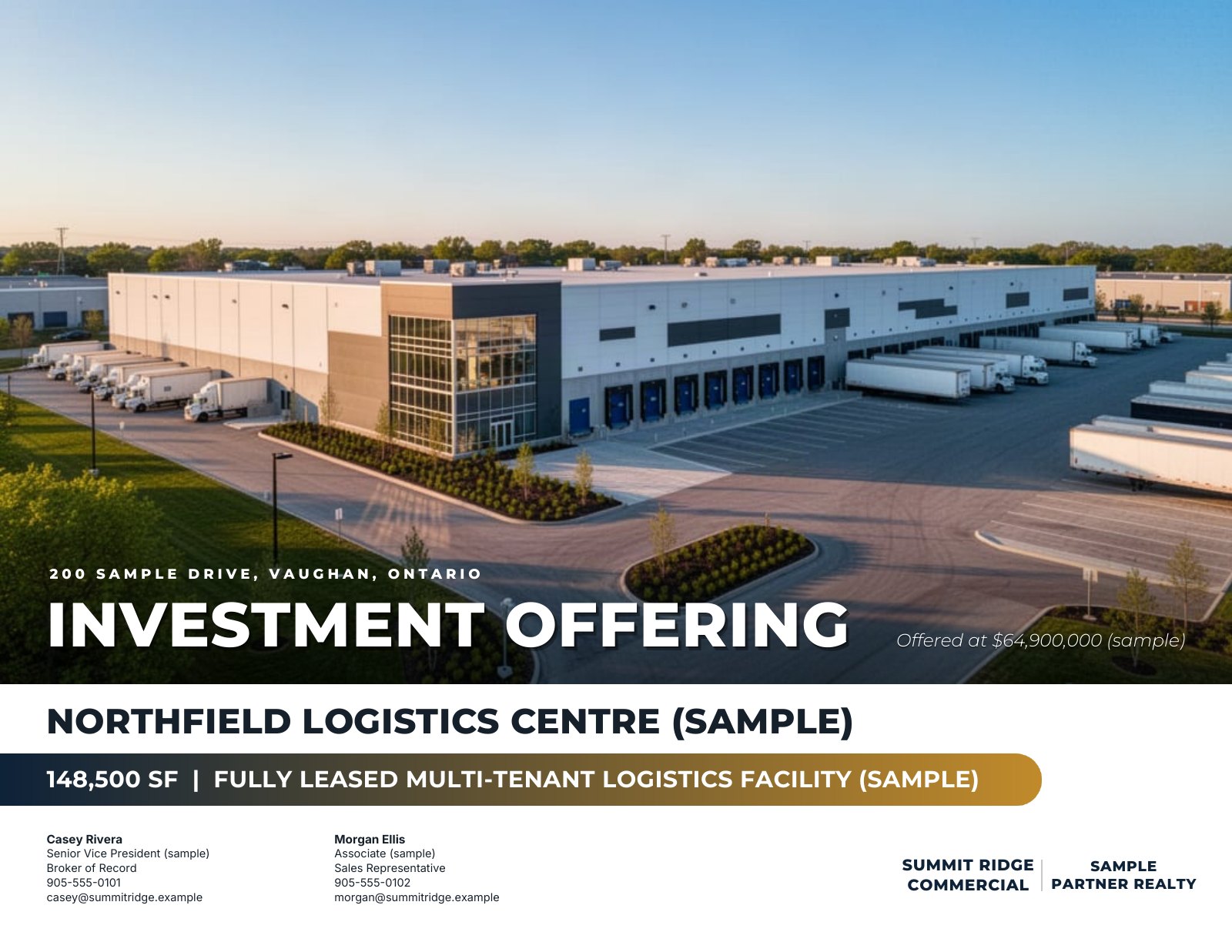
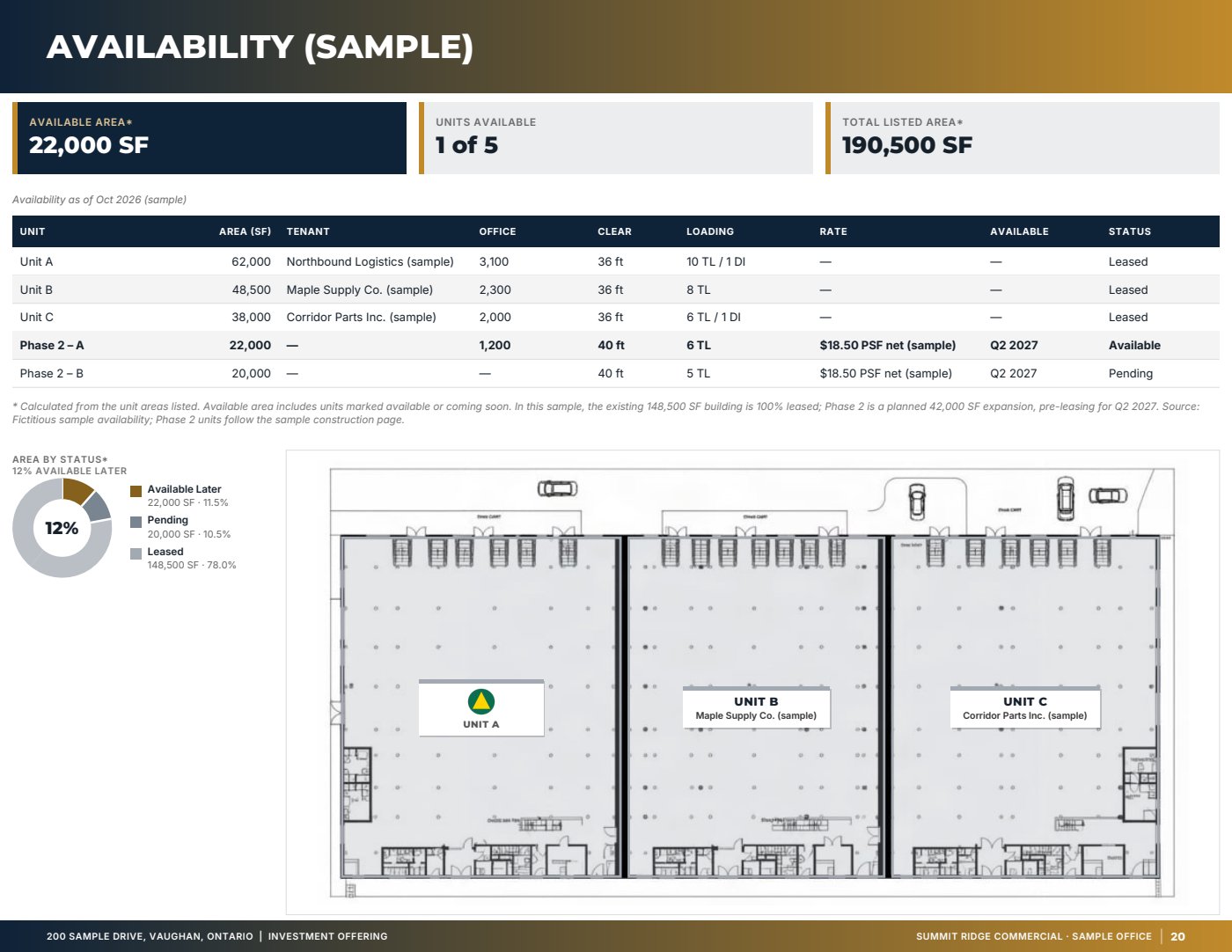
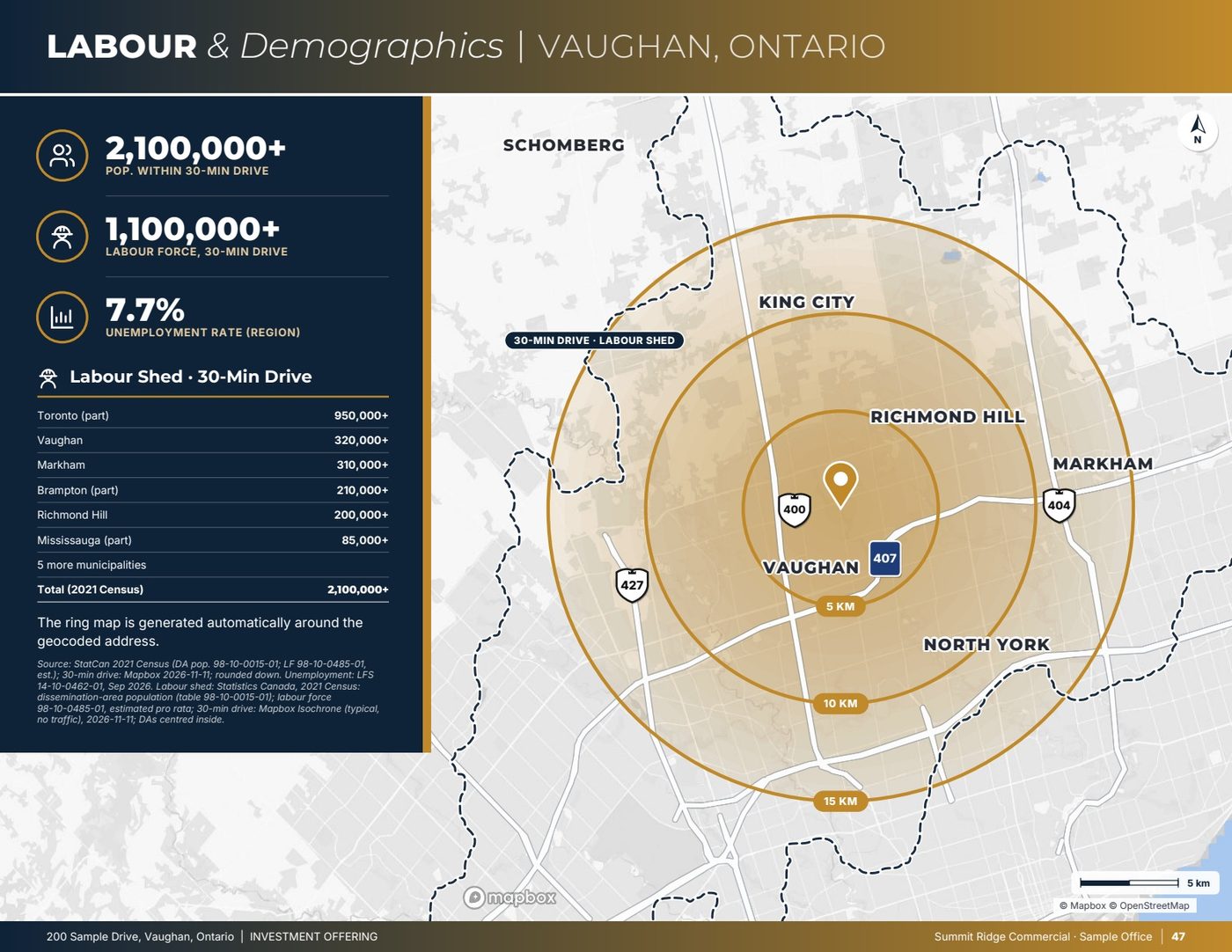
Sample — fictitious property. Pages generated by the product for an invented sample listing with an invented brokerage brand. Figures marked (sample) are not real.
Related
Last updated 2026-11-23. General information for commercial real estate professionals, not legal advice.
Start with the fact sheet you already have.
Upload it, answer only what’s missing for the output you choose, and review a watermarked preview before you buy anything.